


If you’ve ever worked through Unbounce’s pricing calculator, wondering whether Build’s 20,000 visitor cap will hold once your campaigns gain traction, or whether you’ll need Optimize at $249/month to unlock the AI features that set the platform apart, you know the feeling: you’re buying a car one feature at a time.
Unbounce is the leading landing page builder for performance marketers, with over two billion conversions across 15,000+ brands through its drag-and-drop editor, no-code A/B testing, and AI-powered traffic routing. It promises faster campaign launches and higher conversion rates without needing developers. But as Unbounce has evolved from a page builder into what it now calls a “go-to-market solutions” provider, its pricing has grown complex: visitor caps on every tier, key features locked behind higher plans, and overage fees that catch growing businesses off guard.
We analyzed Unbounce’s pricing tiers, visitor limits, and feature gates. It’s the right choice if:
- You run high-volume paid ad campaigns and need dedicated landing pages separate from your main website
- Your primary goal is conversion rate optimization with AI-powered traffic routing
- You have a technical marketing team comfortable managing a standalone landing page tool
- You already use separate tools for email, CRM, and content delivery
- You need Dynamic Text Replacement for PPC keyword matching at scale
However, Unbounce’s pricing is not a good choice if:
- You need landing pages as part of a broader business platform (courses, coaching, memberships, communities)
- You want unlimited traffic without worrying about visitor caps and overage fees
- You prefer one monthly price covering your entire marketing and delivery stack
- You’re building a digital business and need funnels connected directly to product delivery
- You want email marketing, automation, and sales pages under one roof
In that case, consider Kajabi: a platform that includes unlimited landing pages and funnels alongside course hosting, coaching tools, community, email marketing, and payment processing, with no traffic caps and no transaction fees.
We’ve included a Kajabi pricing comparison in this review for coaches, course creators, and entrepreneurs who need landing pages integrated with their whole operation. If you want to skip ahead to the Kajabi breakdown, use this link.
Unbounce Pricing Summary
|
Unbounce |
Kajabi | |
|---|---|---|
|
Free Trial |
• 14-day free trial • No credit card required • Full platform access |
• Free trial available • 30-day money-back guarantee • Full feature access |
|
Entry Plan |
• Starter: $29/mo ($22 annual) • 5 pages, 500 visitors • 1 user, 1 domain |
• Basic: $179/mo ($143 annual) • Unlimited landing pages & funnels • 5 products, 2,500 contacts |
|
Mid-Tier |
• Build: $99/mo ($74 annual) • Unlimited pages, 20K visitors • No A/B testing |
• Growth: $249/mo ($199 annual) • 50 products, 25,000 contacts • Advanced automations |
|
High-Tier |
• Optimize: $249/mo ($187 annual) • 50K visitors, Smart Traffic AI • 5 users, 3 domains |
• Pro: $499/mo ($399 annual) • Unlimited products, 100K contacts • Branded mobile app, API |
|
Best For |
Performance marketers running paid ad campaigns who need CRO tools and AI-powered traffic routing |
Creators who need landing pages connected to course delivery, coaching, community, and email marketing in one platform |
⭐ Create high-converting landing pages with Unbounce using this link. Build pages, capture leads, and optimize your marketing campaigns without needing a developer.
Unbounce Pricing: In-Depth Overview
Unbounce uses a tiered subscription model. The pricing variables are monthly visitor volume, feature access, and user seats. Four self-serve plans plus two enterprise tiers are available, with 25% savings on annual billing across all standard plans. Beyond the base subscription, Unbounce charges overage fees when traffic exceeds plan limits and locks its best features (A/B testing, Smart Traffic) behind higher tiers. Here’s what each plan costs.
Unbounce Starter Plan: $29/month or $22/month annually
|
Feature |
Details |
|---|---|
|
Monthly Price |
$29 ($22 annual) |
|
Landing Pages |
5 |
|
Monthly Visitors |
500 |
|
Users |
1 |
|
Domains |
1 |
|
Key Features |
Drag-and-drop builder, 100+ templates, lead gen forms, free hosting |
Starter gives you Unbounce’s core builder, but with restrictions that limit it to initial testing. At 5 landing pages and 500 monthly visitors, most marketers running paid ads will hit those limits within a week. The plan excludes A/B testing, Smart Traffic, Smart Copy, Dynamic Text Replacement, popups, and sticky bars.
|
Starter Plan | |
|---|---|
|
Pros |
Cons |
|
✅ Low entry price at $29/month |
❌ Only 500 monthly visitors |
|
✅ Full drag-and-drop builder access |
❌ Limited to 5 pages total |
|
✅ 100+ templates included |
❌ No A/B testing |
|
✅ No credit card for trial |
❌ No Smart Traffic, no Smart Copy |
The Bottom Line 👉 Starter works for evaluating the builder interface, but its caps are too restrictive for any active campaign use. Most marketers will need Build immediately.
Unbounce Build Plan: $99/month or $74/month annually
|
Feature |
Monthly |
Annual |
Increase from Starter |
|---|---|---|---|
|
Base Price |
$99 |
$74/month |
+241% |
|
Landing Pages |
Unlimited |
Unlimited |
From 5 to unlimited |
|
Monthly Visitors |
20,000 |
20,000 |
+3,900% |
|
Users |
1 |
1 |
Same |
|
Domains |
1 |
1 |
Same |
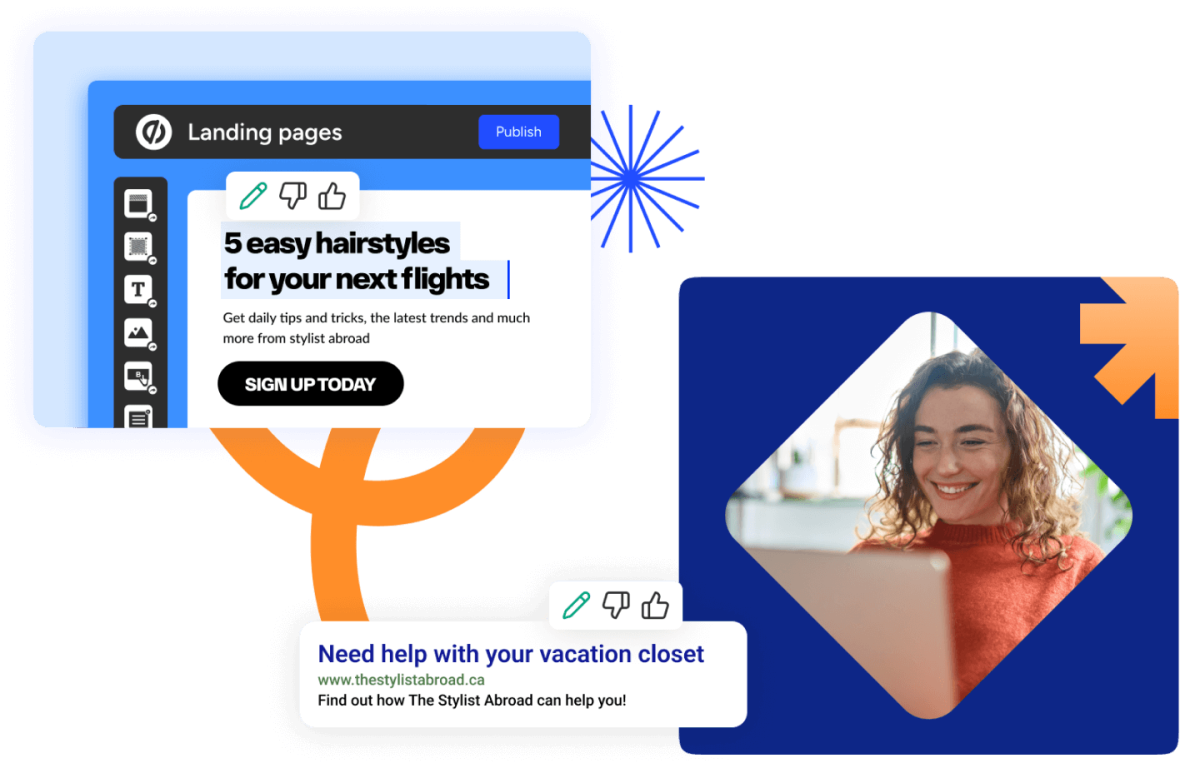
Build is the first tier suitable for real campaign work. It removes the page limit and provides 20,000 monthly visitors. It adds Smart Copy AI, popups, sticky bars, custom scripts/pixels, and 1,000+ integrations. But it still excludes A/B testing and Smart Traffic, so the platform’s two main differentiators remain locked at this price.
Source: Unbounce
|
Build Plan | |
|---|---|
|
Pros |
Cons |
|
✅ Unlimited pages removes constraints |
❌ Still no A/B testing |
|
✅ 20,000 visitors handles moderate campaigns |
❌ No Smart Traffic AI |
|
✅ Smart Copy AI included |
❌ Single user only |
|
✅ Popups and sticky bars added |
❌ No Dynamic Text Replacement |
The Bottom Line 👉 Build suits solo marketers with moderate traffic who can live without testing. But paying $99/month with no A/B testing limits what you can optimize.
Unbounce Experiment Plan: $149/month or $112/month annually
|
Feature |
Monthly |
Annual |
Increase from Build |
|---|---|---|---|
|
Base Price |
$149 |
$112/month |
+51% |
|
Monthly Visitors |
30,000 |
30,000 |
+50% |
|
Users |
3 |
3 |
+200% |
|
Domains |
2 |
2 |
+100% |
|
Key Addition |
A/B testing, Dynamic Text Replacement |
New |
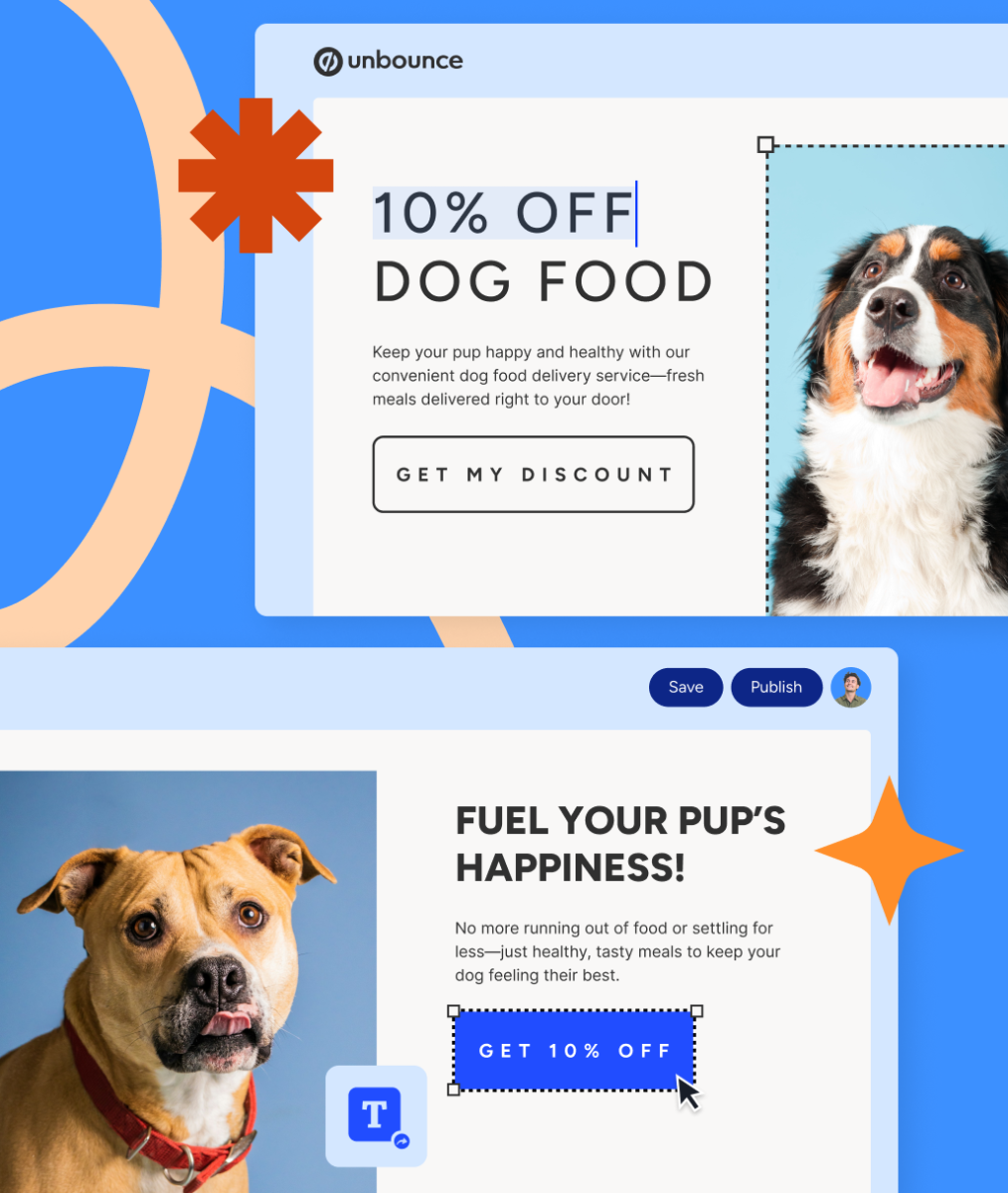
Unbounce marks Experiment as “Most Popular”. This tier unlocks A/B testing with unlimited variants, Dynamic Text Replacement for PPC keyword matching, and conversion insights. The jump to 3 users and 2 domains allows basic team collaboration. For PPC-heavy teams, Dynamic Text Replacement alone (which swaps headline copy to match search queries) can justify the upgrade.
Source: Unbounce
|
Experiment Plan | |
|---|---|
|
Pros |
Cons |
|
✅ A/B testing finally unlocked |
❌ Still no Smart Traffic AI |
|
✅ Dynamic Text Replacement for PPC |
❌ 30K visitor cap still limiting |
|
✅ 3 users enables team collaboration |
❌ $150/month without AI optimization |
|
✅ Unlimited variants per test |
❌ Only 2 domains |
The Bottom Line 👉 Experiment is where Unbounce becomes a real CRO tool, but teams still need Optimize to access the AI optimization that most differentiates the platform.
Unbounce Optimize Plan: $249/month or $187/month annually
|
Feature |
Monthly |
Annual |
Increase from Experiment |
|---|---|---|---|
|
Base Price |
$249 |
$187/month |
+67% |
|
Monthly Visitors |
50,000 |
50,000 |
+67% |
|
Users |
5 |
5 |
+67% |
|
Domains |
3 |
3 |
+50% |
|
Key Addition |
Smart Traffic AI, audience insights |
New |
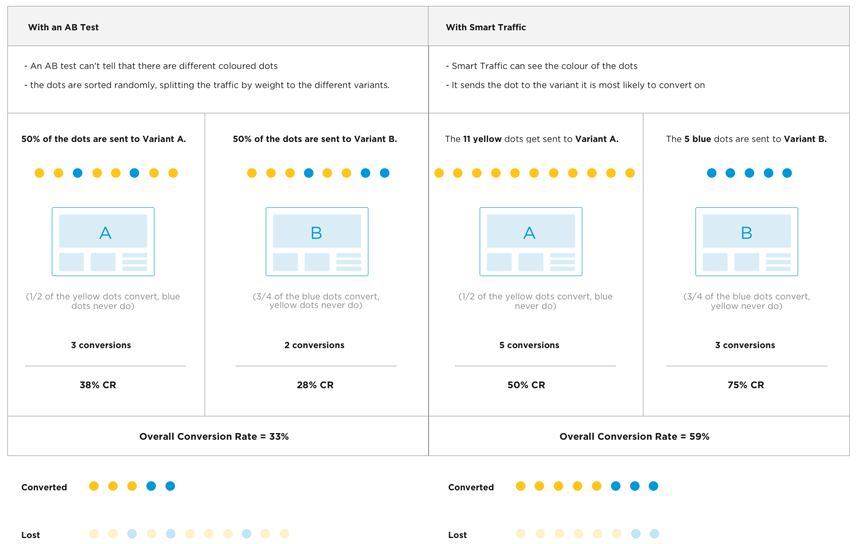
Optimize is the first plan that delivers on Unbounce’s core promise: Smart Traffic AI, which routes each visitor to the variant most likely to convert them. Unbounce reports this produces 30% more conversions than traditional A/B testing. The plan also adds advanced triggers, industry benchmarking, and audience insights showing which segments respond to which variants.
Source: Unbounce
|
Optimize Plan | |
|---|---|
|
Pros |
Cons |
|
✅ Smart Traffic AI finally available |
❌ $249/month is substantial |
|
✅ 30% average conversion lift reported |
❌ 50K visitor cap still exists |
|
✅ Audience insights reveal segments |
❌ Only 5 users maximum |
|
✅ Industry benchmarking included |
❌ Overage fees at $80/10K visits |
The Bottom Line 👉 Optimize delivers the full Unbounce package, but at $249/month with a 50,000 visitor cap, costs can climb fast for high-traffic campaigns.
Unbounce Concierge and Agency Plans: Custom Pricing
|
Feature |
Concierge |
Agency |
|---|---|---|
|
Pricing |
Custom (annual minimum) |
Custom |
|
Monthly Visitors |
100,000+ |
Custom |
|
Users |
15+ |
Custom |
|
Domains |
5+ |
Custom |
|
Support |
Dedicated success manager |
Dedicated success manager |
|
Contract |
12-month minimum commitment |
Concierge and Agency tiers serve high-volume operations with dedicated conversion experts, custom reporting, SSO, and implementation services. The mandatory 12-month contract, with cancellation penalties equal to the remaining term’s value, makes these a serious commitment.
|
Enterprise Plans | |
|---|---|
|
Pros |
Cons |
|
✅ Dedicated success manager |
❌ 12-month minimum contract |
|
✅ SSO and advanced security |
❌ Early cancellation penalties |
|
✅ Tailored conversion reporting |
❌ Requires sales negotiation |
|
✅ 15+ users for large teams |
❌ Pricing opacity |
The Bottom Line 👉 Enterprise plans suit agencies managing multiple high-traffic client accounts, but the contract commitment and pricing opacity require careful evaluation.
Unbounce Hidden Costs and Overages
Beyond the base subscription, Unbounce’s real costs show up in traffic overages and optional services:
Traffic Overage Fees:
- $80 per additional 10,000 visits (or any part thereof) once you exceed your plan’s monthly cap
- Charged as a step function: 1 extra visitor over the cap costs the same $80 as 10,000 extra visitors
- Invoiced immediately; non-payment can trigger account suspension
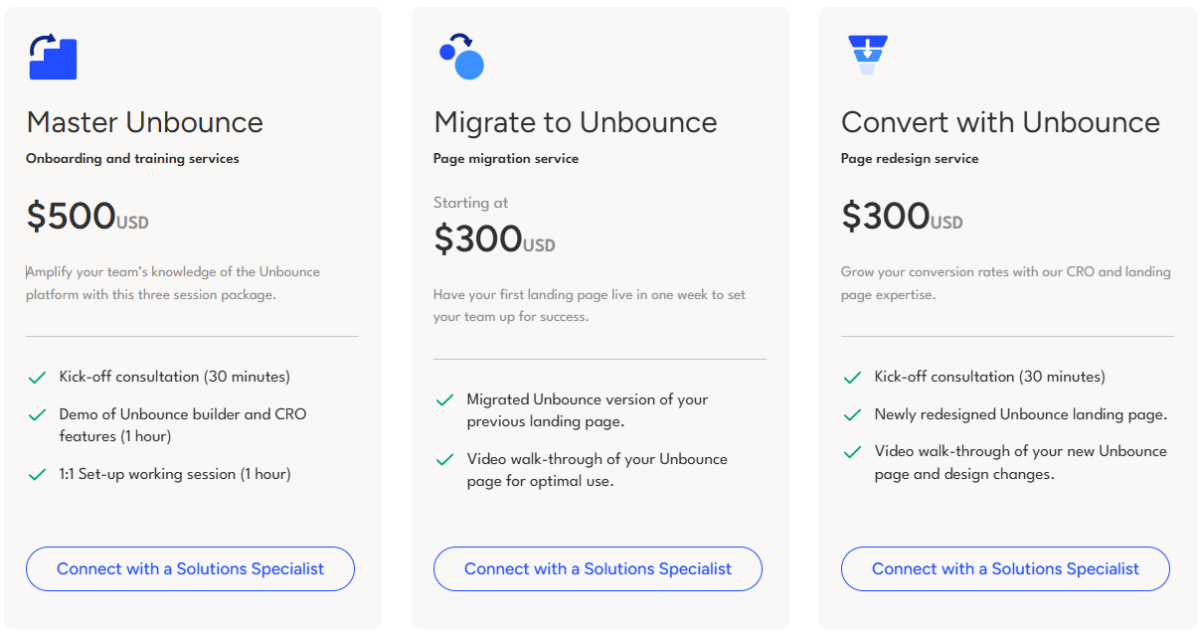
Professional Services (optional add-ons):
- Master Unbounce onboarding: $500
- Page migration from another tool: from $300
- CRO page redesign: $300
Source: Unbounce
Other Costs:
- Late payment interest: 1.5% per month on overdue amounts
- Taxes applied in addition to subscription fees
- No per-conversion charges (conversions are unlimited on all plans)
Where Unbounce Falls Short
Unbounce builds good landing pages for paid campaigns. But its narrow focus and tiered pricing create problems for businesses that need more than standalone pages:
Traffic Caps Create Budget Unpredictability
- Every self-serve plan caps monthly unique visitors (500 to 50,000)
- Overage fees of $80 per 10,000 visits can spike costs during successful campaigns
- A viral campaign or seasonal traffic surge becomes a billing liability rather than an opportunity
- Competitors with unlimited traffic eliminate this risk
Key Features Gated Behind Expensive Tiers
- A/B testing requires Experiment at $149/month minimum
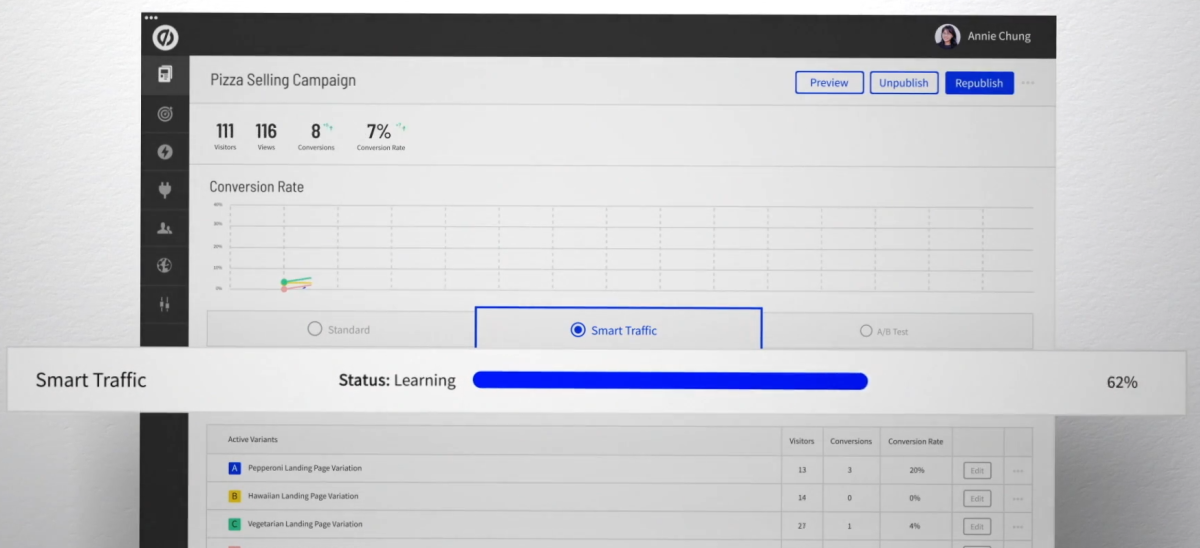
- Smart Traffic AI requires Optimize at $249/month minimum
- The platform’s two biggest differentiators are unavailable on the first two tiers
- A marketer paying $99/month gets no testing or AI optimization
Source: Unbounce
No Website, No Product Delivery, No Email
- Unbounce acknowledges it cannot build websites
- No course hosting, membership delivery, or content management
- No email marketing or automation for nurturing leads
- You need separate tools for everything after the form submission
Limited Collaboration on Standard Plans
- Build allows only 1 user; Experiment allows 3; Optimize allows 5
- Teams of 6+ are pushed to custom Concierge pricing with 12-month contracts
- A single user seat on a $99/month plan feels restrictive for growing marketing departments
These limitations mean businesses that need landing pages as part of a broader operation (selling courses, running coaching, managing memberships) must pay for multiple disconnected tools.
Best Unbounce Alternative: Kajabi
Kajabi puts landing pages, funnels, email marketing, and product delivery into one platform, eliminating the tool sprawl Unbounce requires.
For coaches, course creators, and entrepreneurs who find Unbounce’s traffic caps, feature-gating, and need for separate tools excessive, Kajabi offers a different approach: one platform where landing pages connect to the products they sell, the email sequences that nurture prospects, and the communities that retain customers.
Kajabi serves over 100,000 businesses that have collectively earned $10 billion+ in revenue. Instead of optimizing one stage of the funnel (the landing page), Kajabi handles the whole business: from first touch through purchase, delivery, and ongoing engagement.
Kajabi works best for coaches selling programs, membership operators, course creators, and anyone who needs marketing pages connected to what they sell, without stitching together separate tools. To put the cost in perspective: businesses using Unbounce alongside separate email ($49–149/month), course hosting ($39–199/month), community ($33–99/month), and website ($16–59/month) tools often spend $350–700+/month on fragmented software with no shared data. Kajabi replaces that entire stack.
⭐ Get instant access to Kajabi with an extended 30-day free trial — double the standard trial length. Build your website, courses, funnels, and email marketing risk-free with this exclusive offer.
Kajabi Basic Plan: $179/month or $143/month annually
|
Feature |
Details |
|---|---|
|
Price |
$179/month ($143 annual) |
|
Landing Pages |
Unlimited |
|
Funnels |
Unlimited |
|
Marketing Emails |
Unlimited |
|
Products |
5 |
|
Contacts |
2,500 |
|
Traffic |
No caps, no overage fees |
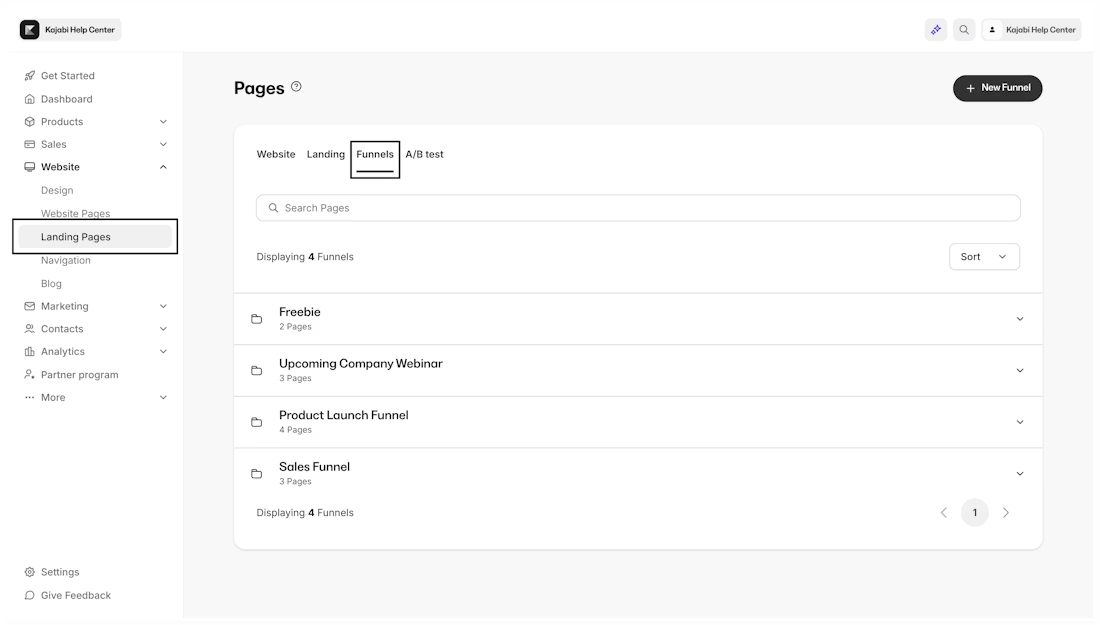
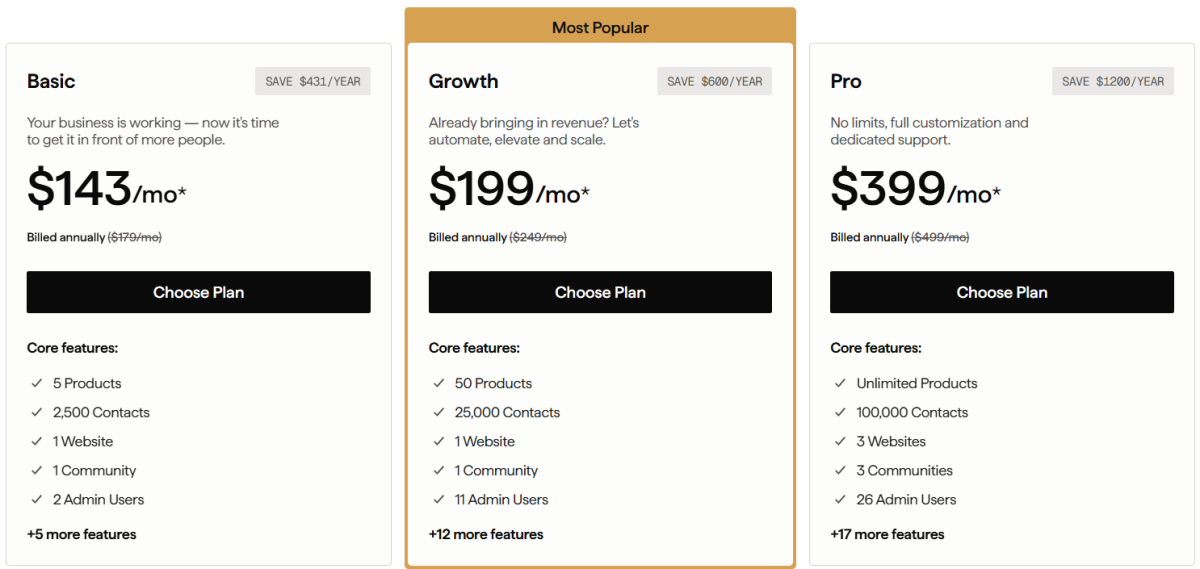
Unlike Unbounce’s visitor-capped model, Kajabi’s Basic plan includes unlimited landing pages, unlimited funnels, and unlimited marketing emails with no traffic limits. Landing pages connect directly to offers, email sequences, and product delivery. At $143/month annually, it costs less than Unbounce’s Experiment plan while including email marketing, a full website, and product hosting that Unbounce doesn’t offer at any price. Kajabi charges 0% platform transaction fees (only standard payment processing fees apply).
|
Basic Plan | |
|---|---|
|
Pros |
Cons |
|
✅ Unlimited pages, funnels, and emails |
❌ Higher entry price (but replaces multiple tools) |
|
✅ No traffic caps or overage fees |
❌ No AI traffic routing like Smart Traffic |
|
✅ Full website + product delivery included |
❌ 2,500 contact limit |
|
✅ Zero transaction fees on sales |
❌ No page-variant CRO testing with AI routing |
The Bottom Line 👉 Kajabi Basic suits creators who need landing pages connected to products and email, not just standalone campaign pages.
Kajabi Growth Plan: $249/month or $199/month annually
|
Feature |
Details |
|---|---|
|
Price |
$249/month ($199 annual) |
|
Products |
50 |
|
Contacts |
25,000 |
|
Admin Users |
11 |
|
Communities |
1 |
|
Advanced Automations |
Included |
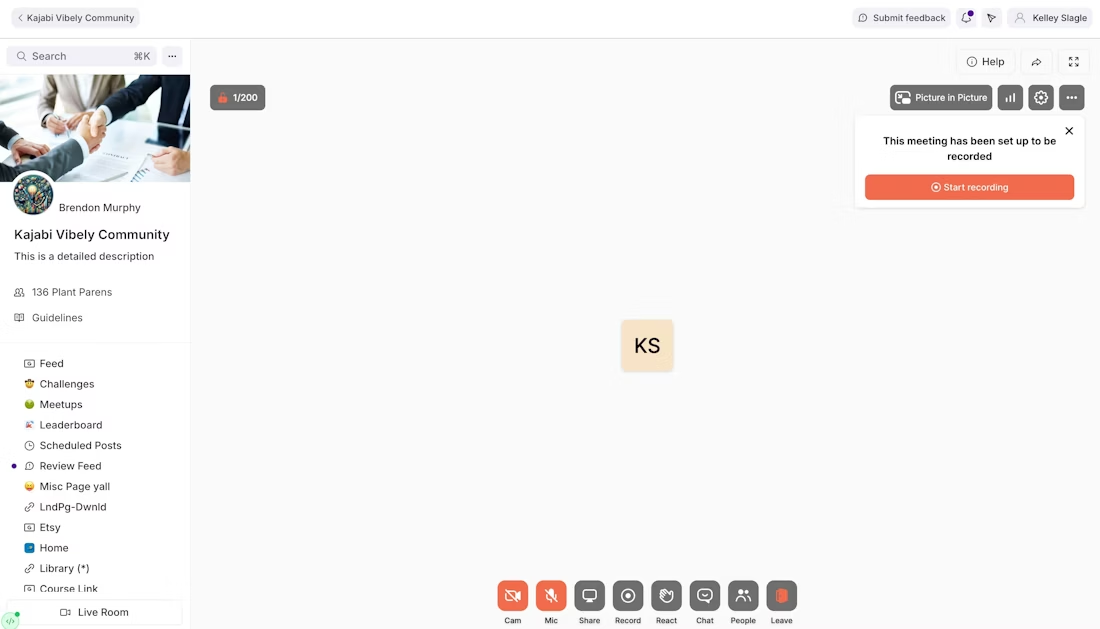
Growth expands to 50 products and 25,000 contacts, adding advanced automations with conditional branching, webhooks, and 11 admin users. At $199/month annually, it nearly matches Unbounce Optimize’s annual price ($187) while including marketing automation, community with Live Room and events, coaching tools with video calls and scheduling, course hosting, and unlimited traffic (features Unbounce doesn’t offer). Funnels at this tier include one-click upsells, automated follow-ups, A/B testing within funnels, and conversion analytics.
|
Growth Plan | |
|---|---|
|
Pros |
Cons |
|
✅ 25,000 contacts with unlimited emails |
❌ No page-level CRO with AI routing |
|
✅ Advanced automations with branching |
❌ No Dynamic Text Replacement |
|
✅ 11 admin users for team collaboration |
❌ Page builder less granular than Unbounce |
|
✅ Community, coaching, and courses included |
❌ Funnel A/B testing, not page-variant testing |
The Bottom Line 👉 Growth delivers a complete business platform at a similar annual price to Unbounce Optimize, trading page-level CRO for end-to-end business capability.
Kajabi Pro Plan: $499/month or $399/month annually
|
Feature |
Details |
|---|---|
|
Price |
$499/month ($399 annual) |
|
Products |
Unlimited |
|
Contacts |
100,000 |
|
Websites |
3 |
|
Communities |
3 |
|
Admin Users |
26 |
|
Branded Mobile App |
Included |
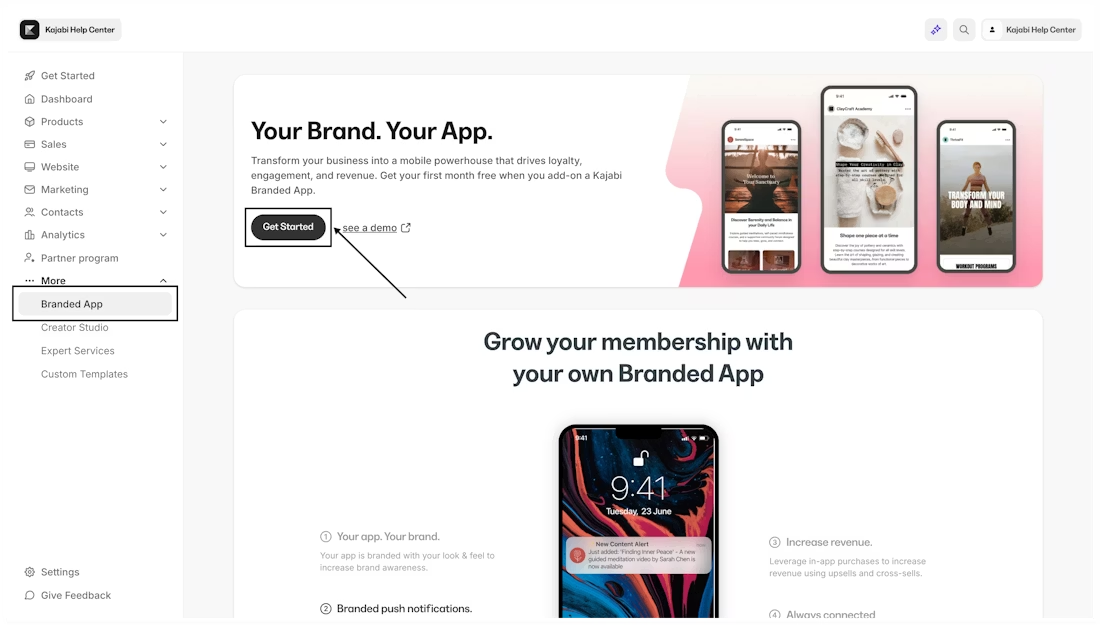
Pro removes all meaningful limits: unlimited products, 100,000 contacts, 3 websites, and a branded mobile app published under the creator’s own name in app stores. API access, a custom code editor, and 26 admin users give established businesses running multiple brands everything they need.
|
Pro Plan | |
|---|---|
|
Pros |
Cons |
|
✅ Unlimited products, no caps |
❌ $399/month (though it replaces 5+ separate subscriptions) |
|
✅ Branded mobile app included ($199 value) |
❌ Overkill for single-product businesses |
|
✅ API access for custom integrations |
❌ Not a CRO specialist tool |
|
✅ 3 websites for multiple brands |
❌ No landing page AI optimization |
The Bottom Line 👉 Pro suits established businesses running multiple product lines, communities, and brands under one platform with no per-tool subscriptions.
Kajabi Payment Processing
|
Fee Type |
Rate |
Notes |
|---|---|---|
|
Credit/Debit (US) |
2.9% + $0.30 |
Via Kajabi Payments |
|
International cards |
+1.5% |
Cross-border surcharge |
|
Subscriptions |
+0.7% |
Recurring billing surcharge |
|
Platform fee |
0% | |
|
Currencies |
140+ |
Global selling supported |
|
Payment methods |
Cards, Apple Pay, Google Pay, Afterpay, Klarna |
Buy-now-pay-later supported |
Kajabi charges zero platform transaction fees on all plans. Processing fees come only from the payment gateway (Kajabi Payments, Stripe, or PayPal), and customers can pay with credit/debit cards, Apple Pay, Google Pay, or buy-now-pay-later options like Afterpay and Klarna. This means no per-sale cut goes to the platform itself, unlike checkout tools that add platform fees on top of processing costs.
⭐ If you’ve been thinking about starting your online business, this is your sign. Get 30 days of Kajabi free instead of the usual 14 days when you use this special link — no pressure, no rush, just more time to grow.
Unbounce Feature Value Breakdown (vs Kajabi)
Landing Page Building and Design
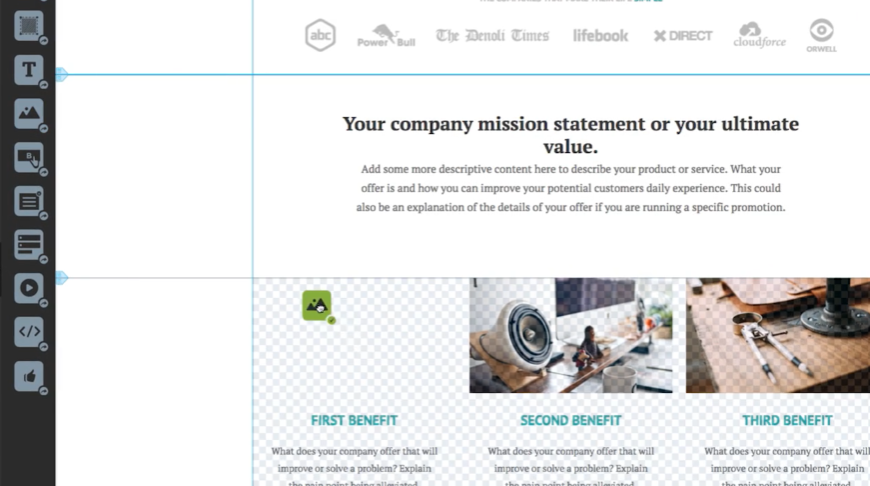
Unbounce’s Approach: Unbounce is built for landing pages. Its freeform drag-and-drop editor offers pixel-perfect element placement, custom scripts, SVG graphics, video backgrounds, and parallax scrolling. The builder supports independent mobile and desktop layout control. 100+ templates span nine industries, and the platform draws on 57 million conversions of data to inform template design.
Source: Unbounce
Kajabi’s Approach: Kajabi uses a section-and-block visual editor that produces clean, branded pages from templates included at no extra cost. The builder favors ease of use over pixel-level precision. Pages connect directly to offers, email sequences, and product delivery without external integrations. You can inject custom HTML, CSS, and JavaScript per page for advanced customization.
🪙 Value Verdict: Unbounce is better for teams that need full design flexibility and campaign-focused templates for standalone pages. Kajabi is better for entrepreneurs who need pages that connect directly to the products and emails behind them.
Conversion Optimization and Testing
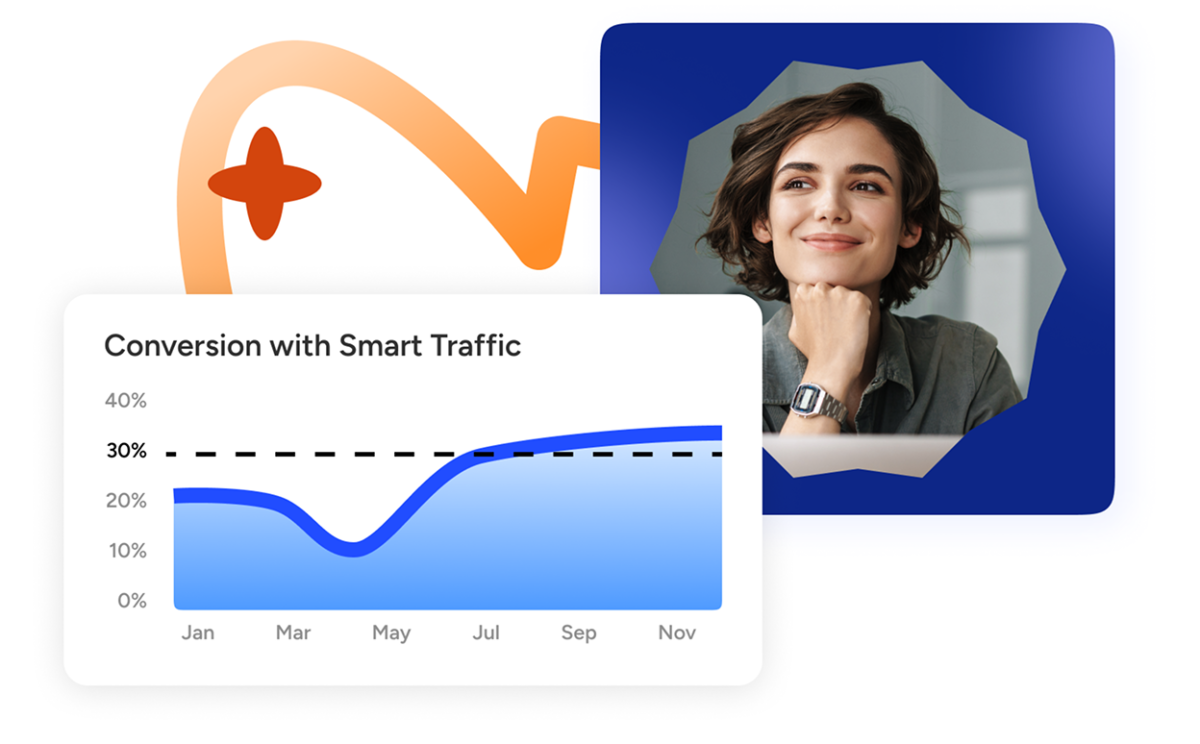
Unbounce’s Approach: Unbounce offers no-code A/B testing with unlimited variants, server-side delivery (no page flicker), and built-in statistical confidence scoring. Smart Traffic goes further by routing each visitor to the variant most likely to convert them based on device, location, browser, and traffic source, delivering a reported 30% average conversion lift. Dynamic Text Replacement matches page copy to PPC search keywords automatically.
Source: Unbounce
Kajabi’s Approach: Kajabi includes A/B testing within its funnel system and email broadcasts, letting creators test different funnel paths and subject lines. Its optimization centers on behavioral automation triggers, funnel conversion analytics that track prospect-to-customer journeys, and Creator Studio AI that repurposes content into 40+ marketing assets. Kajabi does not offer page-variant testing with AI-powered traffic routing; its optimization works at the business and funnel level, not the individual page level.
🪙 Value Verdict: Unbounce is better for page-level conversion rate optimization. If your job is getting the most conversions from paid traffic with AI-powered variant routing, Unbounce’s testing tools are stronger. Kajabi optimizes across the full customer journey rather than at the single-page level.
Pricing Model and Cost Predictability
Unbounce’s Approach: Unbounce caps monthly unique visitors on every plan (500 to 50,000) and charges $80 per additional 10,000 visits when you exceed the limit. Key features like A/B testing ($149/month minimum) and Smart Traffic ($249/month minimum) are gated behind higher tiers. A business running multiple campaigns could pay $249/month base plus hundreds in overage fees during peak traffic.
Kajabi’s Approach: Kajabi charges a flat monthly fee with no traffic caps and no overage fees. All plans include unlimited landing pages, funnels, and marketing emails. The pricing gates are products (5, 50, or unlimited) and contacts (2,500 to 100,000), both of which scale more predictably than visitor volume. No features are withheld from any paid tier except the branded mobile app and API access (Pro only). With 0% platform transaction fees, revenue scales without additional platform costs.
🪙 Value Verdict: Kajabi is better for predictable budgeting without traffic-based surprises. Unbounce’s model works when traffic is consistent, but penalizes success (more traffic = higher cost) in a way Kajabi’s flat-fee model does not.
Business Platform Completeness
Unbounce’s Approach: Unbounce is intentionally narrow. It handles landing pages, popups, sticky bars, and (via the Insightly merger) CRM. Everything else (email marketing, content delivery, course hosting, community, scheduling, payments) requires separate tools connected via 60+ integrations or Zapier. The platform acknowledges it cannot build websites.
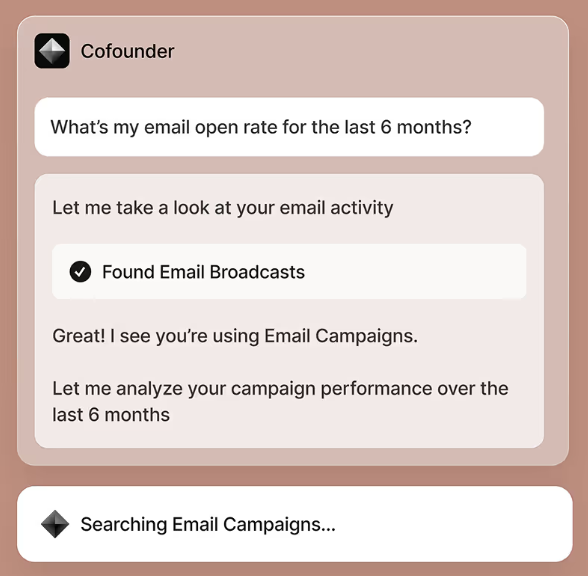
Kajabi’s Approach: Kajabi brings the full business stack into one platform: courses, coaching, communities, memberships, podcasts, downloads, email marketing, automations, website, checkout, and affiliate management. A sales page connects directly to offer delivery without any integration. Analytics show how email campaigns connect to course enrollments and how funnels drive community growth (insights that are hard to replicate when data sits in separate tools). The Creator Studio AI repurposes content, turning one piece of long-form content into 40+ marketing assets across email, social, and video.
🪙 Value Verdict: Unbounce is better for teams that already have a stack of tools and need a specialist landing page layer on top. Kajabi is better for entrepreneurs who want one platform replacing the entire stack, where pages are one part of a connected system with shared data across every touchpoint.
Final Verdict: Unbounce vs Kajabi
The choice between Unbounce and Kajabi depends on whether you need a specialist landing page tool or a complete business platform:
👍 Unbounce is a conversion-focused landing page platform for performance marketers who run paid campaigns and need control over page design, testing, and optimization. Priced from $29 to $249/month based on traffic volume and feature access, it lets marketing teams build standalone campaign pages with AI-powered traffic routing that delivers a reported 30% average conversion lift. This CRO-specialist model works best for agencies managing client landing pages, SaaS companies running demand generation campaigns, PPC teams that need Dynamic Text Replacement, and marketers who already maintain separate tools for email, content delivery, and payments.
Get started with Unbounce here.
👉 Kajabi is a platform for coaches, course creators, and entrepreneurs who need landing pages as part of a broader system, not as isolated campaign assets. By offering unlimited landing pages, funnels, and marketing emails alongside course hosting, coaching, community, and payments with no traffic caps and no transaction fees, it eliminates the tool sprawl and fragmented data that come with specialist platforms. This approach works for creators scaling multiple product lines, entrepreneurs who want pages connected to delivery, businesses tired of paying for five separate tools to do what one platform handles, and anyone who values predictable monthly costs over per-visitor billing.
Get started with a 30-day free trial with Kajabi here.
The fundamental difference is scope. Unbounce asks “How can we make this landing page convert better?” Kajabi asks “How can we run your entire business from one place?” If your landing pages exist to serve paid ad campaigns detached from product delivery, Unbounce is the specialist. If your pages are the front door to courses, coaching, or memberships you deliver from the same platform, Kajabi removes the need for Unbounce entirely.
Unbounce Pricing FAQ
Is Unbounce free to use?
Unbounce offers a 14-day free trial with full platform access and no credit card required. There is no free plan. Once the trial expires, you must subscribe to a paid plan or Unbounce marks the account as inactive and deletes it within 90 days.
How much does Unbounce cost per month?
Self-serve plans range from $29/month (Starter) to $249/month (Optimize), with 25% savings on annual billing. Concierge and Agency plans require custom quotes with mandatory 12-month contracts. The true monthly cost may exceed the base price if you trigger overage fees by exceeding your visitor cap.
What happens if I exceed my Unbounce visitor limit?
Unbounce charges $80 per additional 10,000 visits (or any portion thereof) when you exceed your plan’s monthly cap. This is charged as a step function, meaning even 1 visitor over the limit triggers the full $80 charge. These overages are invoiced immediately.
Does Unbounce include A/B testing on all plans?
No. A/B testing is only available on the Experiment plan ($149/month) and above. The Starter and Build plans do not include testing. Smart Traffic AI optimization requires the Optimize plan at $249/month.
Can Kajabi replace Unbounce?
For coaches, course creators, and entrepreneurs, yes. Kajabi includes unlimited landing pages and funnels with no traffic caps, connected directly to product delivery and email marketing. Kajabi also includes A/B testing within its funnel system for testing different conversion paths. However, Kajabi does not include AI-powered page-variant traffic routing, so teams focused on page-level CRO for paid ad campaigns may still prefer Unbounce’s specialized tools.
Which is cheaper: Unbounce or Kajabi?
It depends on what you need. Unbounce starts lower at $29/month but its useful tiers begin at $99-249/month, plus potential overage fees. Kajabi starts at $143/month annually but includes email marketing, website hosting, product delivery, and unlimited traffic with 0% platform transaction fees. If you’d otherwise pay for separate email, website, community, and delivery tools alongside Unbounce, Kajabi’s total cost of ownership is often lower.
Does Unbounce include email marketing?
No. Unbounce captures leads through forms but does not include email marketing or automation. You must route leads to external platforms like Mailchimp, ActiveCampaign, or HubSpot via integrations. Kajabi includes unlimited marketing emails, a visual campaign editor, audience segmentation, and full automation on all plans.
Is Unbounce’s Smart Traffic worth the extra cost?
For campaigns with sufficient traffic (50+ visits needed before optimization begins), Smart Traffic has documented results, including a reported 30% average conversion lift. However, it requires the Optimize plan at $249/month. Low-traffic campaigns, niche B2B pages, and early-stage products may not generate enough volume for the algorithm to work effectively.