


If you’ve spent time calculating whether the $99/month Grow plan gives you enough CRO tools or if you need the $199 Optimize plan for Smart Traffic and heatmaps, while wondering how fast you’ll burn through 40,000 AI credits, you know that landing page pricing can feel like a conversion optimization problem of its own.
Leadpages has rebuilt itself as an AI landing page builder with built-in conversion rate optimization, generating pages from text prompts in under 60 seconds and running A/B tests, Smart Traffic routing, and heatmaps without separate tools. The platform serves 40,000+ active businesses and generates 9.1 million leads per month, all on a no-traffic-cap pricing model that sets it apart from competitors like Unbounce and Instapage.
But as Leadpages has grown from a page builder into a CRO platform with visitor intelligence, AI lead qualification, and auto-personalization, its pricing tiers have become layered with feature gates that determine whether you’re getting a page builder or a conversion engine.
We’ve analyzed Leadpages’ pricing tiers, AI credit system, and feature restrictions. It’s the right choice if:
- You’re running paid ad campaigns and need landing pages that match every ad group
- Your priority is conversion rate optimization with A/B testing and Smart Traffic
- You want heatmaps, analytics, and testing in one platform instead of four separate tools
- You need to launch pages fast, with AI generation in under 60 seconds
- Your team manages multiple client domains and needs agency-ready workflows
However, Leadpages is not a good choice if:
- You need to sell courses, coaching programs, or memberships alongside your landing pages
- Your business requires email marketing, community features, and checkout in one platform
- You want to build a knowledge business without stitching together separate tools
- You need a branded mobile app for content delivery
- Your primary goal is packaging expertise into digital products, not just capturing leads
In this case, you should consider Kajabi: a creator commerce platform that includes landing pages, website building, email marketing, course hosting, coaching tools, community, podcasts, CRM, and checkout, all in one platform with zero transaction fees.
We’ve included a detailed pricing comparison with Kajabi in this review as an alternative for entrepreneurs who need more than landing pages. If you’re eager to jump into the Kajabi pricing breakdown, go ahead and do so with this link.
Leadpages Pricing Summary
|
Leadpages |
Kajabi | |
|---|---|---|
|
Free Trial |
7-day free trial, no credit card required, full plan access |
Free trial with 30-day money-back guarantee, full feature access |
|
Entry Plan |
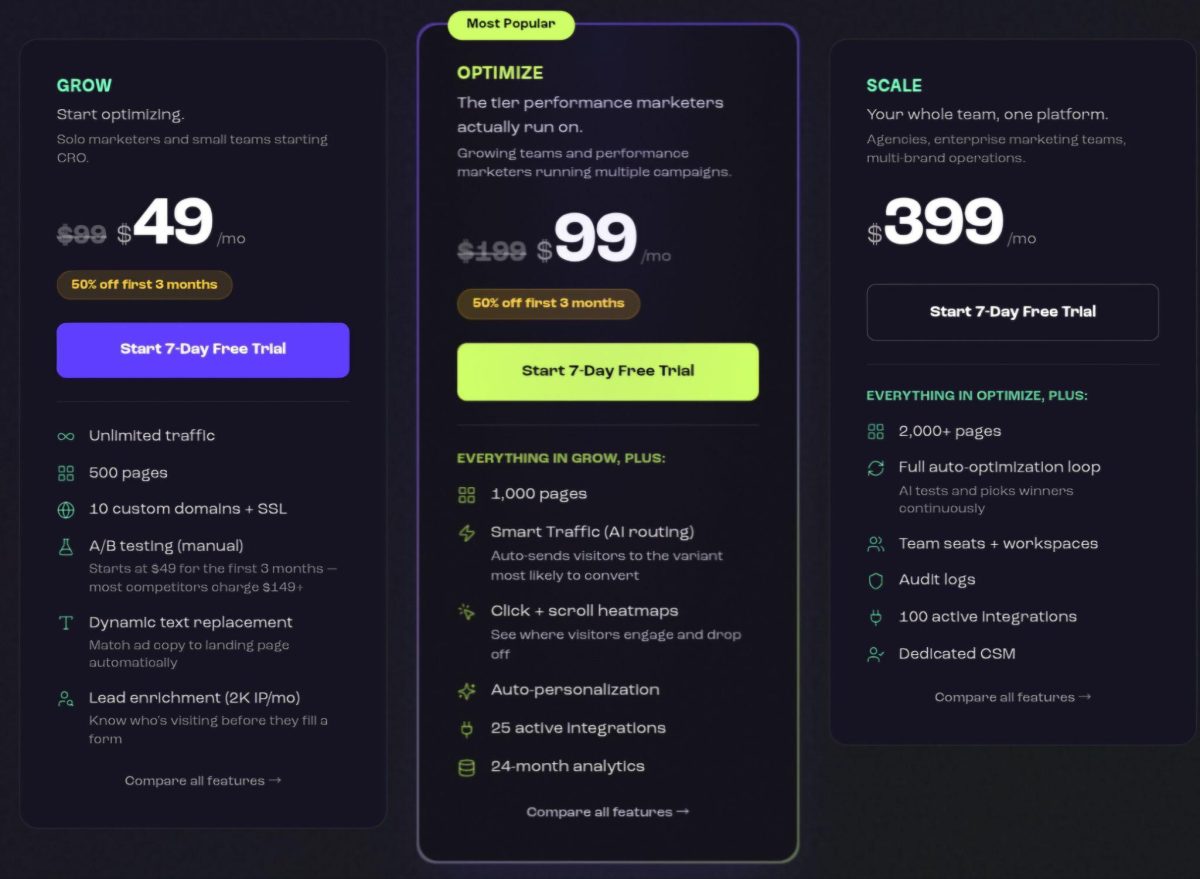
Grow: $99/mo, 500 pages, A/B testing, DTR, 5 team seats, 40K AI credits |
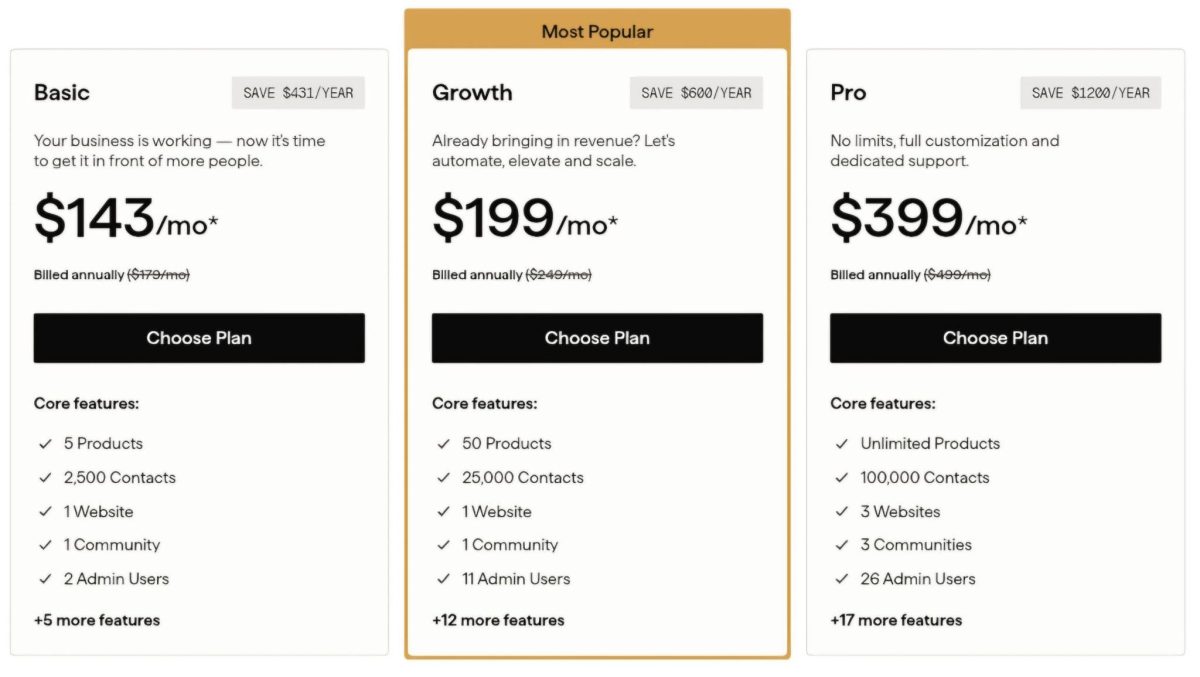
Basic: $143/mo (annual), 5 products, 2,500 contacts, email marketing, courses, coaching, community |
|
Mid-Tier |
Optimize: $199/mo, Smart Traffic, heatmaps, auto-personalization, 10 team seats, 80K AI credits |
Growth: $199/mo (annual), 50 products, 25,000 contacts, advanced automations, 11 admin users |
|
High-Tier |
Scale: $399/mo, auto-optimization loop, audit logs, dedicated CSM, 25 team seats, 160K AI credits |
Pro: $399/mo (annual), unlimited products, 100,000 contacts, branded mobile app, API access, 3 websites |
|
Best For |
Performance marketers and agencies who need CRO-focused landing pages with built-in testing and optimization |
Entrepreneurs building digital product businesses who need courses, coaching, community, email, and sales in one platform |
⭐ Build high-converting landing pages and grow your email list with Leadpages using this link. It’s an easy platform for creating pages, opt-ins, and funnels without needing technical skills.
Leadpages Pricing: In-Depth Overview
Leadpages uses a flat-fee subscription model with three tiers, each adding conversion optimization features.
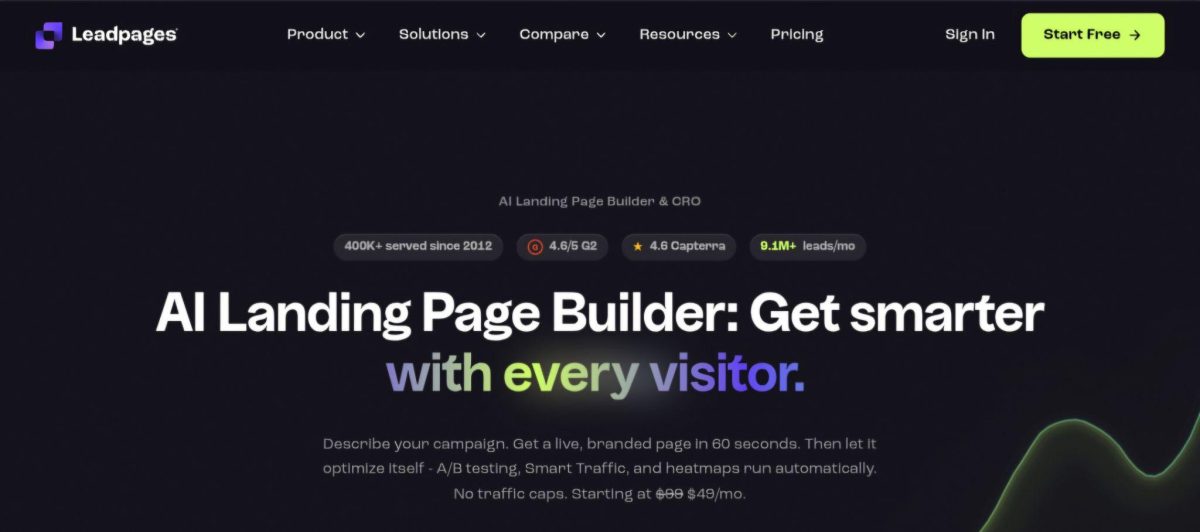
The platform distinguishes itself with unlimited traffic on every plan, meaning your bill stays the same whether 1,000 or 100,000 visitors hit your pages. All plans currently bill monthly only; annual billing is listed as “coming soon” with a stated 20% discount.
Beyond base subscriptions, Leadpages uses an AI credits system that controls how much AI page generation you can do each month, with top-up packs available from $2.50.
Here’s what each tier includes.
Leadpages Free Trial: 7 Days, Full Access
|
Feature |
Details |
|---|---|
|
Duration |
7 days |
|
Credit Card |
Not required |
|
Access Level |
Full plan features |
|
Pages Created |
Saved if not converted |
|
Money-Back |
7-day guarantee on first paid period |
Leadpages offers a 7-day free trial with no credit card required, giving users full access to whichever plan they select.
Pages created during the trial stay saved even if you don’t convert to paid. A 7-day money-back guarantee applies to the first paid billing period for new accounts.
|
Free Trial Pros |
Free Trial Cons |
|---|---|
|
✅ No credit card required |
❌ Only 7 days to evaluate |
|
✅ Full plan features accessible |
❌ No permanent free tier |
|
✅ Pages saved after trial ends |
❌ Short window for CRO testing |
|
✅ Money-back on first paid period |
❌ Can’t gather meaningful A/B data in a week |
The Bottom Line 👉 The free trial lets you test AI page generation and the editor, but 7 days isn’t enough to evaluate CRO features like A/B testing and Smart Traffic, which need real traffic data to prove value.
Leadpages Grow Plan: $99/month
|
Feature |
Details |
|---|---|
|
Price |
$99/month |
|
Pages |
500 |
|
Custom Domains |
10 with SSL |
|
Traffic |
Unlimited |
|
A/B Testing |
Manual, up to 6 variants |
|
Team Seats |
5 |
|
AI Credits |
40,000/month |
The Grow plan is the entry point for marketers, and it includes features that competitors gate behind higher tiers. A/B testing with up to 6 variants, Dynamic Text Replacement for matching ad copy to landing page headlines, manual personalization by traffic source and device, and lead enrichment with 2,000 IP lookups per month all come at $99.
The plan also provides 1,000 lead enrichments per month, 3 brand kits, 3 blogs, 15 GB of asset storage, and 5 active integrations.
|
Grow Plan Pros |
Grow Plan Cons |
|---|---|
|
✅ A/B testing included at entry price |
❌ No Smart Traffic (AI routing) |
|
✅ Unlimited traffic, no overages |
❌ No heatmaps |
|
✅ Dynamic Text Replacement included |
❌ Only 5 active integrations |
|
✅ AI page creation in under 60 seconds |
❌ No auto-personalization |
The Bottom Line 👉 Grow delivers CRO value at $99 with A/B testing and DTR included, but marketers who want algorithmic optimization and behavioral data need to step up to Optimize.
Leadpages Optimize Plan: $199/month
|
Feature |
Details |
Increase from Grow |
|---|---|---|
|
Price |
$199/month |
+101% |
|
Pages |
1,000 |
+100% |
|
Custom Domains |
20 |
+100% |
|
Smart Traffic |
Included |
New feature |
|
Heatmaps |
Click, scroll, attention |
New feature |
|
Team Seats |
10 |
+100% |
|
AI Credits |
80,000/month |
+100% |
The Optimize plan is where Leadpages becomes a CRO platform.
Smart Traffic uses machine learning to route each visitor to the variant most likely to convert them, based on device type, traffic source, and visitor history.
Heatmaps (click, scroll depth, and attention maps) display inside the page editor, so you can spot a problem and fix it without switching tools. Auto-personalization, ICP audience targeting, performance alerts, and an Insights dashboard round out the package. Lead intelligence scales up to 5,000 IP lookups and 2,500 lead enrichments per month, with 25 active integrations.
|
Optimize Plan Pros |
Optimize Plan Cons |
|---|---|
|
✅ Smart Traffic routes visitors to best variant |
❌ Double the price of Grow |
|
✅ Heatmaps inside the editor |
❌ Monthly billing only (annual coming soon) |
|
✅ Auto-personalization without coding |
❌ Still no audit logs |
|
✅ 25 active integrations |
❌ No dedicated CSM |
The Bottom Line 👉 Optimize is the tier that justifies replacing a multi-tool CRO stack. If you’re paying for Hotjar, a testing tool, and a page builder separately, this plan likely saves money.
Leadpages Scale Plan: $399/month
|
Feature |
Details |
Increase from Optimize |
|---|---|---|
|
Price |
$399/month |
+100% |
|
Pages |
2,000+ |
+100% |
|
Custom Domains |
30 |
+50% |
|
A/B Variants |
Up to 12 per page |
+100% |
|
Auto-Optimization |
Full autonomous loop |
New feature |
|
Team Seats |
25 |
+150% |
|
AI Credits |
160,000/month |
+100% |
The Scale plan adds an autonomous optimization loop: the system generates a challenger variant, runs the test, declares a winner at 95% confidence, promotes it, and starts the cycle again without human intervention.
Team workspaces, audit logs, and a dedicated Customer Success Manager serve larger organizations. Lead intelligence maxes out at 10,000 IP lookups and 5,000 lead enrichments per month, with 100 active integrations, 36-month analytics retention, and real-time sync speed.
|
Scale Plan Pros |
Scale Plan Cons |
|---|---|
|
✅ Autonomous test-and-optimize loop |
❌ $399/month is a serious investment |
|
✅ Dedicated CSM included |
❌ Overkill for teams not running high-volume ads |
|
✅ 25 team seats for large organizations |
❌ Monthly billing only |
|
✅ Audit logs for compliance |
❌ Still focused on landing pages, not full business |
The Bottom Line 👉 Scale makes sense for agencies managing dozens of client domains and enterprise marketing teams where small conversion rate improvements translate directly to significant revenue.
Leadpages AI Credits and Additional Costs
Beyond base subscriptions, Leadpages‘ cost structure includes:
AI Credit System:
- Monthly allotments: 40,000 (Grow), 80,000 (Optimize), 160,000 (Scale)
- Credits consumed by AI page generation, URL imports, and AI chat editing
- Credits reset each billing cycle with no rollover
- Top-up packs from $2.50 for heavy AI usage
Integration Caps by Plan:
- Grow: 5 active integrations
- Optimize: 25 active integrations
- Scale: 100 active integrations
- Zapier available for tools beyond native integrations
No Hidden Costs:
- No traffic overages on any plan
- No per-visitor or per-impression charges
- No setup or implementation fees
- Stripe checkout with 0% platform transaction fees (standard Stripe rates apply)
Where Leadpages Falls Short
Leadpages excels at landing page creation and conversion optimization, but its focus on lead capture and CRO creates clear boundaries:
No Email Marketing or Nurture Capability
- Leadpages captures leads but cannot email them. There is no email sending, sequencing, or automation in the platform.
- Every lead must route to a separate ESP (Mailchimp, ActiveCampaign, Klaviyo) for follow-up.
- This adds another tool to manage, another subscription to pay for, and another integration to maintain.
No Product Delivery or Monetization Beyond Checkout
- Leadpages can accept Stripe payments on a page, but it cannot deliver courses, host memberships, manage coaching programs, or gate access to content.
- Creators selling digital products need a separate fulfillment platform, which means another login, another bill, and potential data sync issues.
- Leadpages acknowledges it is not designed for solo founders selling courses through multi-step funnels.
No Community or Audience Engagement Tools
- Once a visitor converts, Leadpages has no tools for ongoing engagement, discussion, or community building.
- There are no forums, membership portals, or gamification features.
- For businesses where retention matters as much as acquisition, this gap requires yet another platform.
Integration Caps Limit Smaller Plans
- The Grow plan allows only 5 active integrations, which can feel restrictive for teams using a CRM, ESP, ad platform, analytics tool, and Slack.
- Native integrations beyond the cap require upgrading or using webhook workarounds.
These limitations matter most for knowledge entrepreneurs, coaches, and course creators who need to capture leads, nurture them, sell products, deliver content, and build community. For these users, Leadpages solves one piece of a larger puzzle…
Best Leadpages Alternative – Kajabi
Kajabi replaces the tool stack that Leadpages-centered businesses end up assembling: landing pages, email marketing, course hosting, coaching, community, CRM, checkout, and website, all in one platform.
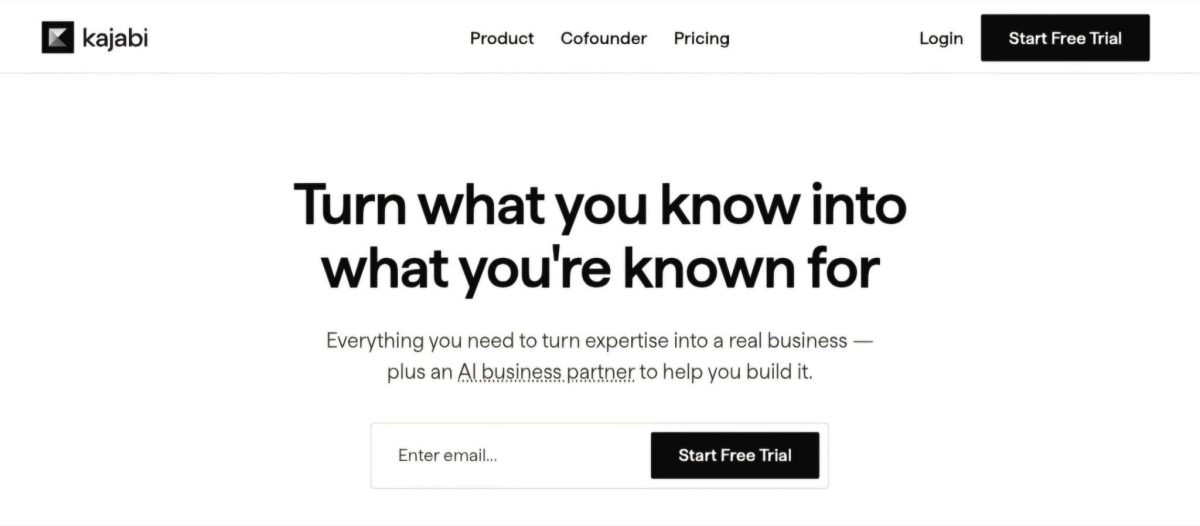
For those who find Leadpages’ lack of email marketing, absent product delivery, and missing community tools frustrating, Kajabi takes a different approach. It’s built for entrepreneurs who need to capture leads, nurture audiences, sell digital products, and deliver content without managing separate subscriptions.
Founded in 2010 and powering over 100,000 businesses that have earned $10B+ in combined revenue, Kajabi serves entrepreneurs who want one platform to build, market, and sell their digital products (coaches, course creators, membership operators, or experts packaging their knowledge).
The platform includes courses, coaching with scheduling and video, community with gamification and live rooms, email marketing with automations, a website builder, sales funnels, and checkout with zero transaction fees on every plan.
Kajabi works best for entrepreneurs packaging expertise into digital products, building membership communities, and running their business from a single dashboard.
⭐ Get instant access to Kajabi with an extended 30-day free trial — double the standard trial length. Build your website, courses, funnels, and email marketing risk-free with this exclusive offer.
Kajabi Basic Plan: $143/month (annual) or $179/month
|
Feature |
Details |
|---|---|
|
Price |
$143/month (annual) or $179/month |
|
Products |
5 |
|
Contacts |
2,500 |
|
Marketing Emails |
Unlimited |
|
Websites |
1 |
|
Communities |
1 |
|
Admin Users |
2 |
Unlike Leadpages’ Grow plan, which focuses on landing pages and lead capture, Kajabi’s Basic plan includes courses, coaching, community, email marketing, unlimited landing pages and funnels, a website builder, and checkout with zero transaction fees.
Automations, webhooks, Creator Studio for repurposing long-form content into 40+ assets (emails, blog posts, social posts, short videos, and more), and cohort-based courses are all included. At $143/month on annual billing, you pay $44 more than Leadpages Grow but replace the need for a separate ESP, course host, community platform, and checkout tool.
|
Basic Plan Pros |
Basic Plan Cons |
|---|---|
|
✅ Complete business platform in one login |
❌ Only 2,500 contacts |
|
✅ Zero transaction fees on sales |
❌ Limited to 5 products |
|
✅ Email marketing with automations included |
❌ No branded mobile app |
|
✅ Course, coaching, and community built in |
❌ No A/B testing on landing pages |
The Bottom Line 👉 The Basic plan suits entrepreneurs building a digital product business who want email, community, and checkout included rather than managing separate tools.
Kajabi Growth Plan: $199/month (annual) or $249/month
|
Feature |
Details |
|---|---|
|
Price |
$199/month (annual) or $249/month |
|
Products |
50 |
|
Contacts |
25,000 |
|
Admin Users |
11 |
|
Websites |
1 |
|
Communities |
1 |
|
Key Additions |
Expanded limits, affiliate program management, all Basic features |
The Growth plan matches Leadpages Optimize’s price at $199/month but delivers different value. Instead of Smart Traffic and heatmaps, you get 50 products, 25,000 contacts, and 11 admin users.
For an entrepreneur scaling a digital product business with a growing course catalog, multiple coaching programs, and an active email list, the Growth plan eliminates the need for external tools. Affiliate program management, video transcriptions, translations, and dubbing across 70+ languages expand global reach and revenue channels.
|
Growth Plan Pros |
Growth Plan Cons |
|---|---|
|
✅ 25,000 contacts with unlimited emails |
❌ Same price as Leadpages Optimize |
|
✅ 50 products for full course catalog |
❌ No CRO tools like heatmaps or Smart Traffic |
|
✅ 11 admin users for team collaboration |
❌ Still 1 website |
|
✅ Video dubbing in 70+ languages |
❌ No branded mobile app |
The Bottom Line 👉 Growth suits established entrepreneurs scaling their product catalog, email list, and affiliate network who need a complete business platform, not a CRO tool.
Kajabi Pro Plan: $399/month (annual) or $499/month
|
Feature |
Details |
|---|---|
|
Price |
$399/month (annual) or $499/month |
|
Products |
Unlimited |
|
Contacts |
100,000 |
|
Admin Users |
26 |
|
Websites |
3 |
|
Communities |
3 |
|
Key Additions |
Branded mobile app, API access, custom code editor |
The Pro plan matches Leadpages Scale’s annual price and removes all product and contact limits.
The standout addition is a branded mobile app published under the creator’s own name in the App Store and Google Play (valued at $199/month and included in the plan). API access, a custom code editor, 3 websites, and 3 communities support entrepreneurs running multiple brands or large-scale knowledge commerce businesses.
|
Pro Plan Pros |
Pro Plan Cons |
|---|---|
|
✅ Branded mobile app included |
❌ $399/month is a premium investment |
|
✅ Unlimited products, 100,000 contacts |
❌ No CRO or landing page testing tools |
|
✅ 3 websites for multiple brands |
❌ Page builder less flexible than Leadpages |
|
✅ API access for custom integrations |
❌ Most creators don’t need this scale |
The Bottom Line 👉 Pro is for established entrepreneurs running multi-brand knowledge commerce businesses who want everything, including a branded app, under one platform.
Justin Welsh moved his business to Kajabi and has earned over $10M on the platform: “I moved over to Kajabi and had all that stuff under one roof, which was a blessing for my business.” (Kajabi Product Page)
Kajabi Payment Processing Costs
While Kajabi charges zero platform transaction fees on any plan, payment processing fees apply through the chosen gateway. For US businesses using Kajabi Payments:
|
Fee Type |
Rate |
|---|---|
|
Credit/Debit Cards |
2.9% + $0.30 per transaction |
|
International Cards |
+1.5% |
|
Subscriptions/Payment Plans |
+0.7% |
|
ACH Direct Debit |
0.80% (capped at $5.00) |
|
Afterpay |
6% + $0.30 |
|
Klarna |
5.99% + $0.30 |
|
Sales Tax Collection |
$0.15 per transaction |
|
Dispute/Chargeback |
$15.00 per dispute |
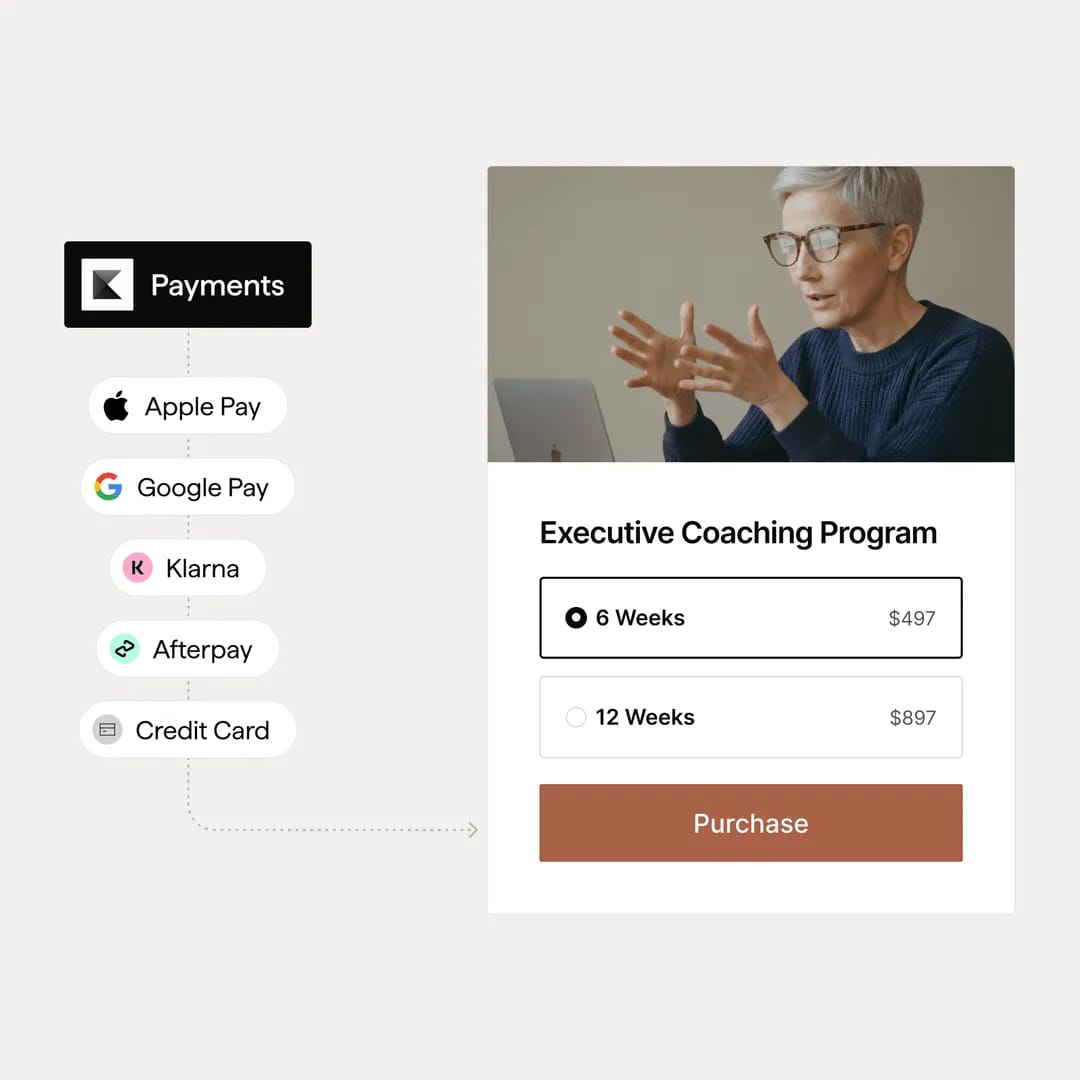
Creators can also connect Stripe or PayPal directly, with fees set by those processors. Kajabi Payments exclusively enables Apple Pay, Google Pay, Afterpay, and Klarna at checkout.
Leadpages Feature Value Breakdown (vs Kajabi)
Landing Pages and Conversion Optimization
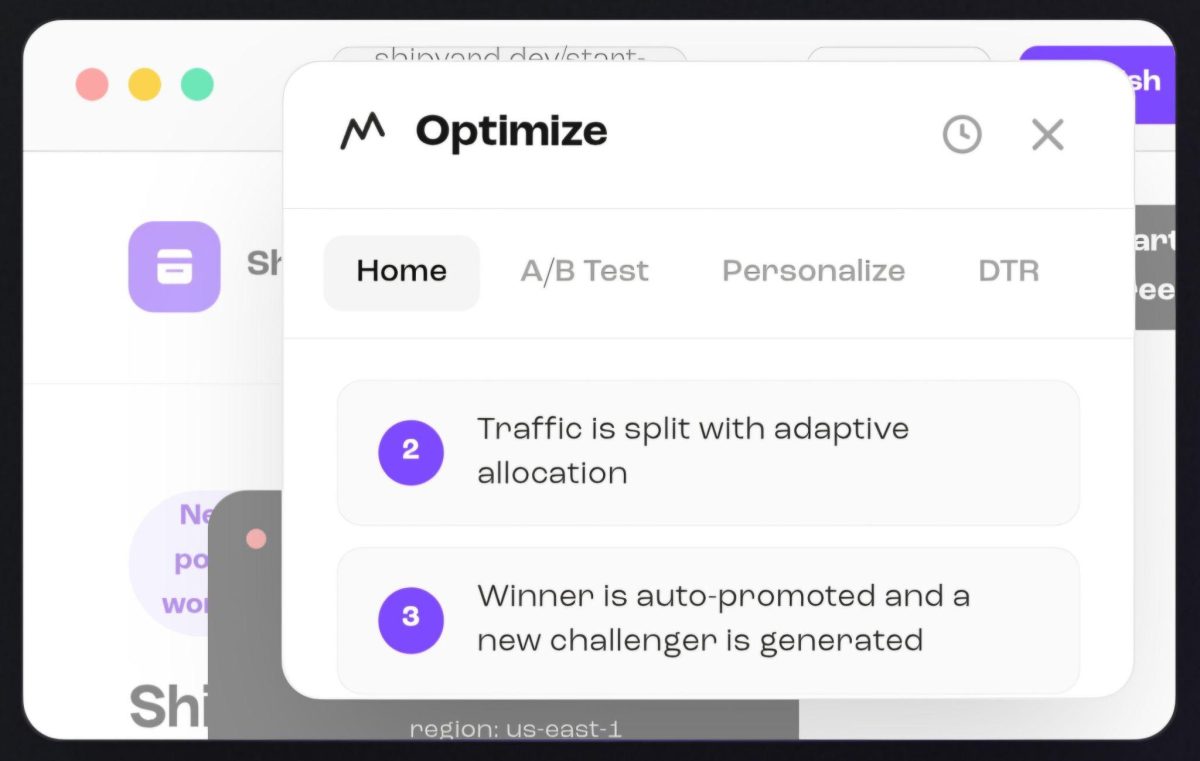
Leadpages’ Approach: Leadpages treats every landing page as a conversion experiment. AI generates pages from text prompts in under 60 seconds, then the platform adds A/B testing (up to 12 variants on Scale), Smart Traffic routing, and click/scroll/attention heatmaps.
Source: Leadpages
Dynamic Text Replacement swaps headlines at the CDN edge to match ad copy with no flicker. Leadmeter scores conversion readiness in real time as you build. The whole workflow (spotting a problem in a heatmap, creating an A/B variant) happens in one editor with no context switching.
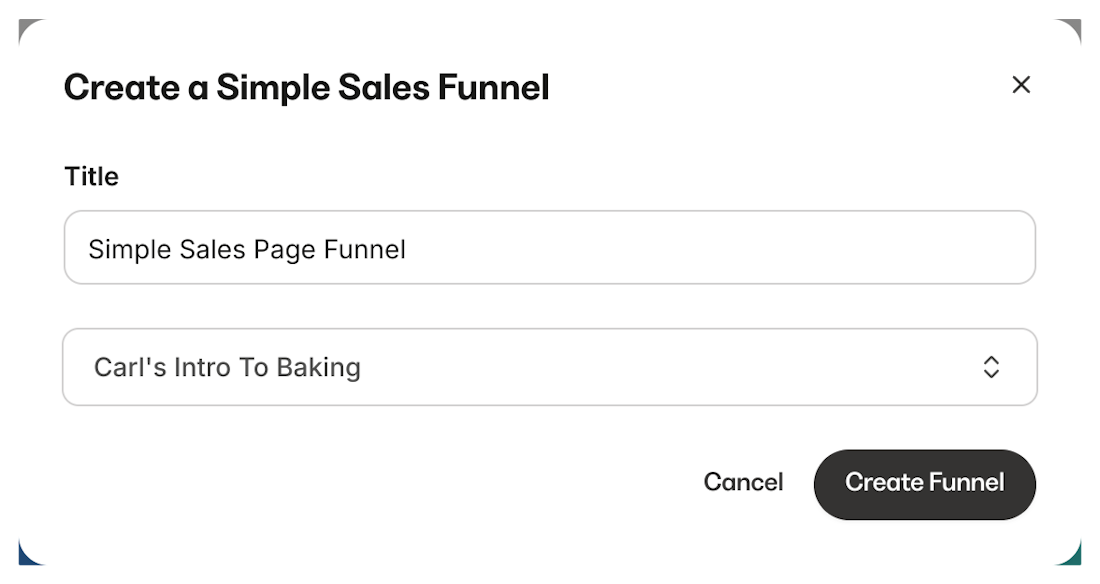
Kajabi’s Approach: Kajabi includes unlimited landing pages and funnels on every plan, built with the same visual editor used for websites and checkout pages. Pre-built funnel templates cover lead magnets, webinar registration, and product sales. Pages connect directly to email sequences, offers, and product delivery.
Source: Kajabi
However, Kajabi does not include page-level CRO testing like Smart Traffic, heatmaps, or Dynamic Text Replacement. (Kajabi offers A/B testing within its sales funnels and email campaigns, but not the landing page optimization tools that Leadpages specializes in.) The page builder is functional but not CRO-focused.
🪙 Value Verdict: Leadpages wins for conversion-focused landing pages. If your primary goal is maximizing conversion rates on paid traffic, Leadpages’ CRO stack is built for the job. Kajabi’s landing pages work well as part of a broader sales funnel but lack the testing and optimization depth.
Email Marketing and Audience Nurture
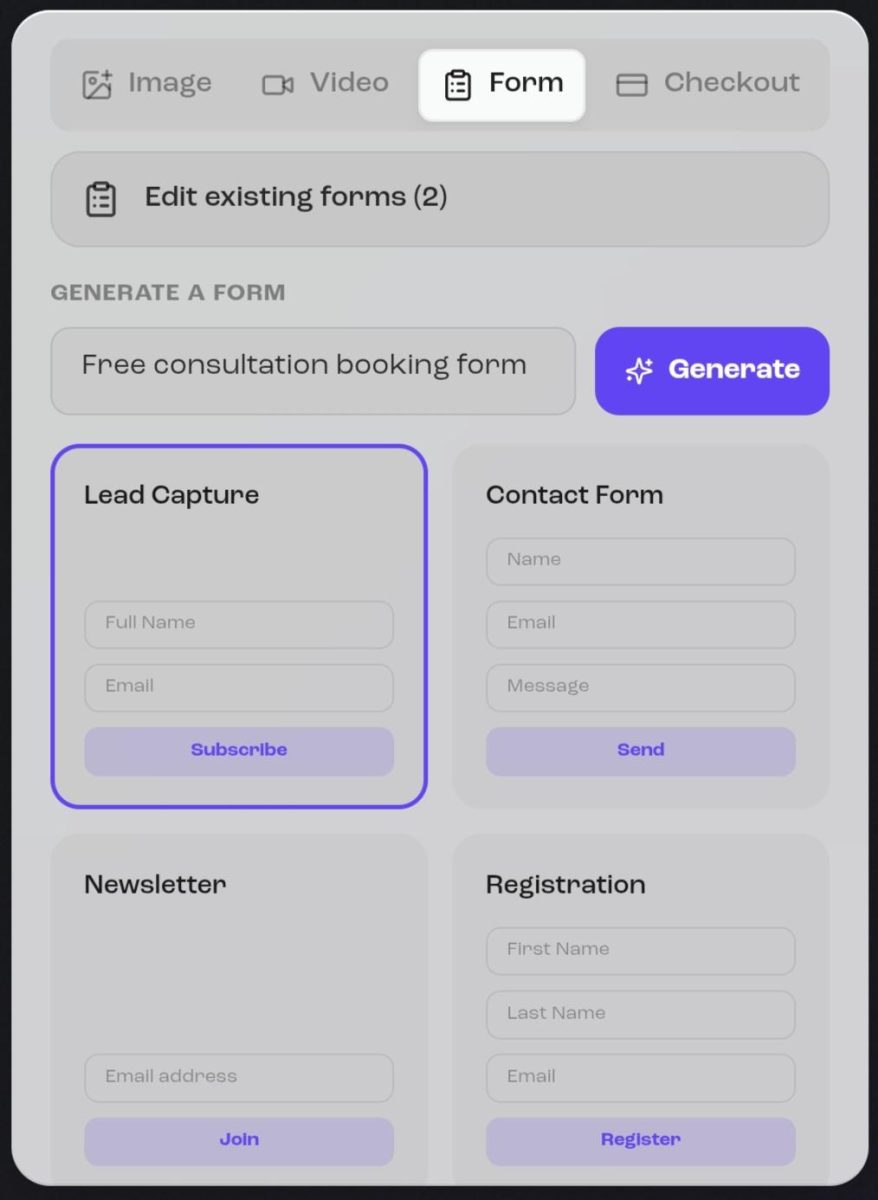
Leadpages’ Approach: Leadpages has no email marketing. The platform captures leads and routes them to an external ESP. Every Leadpages user needs a separate email tool (Mailchimp, ActiveCampaign, Klaviyo) for follow-up sequences, nurture campaigns, and broadcasts. Integration works through 12+ native CRM connections, webhooks, or Zapier.
Source: Leadpages
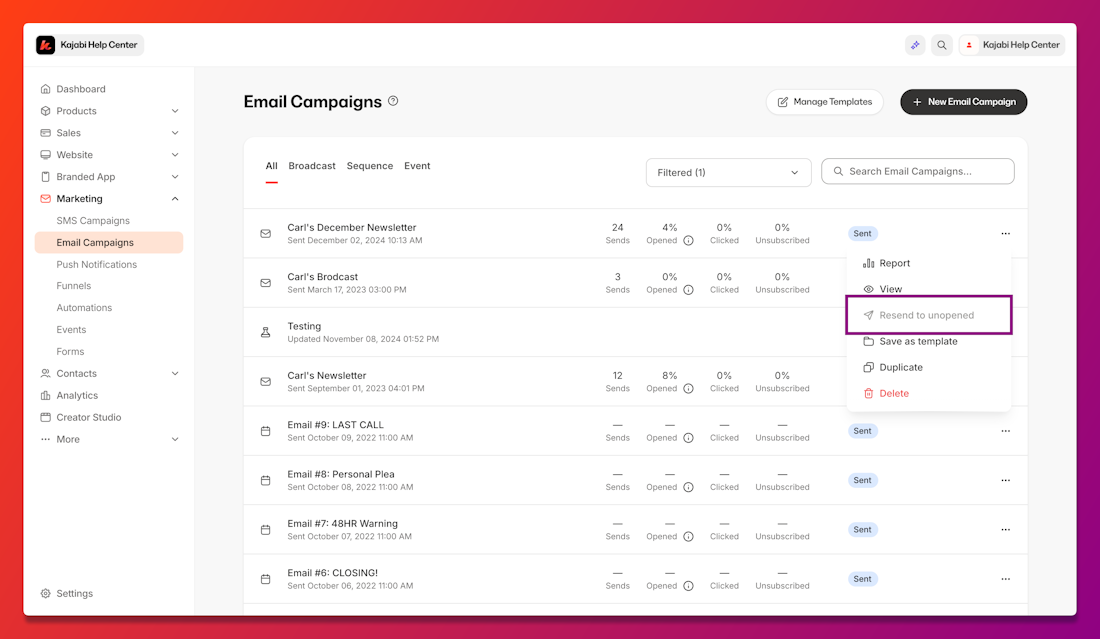
Kajabi’s Approach: Kajabi includes a full email marketing system with broadcasts, sequences, A/B testing on subject lines, audience segmentation by behavior and purchase history, resend-to-unopened automation, Liquid personalization, and behavioral automations triggered by course completions, purchases, or form submissions.
Source: Kajabi
Advanced automations on Growth and Pro plans add conditional branching and wait nodes. No external ESP required.
🪙 Value Verdict: Kajabi wins by default, since Leadpages doesn’t offer email marketing at all. For businesses where nurturing leads into customers is the core workflow, this gap in Leadpages’ offering is significant.
Product Delivery and Monetization
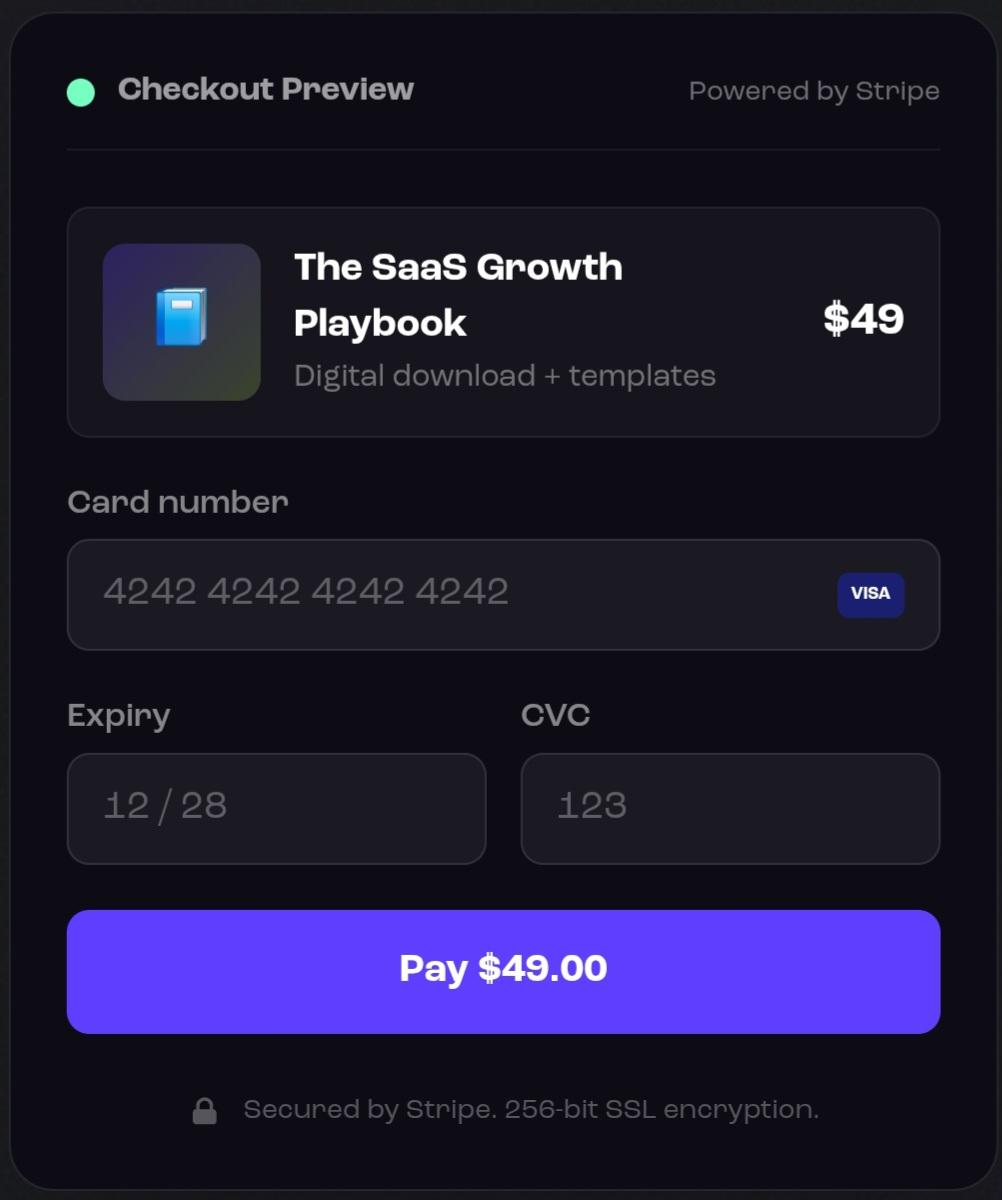
Leadpages’ Approach: Leadpages offers in-page Stripe checkout with 0% platform fees, supporting one-time payments, subscriptions, and digital products. Visitors pay without leaving the page. However, Leadpages cannot host courses, deliver gated content, manage memberships, or run coaching programs. Product fulfillment requires a separate platform.
Source: Leadpages
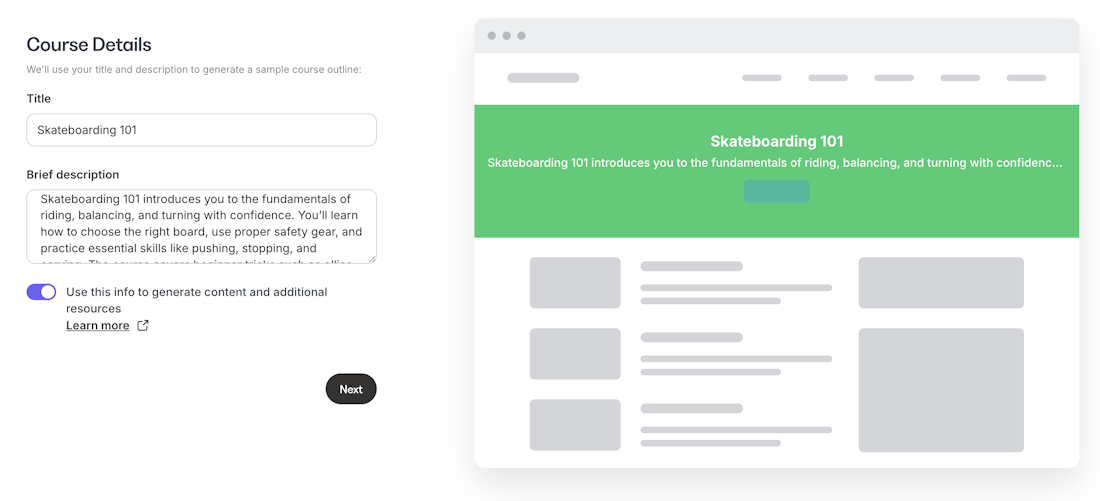
Kajabi’s Approach: Kajabi handles the entire post-purchase journey: courses with modules, quizzes, and certificates; coaching with scheduling and live video; community with gamification, challenges, and live rooms; private podcasts; downloads; and memberships. All tied to offers with payment plans, subscriptions, coupons, and order bumps. Zero transaction fees.
Source: Kajabi
🪙 Value Verdict: Kajabi wins for anyone selling knowledge products. Leadpages excels at the front of the funnel (landing page to payment), but Kajabi handles both the sale and the delivery. For course creators and coaches, this eliminates an entire category of tool subscriptions.
AI Capabilities
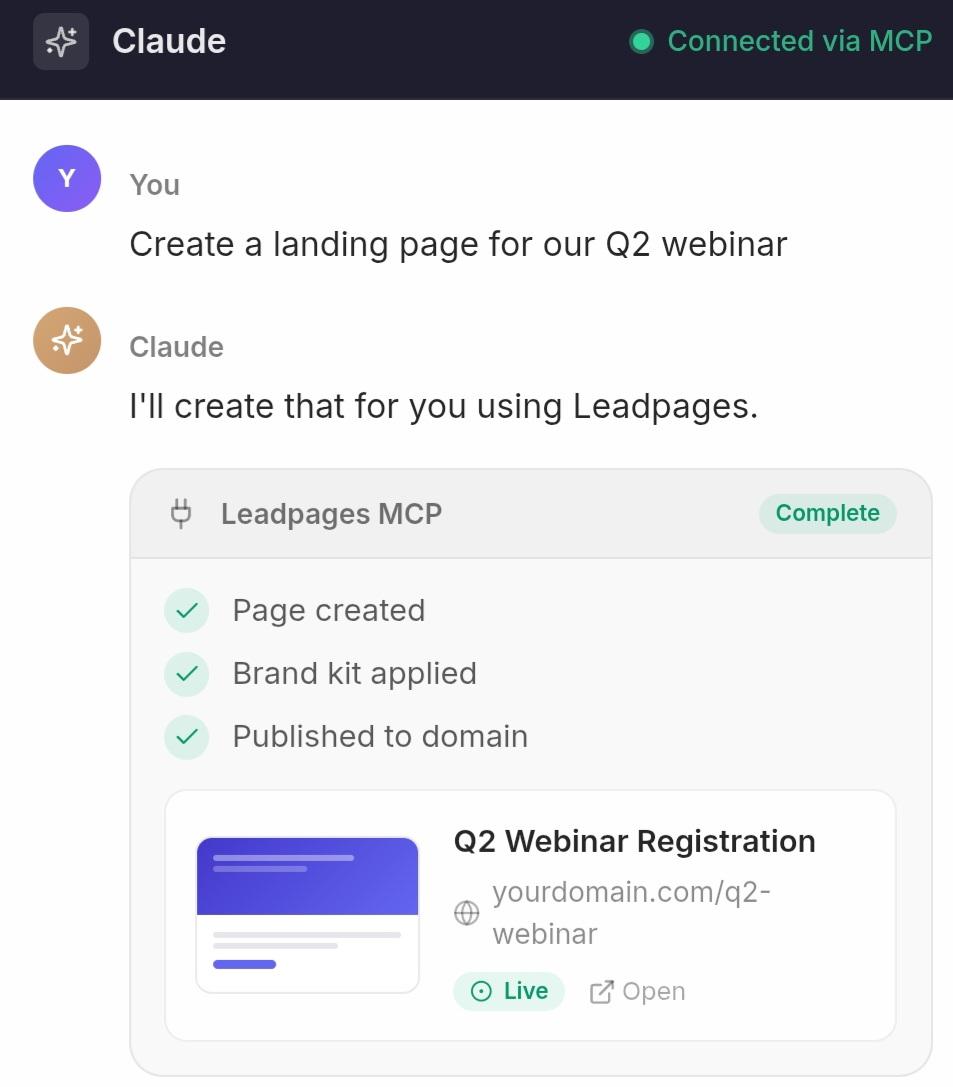
Leadpages’ Approach: AI page generation from text prompts, scoped AI editing that changes only the selected element, AI-generated copy and images, AI variant suggestions for A/B tests, and a 47-action MCP server that lets external AI tools create and publish pages programmatically. AI credits are consumed per action and limited by plan tier (40,000 to 160,000 per month).
Source: Leadpages
Kajabi’s Approach: Cofounder, included on every plan, works as an AI assistant that reads the creator’s account data (products, pricing, revenue, audience) and provides strategic advice, product planning, copy generation, and pricing guidance.
Creator Studio repurposes a single piece of long-form content into 40+ assets (emails, blog posts, social posts, and short videos). An AI Course Generator builds course outlines from text prompts. AI-powered video dubbing translates content into 70+ languages.
Source: Kajabi
🪙 Value Verdict: Different strengths for different needs. Leadpages’ AI focuses on building and optimizing pages faster. Kajabi’s AI focuses on business strategy, content repurposing, and localization. Performance marketers benefit more from Leadpages’ approach; knowledge entrepreneurs benefit more from Kajabi’s.
Total Cost of Ownership
Leadpages’ Approach: Leadpages costs $99 to $399/month for landing pages and CRO. But a complete marketing stack also requires an ESP ($30 to $100+/month), a course platform ($39 to $199/month), a community tool ($33 to $99/month), and potentially a scheduling tool and website builder.
A typical Leadpages-centered stack for a knowledge business can reach $300 to $700/month across tools, with fragmented data across separate dashboards and manual integrations to maintain.
Kajabi’s Approach: Kajabi costs $143 to $399/month (annual billing) and includes landing pages, email marketing, courses, coaching, community, website, checkout, and automations.
The platform positions itself as the replacement for a patchwork of tools, with consolidated analytics that show how email campaigns connect to course enrollments and sales (insights that are hard to replicate when data sits in separate platforms). For entrepreneurs who would otherwise manage 5 to 10 separate tools and subscriptions, Kajabi’s pricing often costs less than the combined alternative.
🪙 Value Verdict: For entrepreneurs running a digital product business, Kajabi’s total cost of ownership is often lower despite the higher sticker price, because it eliminates multiple separate subscriptions and the fragmented data that comes with them. For performance marketers focused on landing page conversion, Leadpages at $99/month is the more cost-effective choice.
Final Verdict: Leadpages vs Kajabi
The choice between Leadpages and Kajabi depends on what you’re building and where your biggest bottleneck sits:
👍 Leadpages is a CRO-first landing page platform for marketers who need to convert paid traffic into leads. With pricing from $99 to $399/month and no traffic caps on any plan, it lets performance marketers generate pages from text prompts, run multi-variant A/B tests, route visitors with Smart Traffic, and identify companies behind anonymous visits.
This approach works best for marketing teams managing ad spend, agencies building client landing pages at scale, and any business where the primary goal is maximizing conversion rates on paid campaigns.
Get started with Leadpages here.
👉 Kajabi is a creator commerce platform for entrepreneurs who need to do more than capture leads (they need to nurture, sell, deliver, and engage). By offering courses, coaching, community, email marketing, funnels, and checkout with zero transaction fees starting at $143/month, it replaces the tool stack that Leadpages-centered businesses inevitably assemble.
This makes it the stronger choice for entrepreneurs packaging expertise into digital products, building recurring revenue through memberships, and running a knowledge commerce business from a single dashboard.
Get started with a 30-day free trial with Kajabi here.
The difference is scope. Leadpages asks “How can we help you convert more visitors into leads?” Kajabi asks “How can we help you turn your expertise into a complete business?”
Leadpages Pricing FAQ
Is Leadpages free to use?
Leadpages offers a 7-day free trial with no credit card required and full access to whichever plan you select. Pages created during the trial stay saved even if you don’t convert to a paid account. However, there is no permanent free plan. A companion product called HTMLPub provides basic free page publishing, with the expectation that users upgrade to Leadpages when they need CRO features.
How much does Leadpages cost per month?
Leadpages offers three plans: Grow at $99/month, Optimize at $199/month, and Scale at $399/month. All plans are currently monthly billing only, with annual billing listed as coming soon at a 20% discount. There are no traffic-based overages on any plan, so your cost stays fixed regardless of how many visitors your pages receive.
What are Leadpages AI credits?
AI credits are consumed when you use AI page generation, URL imports, or AI chat editing. Monthly allotments are 40,000 credits on Grow, 80,000 on Optimize, and 160,000 on Scale. Credits reset each billing cycle with no rollover. If you need more, top-up packs start at $2.50. Heavy users of AI page creation should monitor consumption.
Does Leadpages include email marketing?
No. Leadpages captures leads but does not send emails. You need a separate email service provider like Mailchimp, ActiveCampaign, or Klaviyo for follow-up sequences, broadcasts, and nurture campaigns. Leadpages integrates with 12+ email tools natively and supports webhooks for custom connections.
Which is cheaper: Leadpages or Kajabi?
For landing pages alone, Leadpages is cheaper at $99/month versus Kajabi’s $143/month entry price. However, a Leadpages user who also needs email marketing, course hosting, and community features will pay for multiple tools on top of Leadpages. Kajabi includes all of these in one subscription. For entrepreneurs running a digital product business, Kajabi’s total cost of ownership is often lower.
Can Leadpages replace my website?
Yes. Leadpages includes a website builder with multi-page sites, shared navigation, a built-in blog, SEO tools, and custom domains with automated DNS setup. For small businesses and solo marketers, this can replace a separate Squarespace or WordPress site. However, the website builder is optimized for conversion, not complex content management.
Does Leadpages charge per visitor?
No. All Leadpages plans include unlimited traffic with no visitor-based caps or overage fees. This is a notable advantage over competitors like Unbounce (which caps the $99/month plan at 20,000 visitors) and Instapage (which caps at 15,000 visitors). Your Leadpages bill stays the same whether your pages get 500 or 500,000 visits.
What’s Smart Traffic and which plan includes it?
Smart Traffic is Leadpages’ machine learning system that routes each visitor to the A/B test variant most likely to convert them, based on device type, traffic source, and visitor history. It is available on the Optimize plan ($199/month) and Scale plan ($399/month), but not on Grow. On Scale, Smart Traffic runs an autonomous loop that generates new variants and tests them continuously.