


Every modern business needs a solid online presence to succeed. Kajabi and WordPress promise to deliver just that, each boasting unique features tailored to different purposes.
Kajabi is a comprehensive business platform that empowers creators and knowledge entrepreneurs with tools to create, market, and sell online courses, digital products, and memberships. However, its website designs are less flexible and customizable than those of WordPress.
Meanwhile, WordPress is a versatile website builder that caters to a diverse range of users with an extensive library of themes, plugins, and e-commerce tools.
There are two versions of the platform: WordPress.org, the free open-source version that requires you to manually set up your hosting, theme, and website design and WordPress.com which comes with a hosting solution, themes, a website builder, and plugins for a monthly fee. Unlike Kajabi, neither WordPress.org nor WordPress.com provides specialized features for creating online courses, membership sites, and digital product sales.
I tested both platforms to find their unique advantages and determine how they align with different digital ambitions. To help you understand the differences between Kajabi vs WordPress, I analyzed them in these categories:
- Website Building
- Online Courses
- Marketing
- Pricing
I also cover integrations and product offerings and show each platform’s ideal user in the comparison table below. Let’s see how they compare.
Comparison Summary: Kajabi vs WordPress
| Kajabi | WordPress |
|---|---|
 |  |
| Price | |
|
🏆 14-day free trial on all plans. Paid plans start at $69/mo for one product and 50 active customers. Key features are unlocked in all plans with no paid add-ons. |
Free software on WordPress.org, hosting and domain are payable. 14-day money-back guarantee on premium plans. Paid plans for WordPress.com start at $9/mo. Features like premium themes, plugins, and SEO tools are locked behind higher plans. |
| Website Building | |
|
Simple and intuitive website builder with tailored templates for online businesses with digital products. |
🏆 Advanced site builder with thousands of templates and themes, endless customization options, and flexible page elements. |
| Online Courses | |
|
🏆 Powerful online course platform with student assessments, progress tracking, and built-in monetization. Mobile learning app. |
Online course plugins with their individual pricing plans. Requires additional plugins to produce a full-fledged solution. |
| Marketing | |
|
🏆 Offers marketing automation, email campaigns and segmentation, sales funnels, and more. |
Limited built-in marketing tools. Relies on third-party marketing tools to build automation and email campaigns. |
| Products | |
|
Excellent support for digital products like podcasts, courses, and coaching sessions. No built-in support for physical products. |
🏆 Creator plan supports both physical and digital products thanks to enabled plugins such as WooCommerce. |
| Integrations | |
|
15+ native integrations + Kajabi API + 400+ integrations via Zapier |
🏆 Thousands of apps, plugins, and themes. |
| G2 Reviews | |
| 4.3 rating from 78 reviews | 4.4 Rating from 2,539 reviews |
| Best For | |
| Educators, infopreneurs, and course creators who need an all-in-one platform to build and run an online business with digital products. | Individuals and businesses who need a user-friendly platform to create websites without advanced technical skills. |
(credit card required) | 14-day money-back guarantee (no card required) |
What is Kajabi?
“Elevate Your Knowledge, Amplify Your Impact”
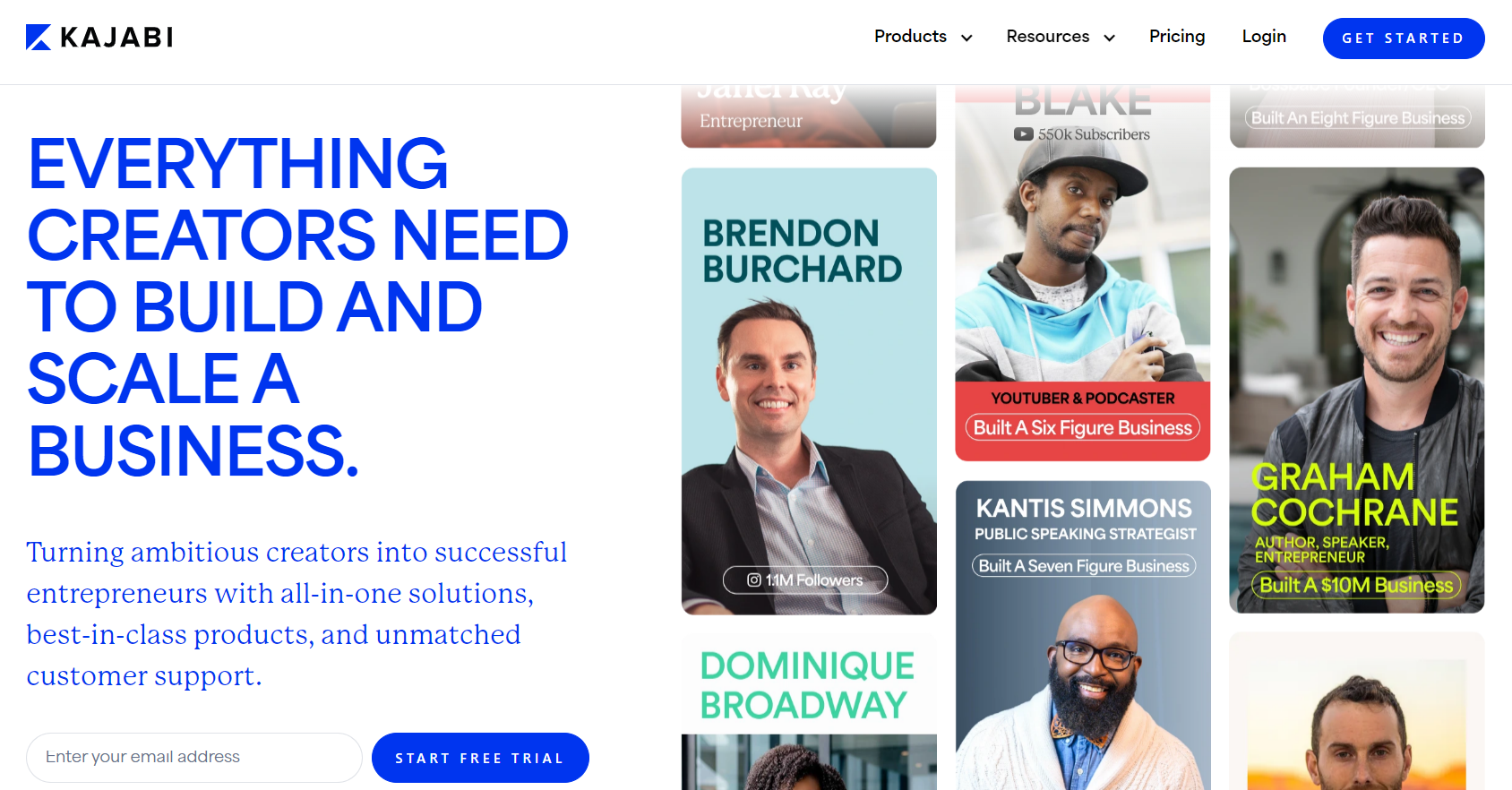
After entrepreneur Kenny Rueter struggled to monetize his instructional videos on YouTube, he founded Kajabi in 2010 to help fellow entrepreneurs build and grow their businesses on a single platform.
Kajabi is an all-in-one online business platform that enables entrepreneurs to create, monetize, and sell knowledge. Its most popular feature is the course builder, which helps educators create diverse learning content. In addition to selling online products like courses and podcasts, you can provide coaching sessions, sell memberships, and manage the communities around your products. Kajabi also provides a whole set of tools to help you build and run your online business: a website builder, email automation, and funnels.
Kajabi is best for professional educators and coaches who want to create an online knowledge-based business. It’s an all-in-one tech stack that provides all the tools you need to set up and manage every operation an online business needs.
What is WordPress?
“Your Website, Your Way”
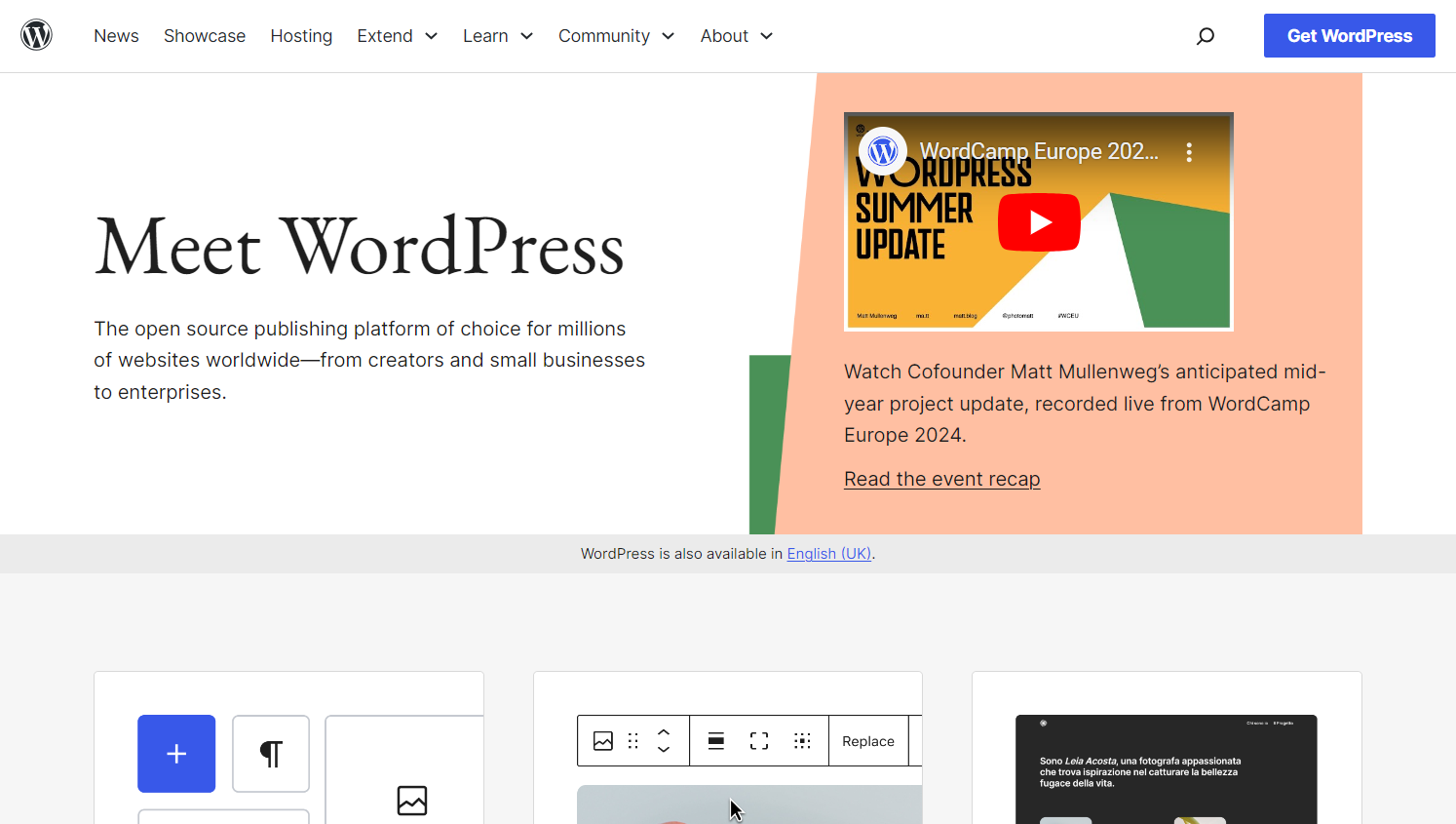
Matt Mullenweg used to blog on the open-source platform b2/cafelog. When its development slowed, he contemplated creating a new platform with more features. He was joined by Mike Little, and they created WordPress.org in 2003. The open-source platform empowers people to develop websites without coding or design skills. WordPress.com, on the other hand, is operated by Automattic and offers paid upgrades, which include hosting.
WordPress’ highlight feature is its robust website building software with support for just about any use case. It has thousands of apps, themes, and plugins for users to create and customize their websites to do precisely what they need. Thanks to third-party integrations, users can control the most granular aspect of their website, enhance its functionality, and optimize it for their own purposes.
WordPress is ideal for businesses, entrepreneurs, and creative professionals seeking an accessible and fully customizable solution for establishing and managing their online presence.
Kajabi vs WordPress: Website Building
| Kajabi | WordPress |
|---|---|
| ⭐⭐⭐⭐ | ⭐⭐⭐⭐⭐ |
| Simple website builder with tailored templates for educators and knowledge entrepreneurs | Advanced website builder with thousands of templates and plugins for web page customizations |
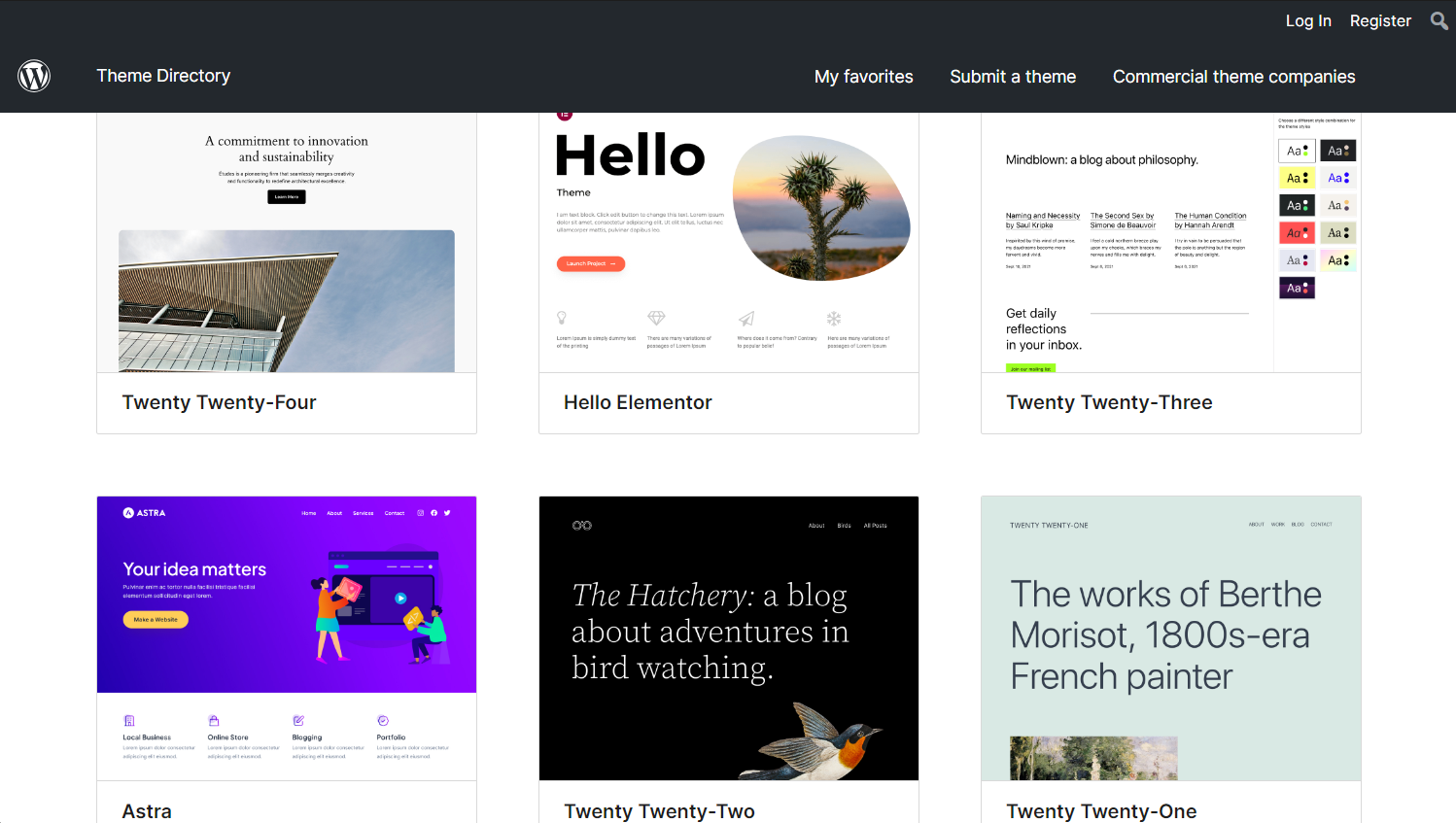
Website Templates: WordPress has 12,000+ website themes, while Kajabi’s templates are designed for knowledge entrepreneurs.
WordPress offers a wide range of over 12,000 customizable themes to customize your website’s layout, look, and feel. Creators upload new options every day. However, some website themes may look outdated compared to modern design standards.
Kajabi has way fewer templates than WordPress, but they’re tailored to knowledge-based ventures like fitness, photography, cooking, and finance.
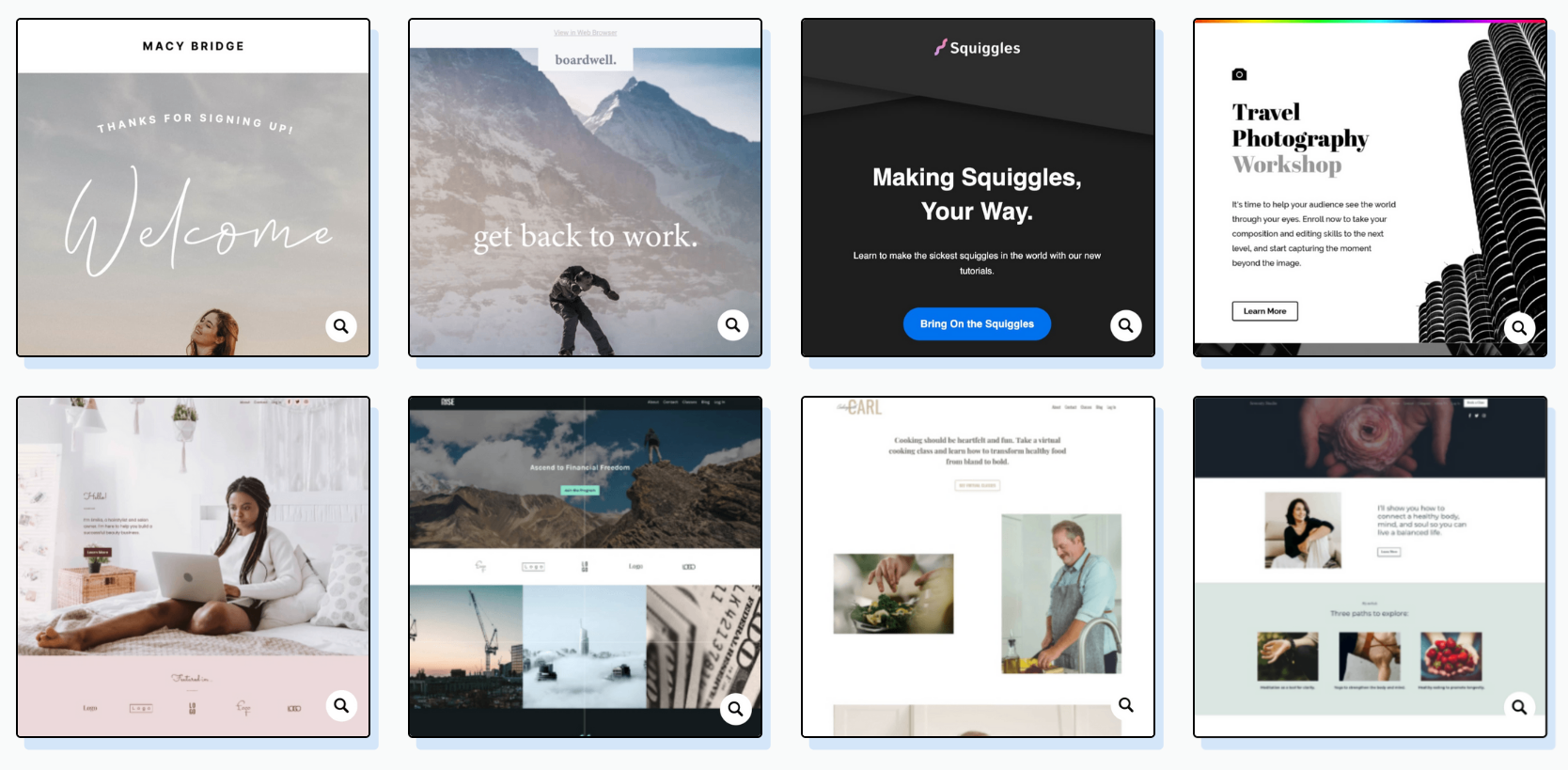
Like WordPress, you can customize Kajabi’s templates to your heart’s content. For example, you can make your community membership website look different from your online course platform.
Website Designer: Both platforms can create full-scale websites, but WordPress has an advanced builder that leverages thousands of third-party plugins.
Kajabi offers a simple website builder with several customizations and web page elements. It uses the same builder across your website, course page, blog, and landing pages. This allows you to maintain the same look across all your pages.
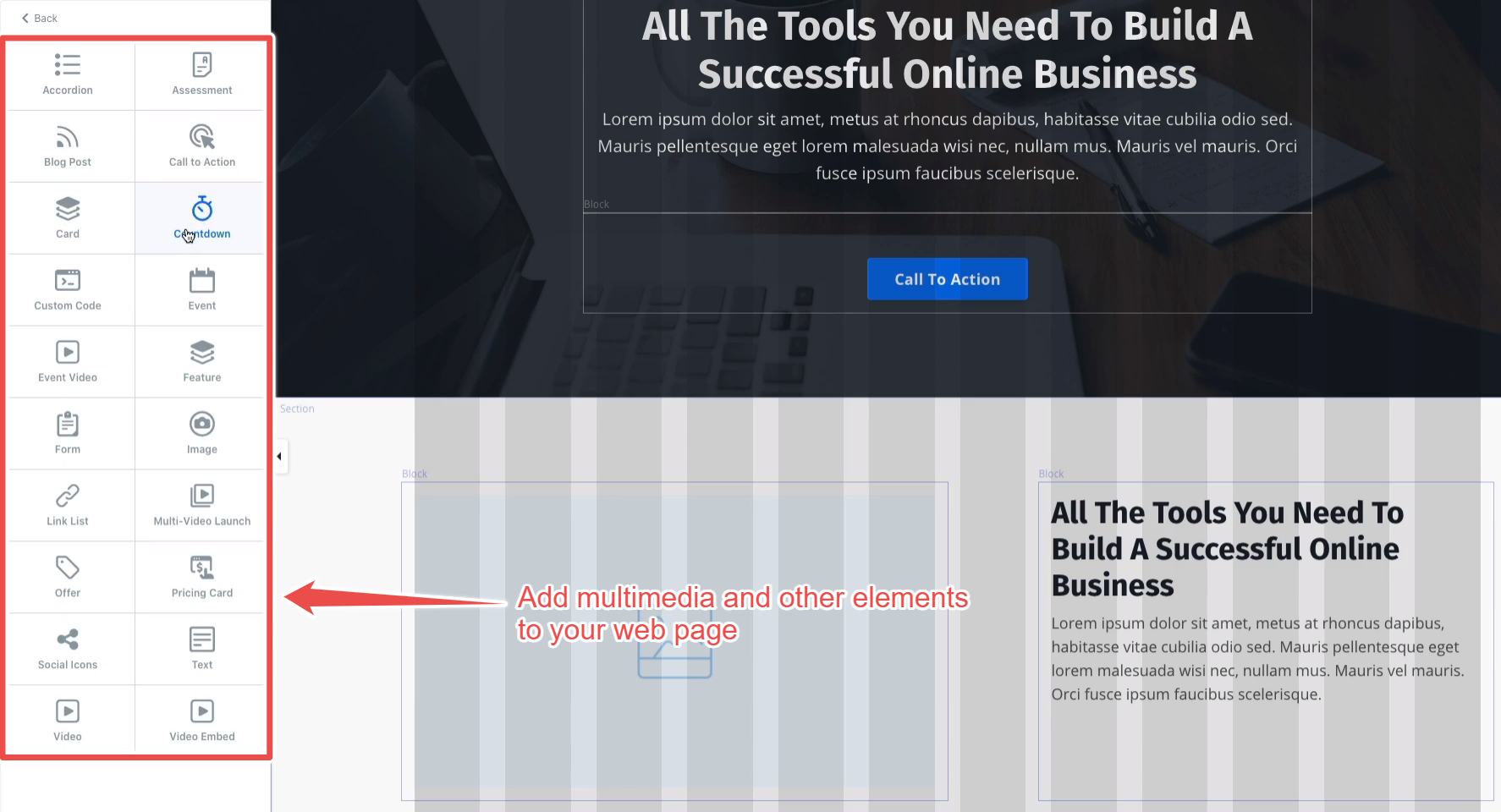
To start designing a website, you need to select a template. Most templates already contain many of the standard web pages you’ll need. These include:
- Home,
- Store,
- Login,
- About,
- Library,
- Thank You,
- and Announcements.
You can delete some of these pages, add new ones, or customize them to your liking.
WordPress’ barebones website designer looks like Kajabi’s. Both offer several default pages, web page elements, and SEO tools. However, WordPress leverages thousands of third-party plugins to provide pretty much any customization and page element you can think of.
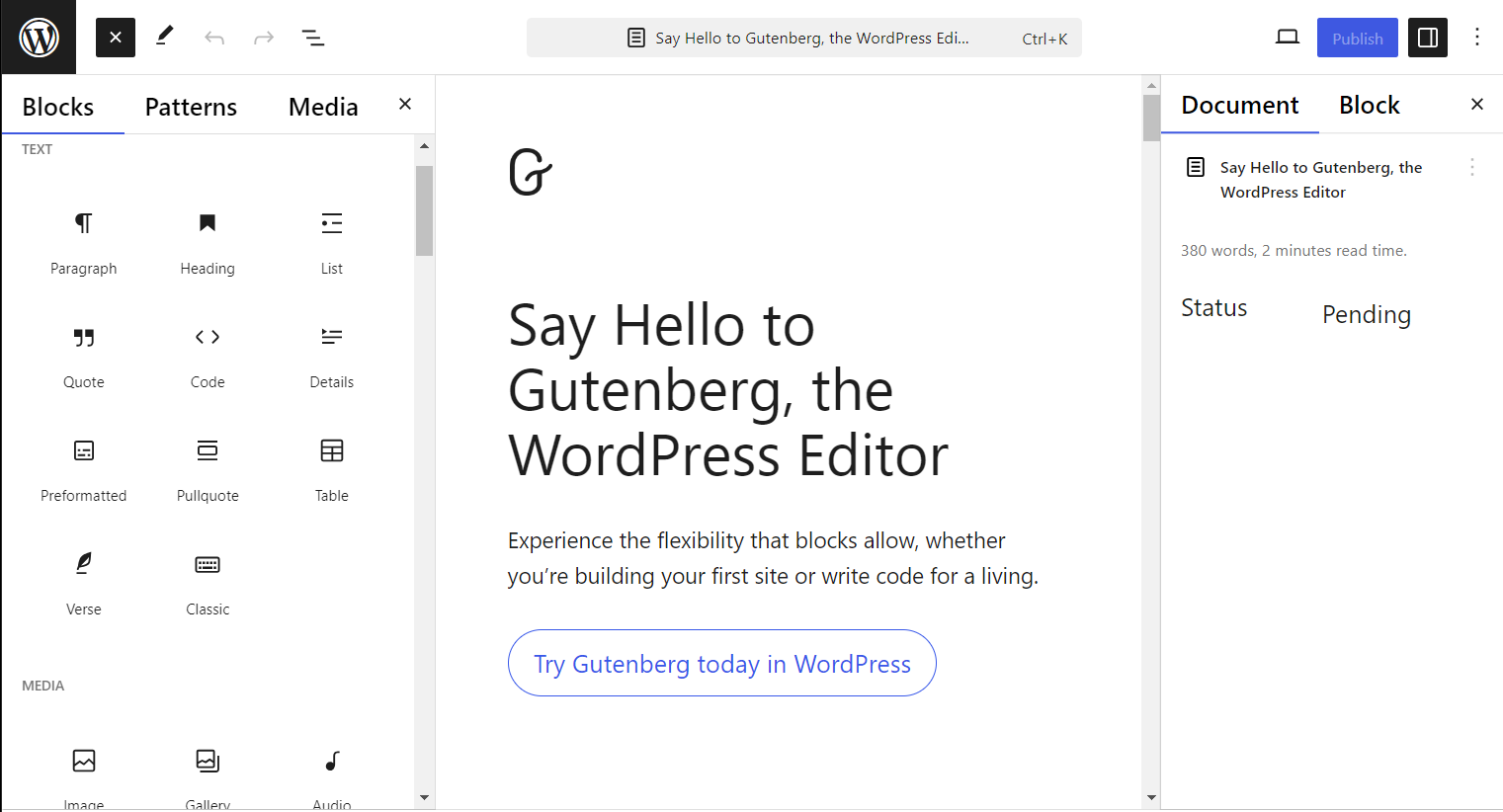
It allows you to embed third-party apps into your web pages without coding knowledge. You can also create dynamic pages that change their content while the design and layout stay the same.
As a Content Management System, WordPress enables you to generate as many pages as you need.
Winner: WordPress is primarily a website building platform, so there’s no surprise that it takes the lead here. It offers thousands more templates than Kajabi, and the website designer is more powerful and customizable. Kajabi is geared towards online educators who need a straightforward website to host their business information and online courses.
Kajabi vs WordPress: Online Courses
| Kajabi | WordPress |
|---|---|
| ⭐⭐⭐⭐⭐ | ⭐⭐⭐⭐ |
| Built-in course creation tools with features for student engagement and assessment | Freemium and paid online course plugins with sufficient course creation tools |
Kajabi has tools for creators to build and sell online courses on one platform.
Kajabi lets you create and market knowledge through various products: online courses, podcasts, memberships, communities, and coaching sessions.
As for the online courses, it provides a drag-and-drop course builder that lets you set up your lesson structure, upload your course materials, and publish, making it suitable for educators in every industry.
Online classes are arranged into modules and submodules, giving them a sensible and organized structure. You can lock modules until students complete specific lessons or release them over time as drip content.
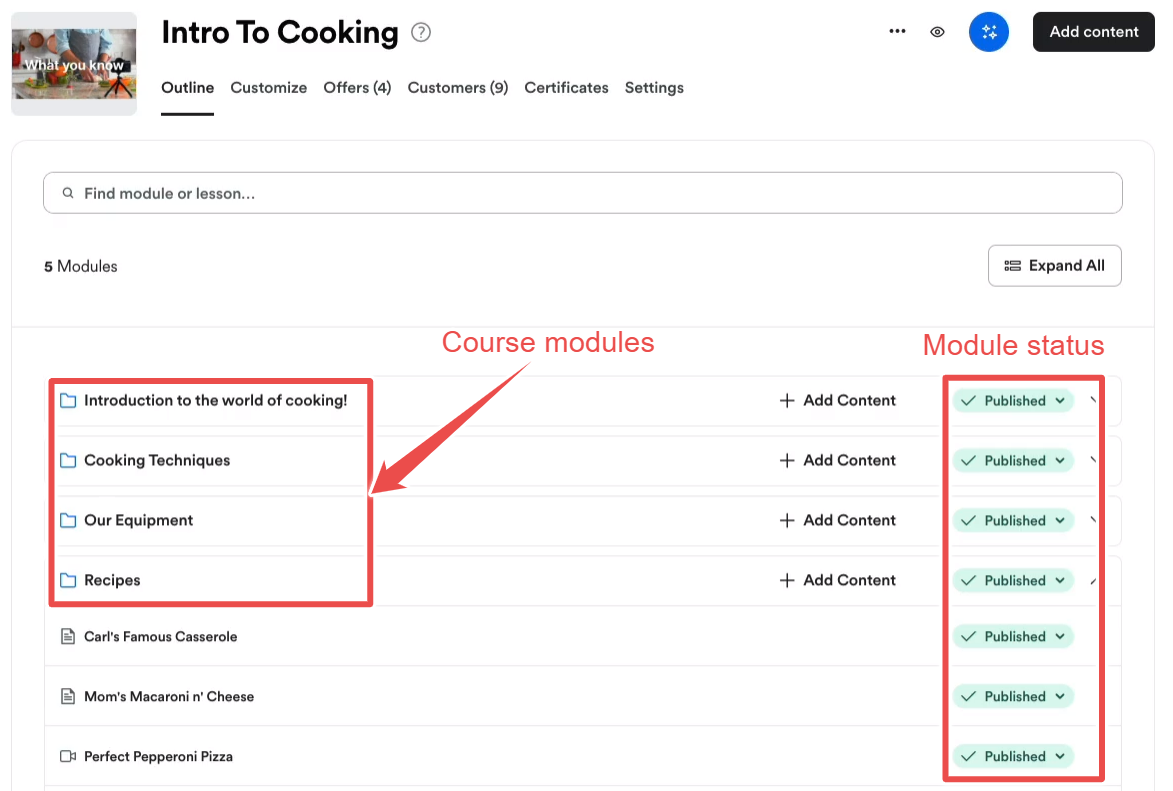
Lessons on Kajabi can contain media content like images, audio, and video. The platform has built-in video hosting and lets you embed links to third-party platforms like YouTube, Vimeo, Google Drive, and Dropbox. You can also add subtitles, closed captions, and transcripts to your videos to make them more accessible to students.
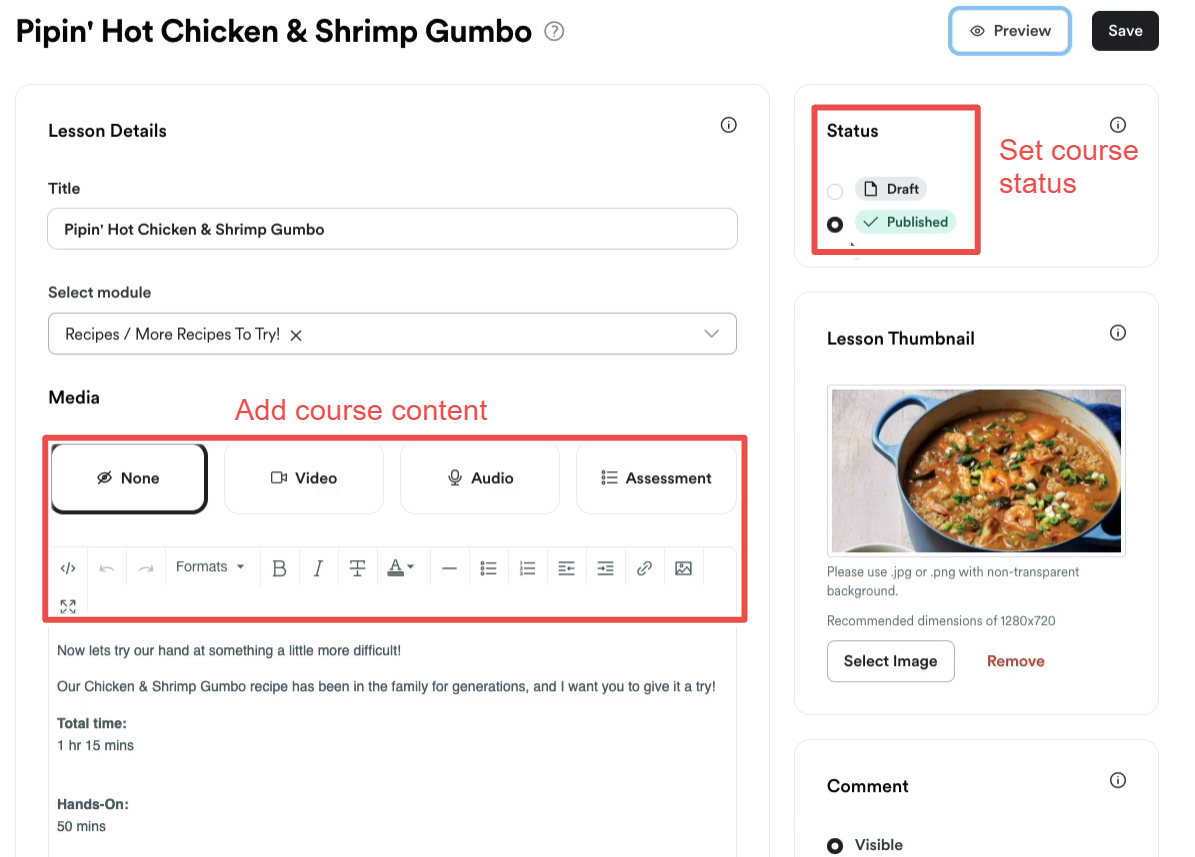
In addition to the default multimedia options, you can add PDFs, coding files, and other course materials to your lessons.
Kajabi also has a flexible assessment tool with multiple question types for quizzing students. You can assign scores to each question and set a pass grade for the activity.
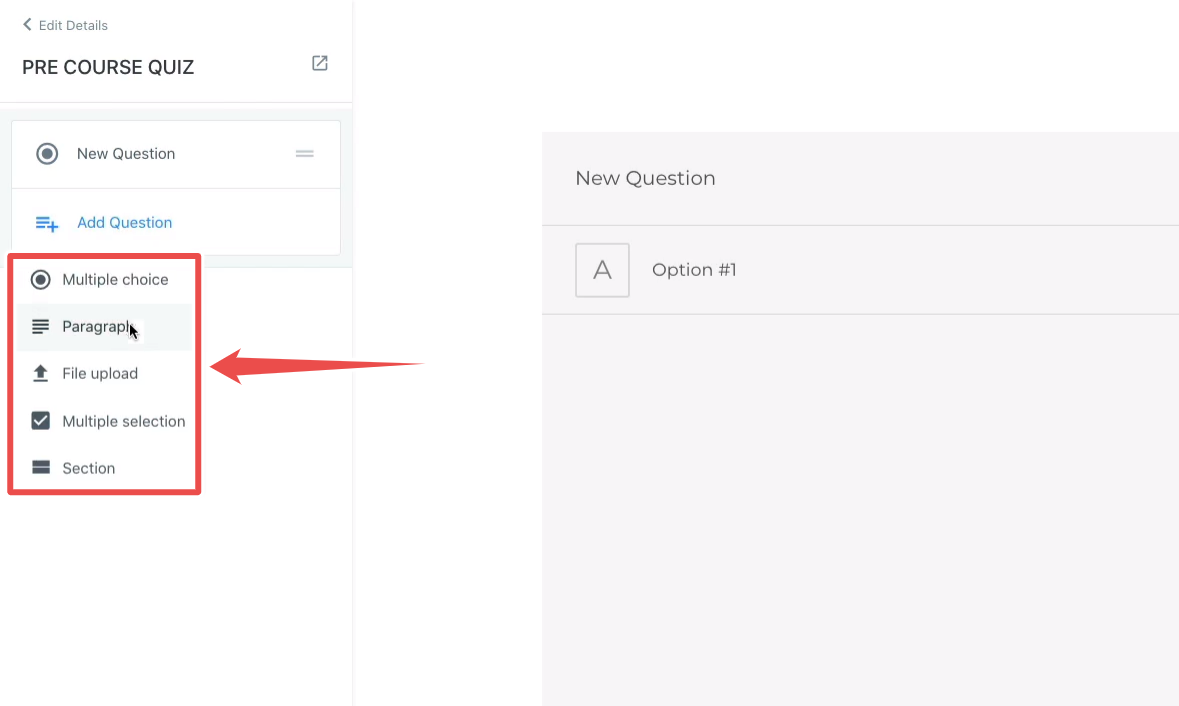
While you can’t attach quizzes to individual lessons, you can organize them within modules and submodules of your course. This way, your students don’t have to scroll through the entire lesson to attempt your assessment.
You can also track student progress through your course content. If you attach a video or quiz to the lesson, Kajabi tracks progress using the completion status. If there isn’t a video or a quiz to be tracked, it tracks progress when a student clicks the “Mark as complete” button.
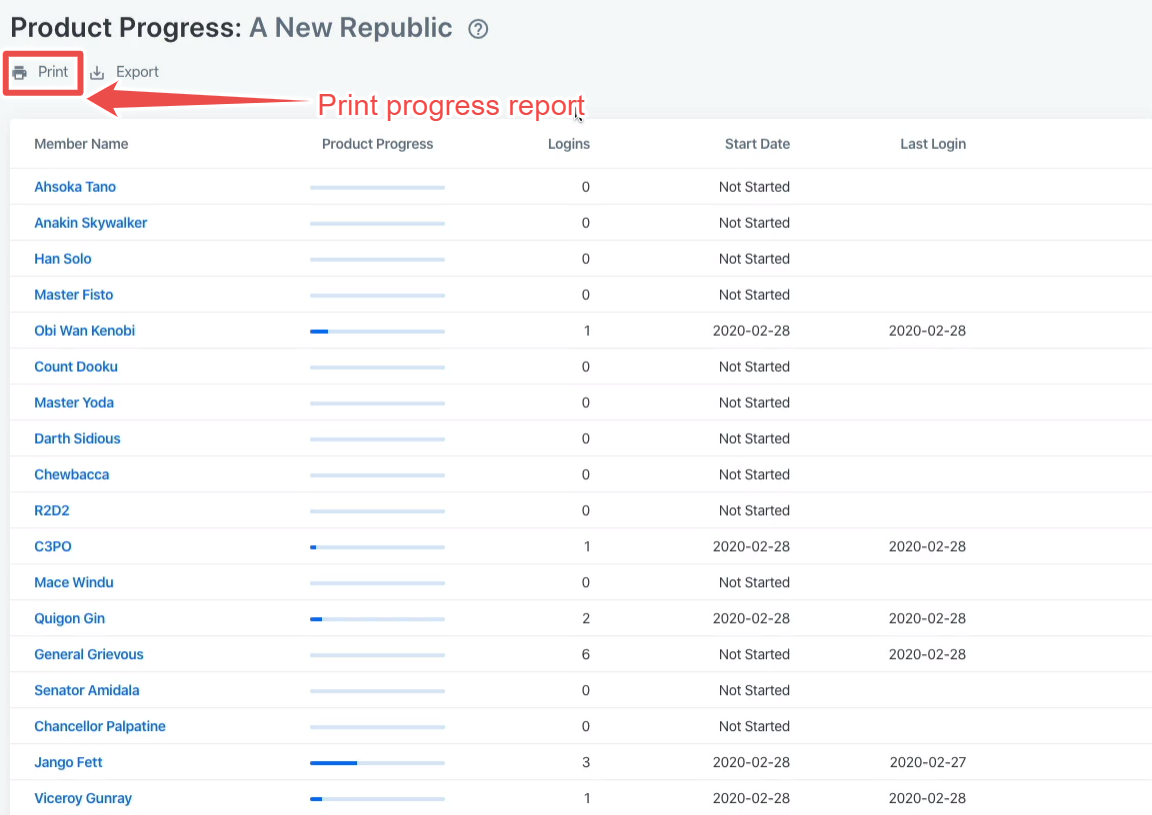
WordPress needs plugins to turn your site into an online learning platform.
Unlike Kajabi, which offers built-in online course tools, WordPress requires several plugins and add-ons to provide the same functionality. There are a ton of free and paid options in the plugin library. However, because you’re dealing with different tools, you need to learn how each works.
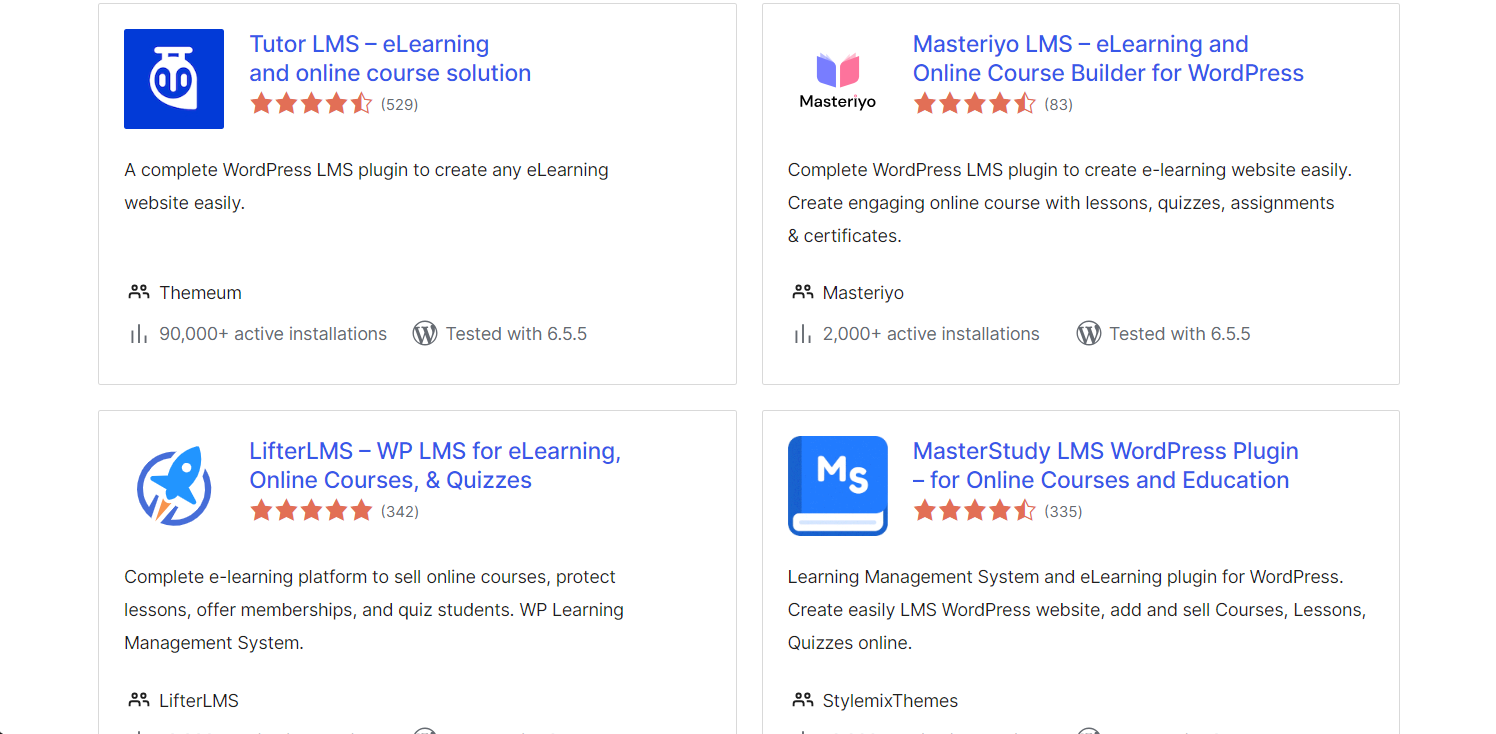
Depending on your course builder plugin, you can get simple and intuitive interfaces with features as powerful as Kajabi and many customizations. The plugin will also determine if you can create submodules or drip content.
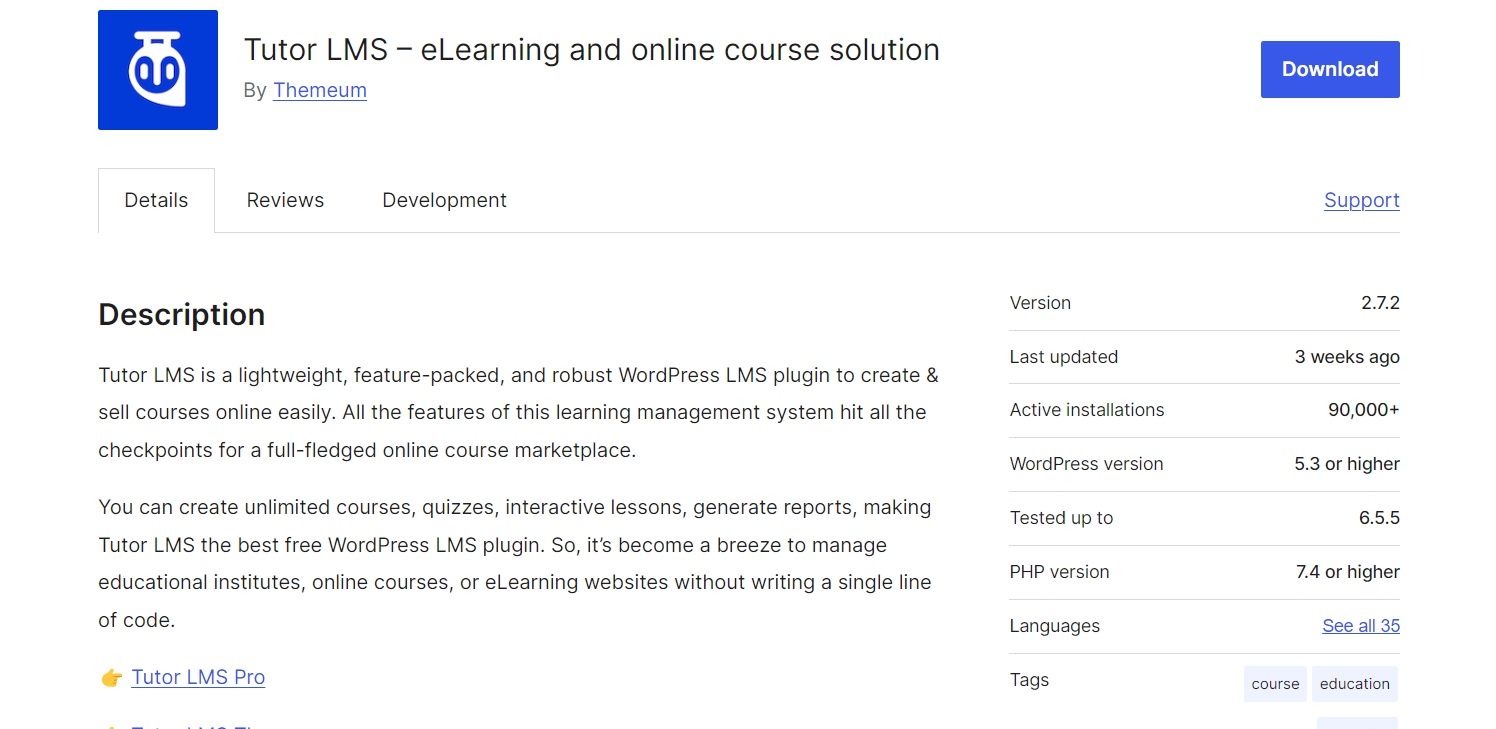
You may be able to access your course builder plugin directly from the WordPress dashboard or through the WordPress site settings. You can also find it in your list of installed plugins.
If your chosen course builder plugin doesn’t have a built-in monetization function, you’ll need to install another third-party tool to enable checkouts and payment processing. Tutor LMS, for example, integrates with monetization tools like WooCommerce, Easy Digital Downloads, Paid Membership Pro, and Restrict Content Pro.
Kajabi’s mobile learning app is for educators and students, while WordPress is only for site administrators.
Kajabi’s mobile learning app allows educators and students to access courses on the go. It syncs with the web app, allowing you to customize your website’s appearance and branding from your phone.
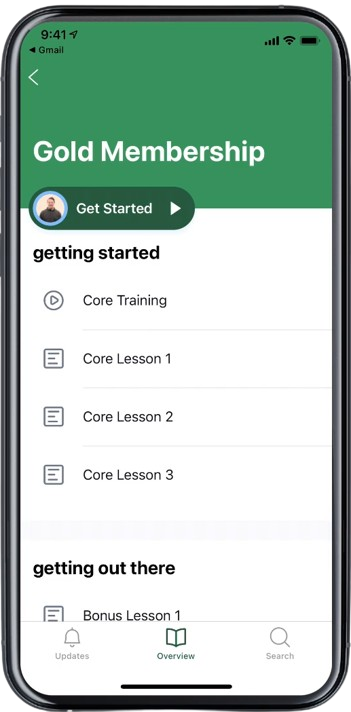
In addition to online courses, the mobile app grants access to communities, allowing it to function like a social media platform.
WordPress web pages are responsive and fit different screen sizes, allowing mobile devices to access online courses. You can also log into your website using the WordPress mobile app or the newer Jetpack application.
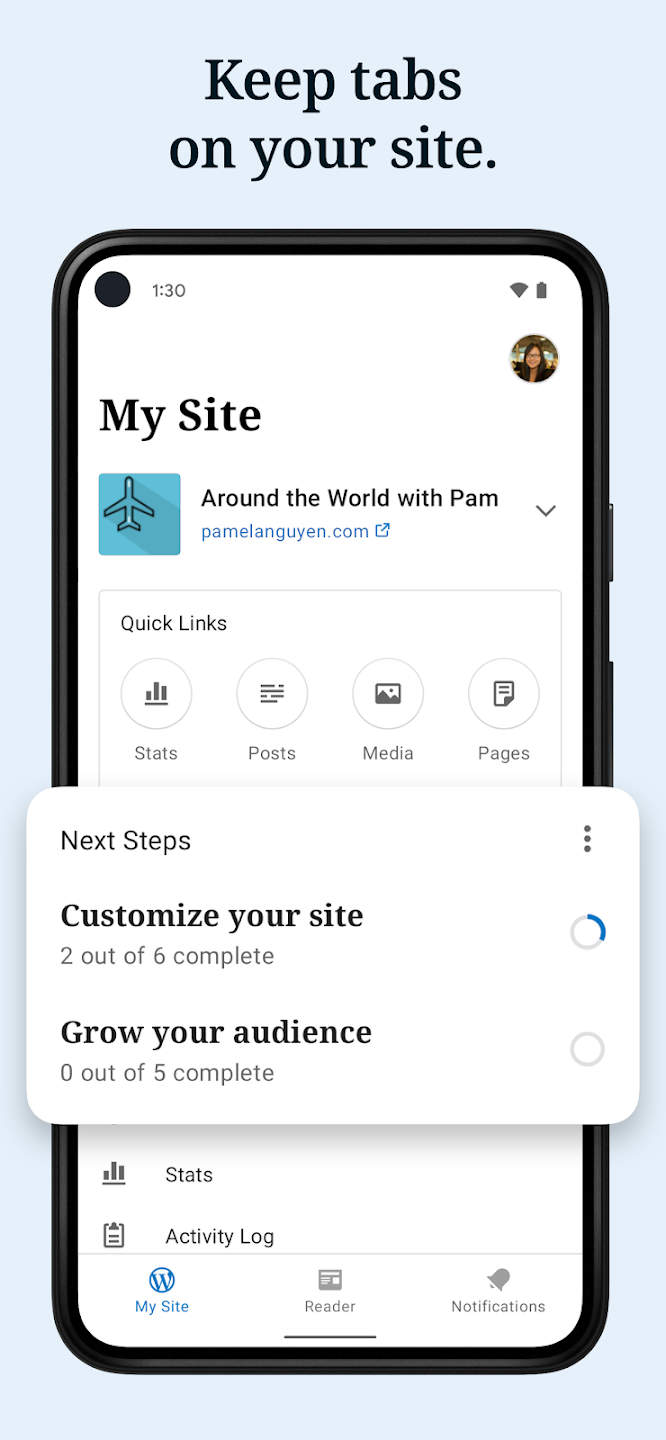
The mobile app allows you to see and edit your site’s content on the go. However, unlike Kajabi, the app is meant for administrators, so subscribers cannot use it to see your content.
Winner: Kajabi is designed for online learning, with built-in tools for creating, marketing, and selling courses. You don’t need third-party tools to launch your knowledge-based enterprise. WordPress offers several plugins for building decent online courses, but the process is a little more cumbersome.
Kajabi vs WordPress: Marketing
| Kajabi | WordPress |
|---|---|
| ⭐⭐⭐⭐⭐ | ⭐⭐⭐⭐ |
| Powerful email campaign builder with advanced segmentation tools | Advanced email campaign building and automation with third-party tools |
Automation: Kajabi offers built-in automation, while WordPress requires you to install plugins.
Kajabi uses if/when/then logic to automate various parts of your business. Automation is tightly integrated into every feature, allowing you to create sequences for:
- Offers,
- Funnels,
- Quizzes,
- Online Courses,
- Email Campaigns,
- Certificates of Completion,
- and more.
It offers hundreds of triggers, actions, and conditions to build complex sequences. You can add unlimited conditions, but Kajabi lets you execute one automated action. With this, you get to build complete marketing funnels regarding your digital business, with no need for additional software.
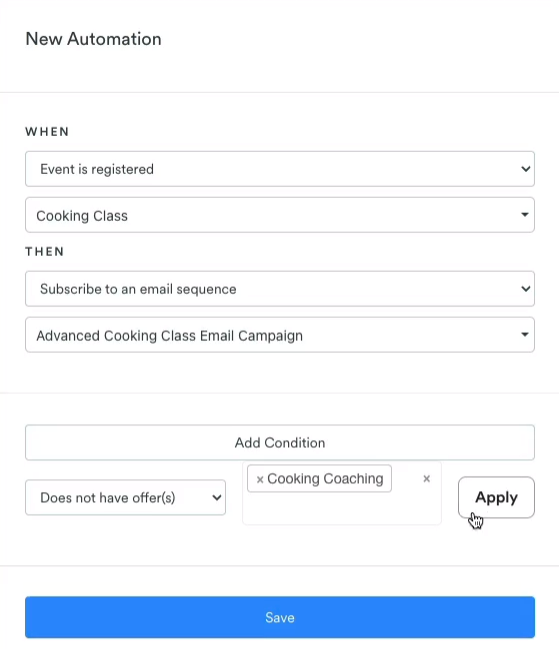
On the other hand, WordPress doesn’t have any built-in automation. You need to install a plugin to create sequences for any part of your business. You can choose from hundreds of automation plugins, but the integration may not be as seamless as Kajabi’s built-in solution.
If you’ve installed a course builder plugin like Tutor LMS, you can use its own built-in automation features, so you may not need additional plugins.
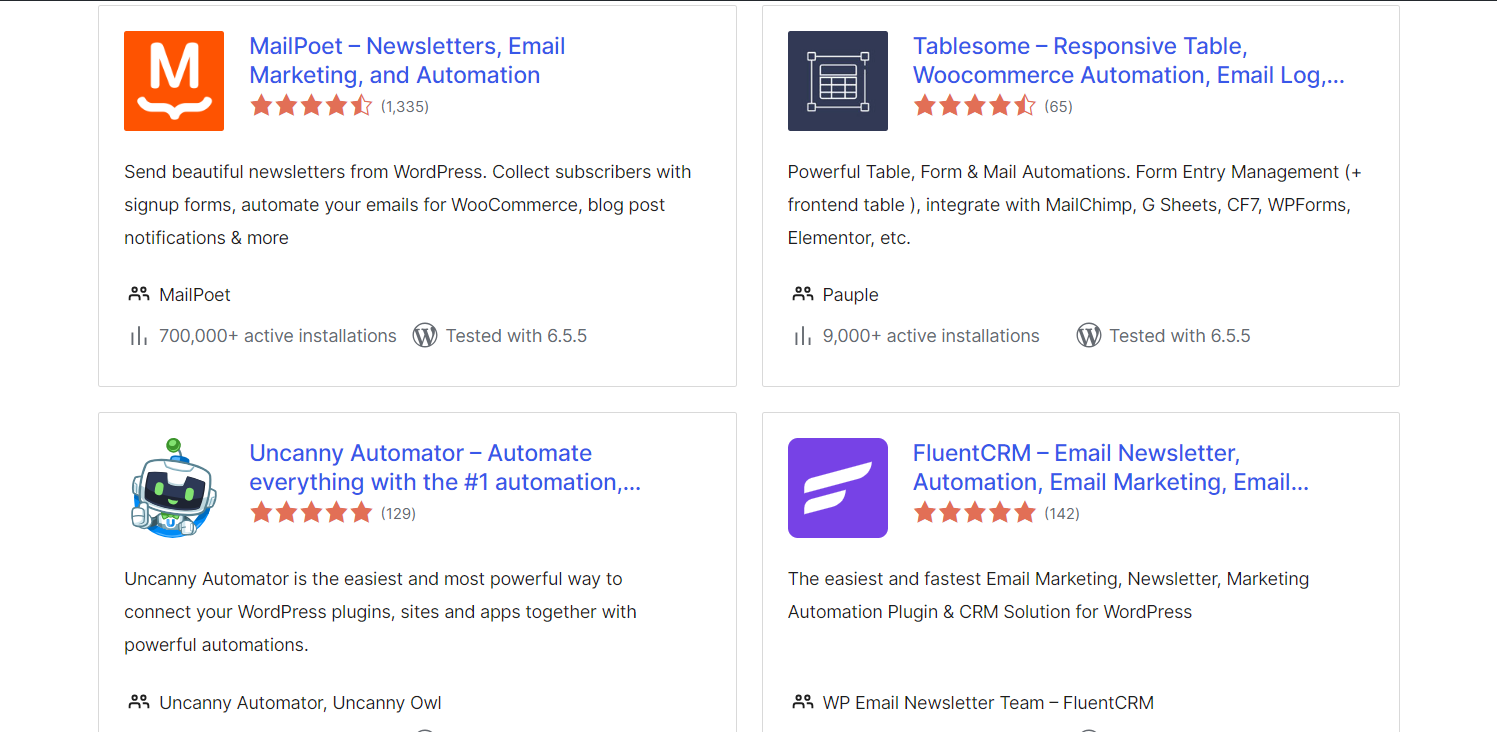
Email Campaigns: WordPress requires plugins to send emails, while Kajabi can send email sequences and broadcasts.
Kajabi’s email marketing campaigns let you create personalized customer experiences and deliver them with impeccable timing.
Email Broadcasts and Email Sequences are two options for creating email campaigns. Broadcasts are single emails you send manually or set a specific delivery date. Meanwhile, sequences are emails sent when a customer’s action triggers an automation.
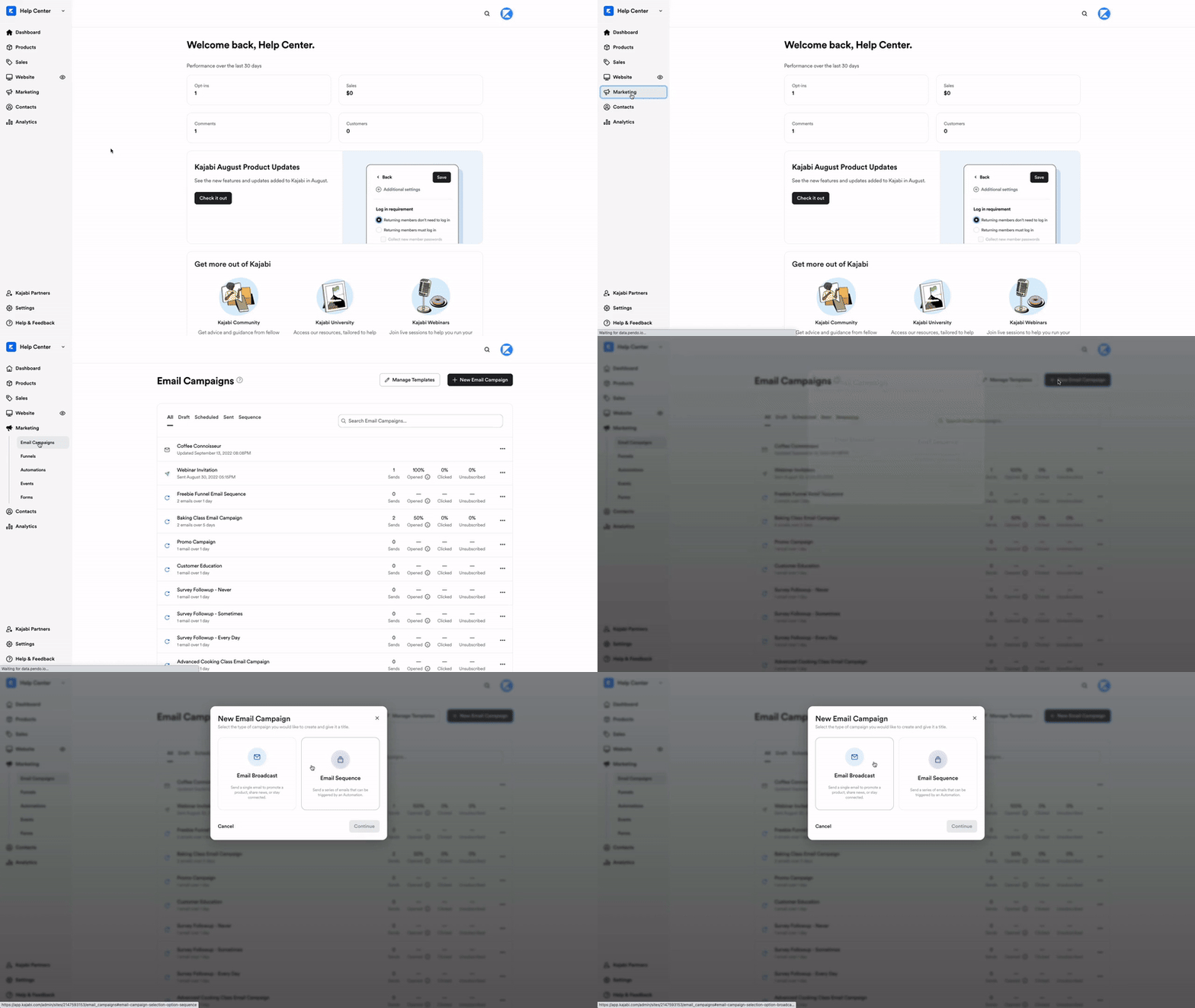
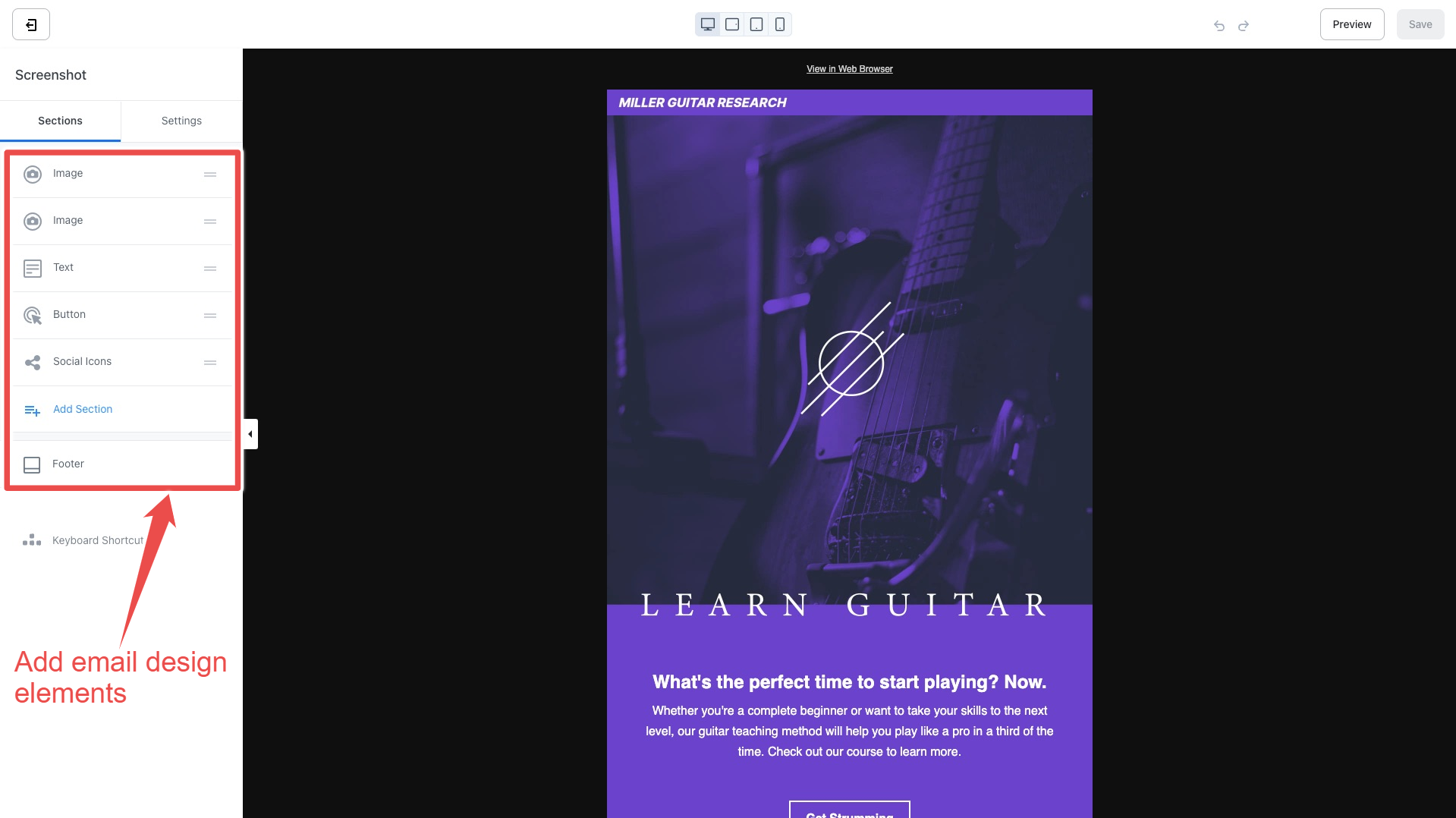
You can also choose between plain text emails and HTML-based emails. Plain text emails have a simple layout that gives the impression they’re sent directly to the recipient without an email provider.
HTML-based emails use an advanced designer with page elements like images, videos, buttons, logos, and more. You can customize them to look like your website. Kajabi provides more than 20 templates to get you started quickly.
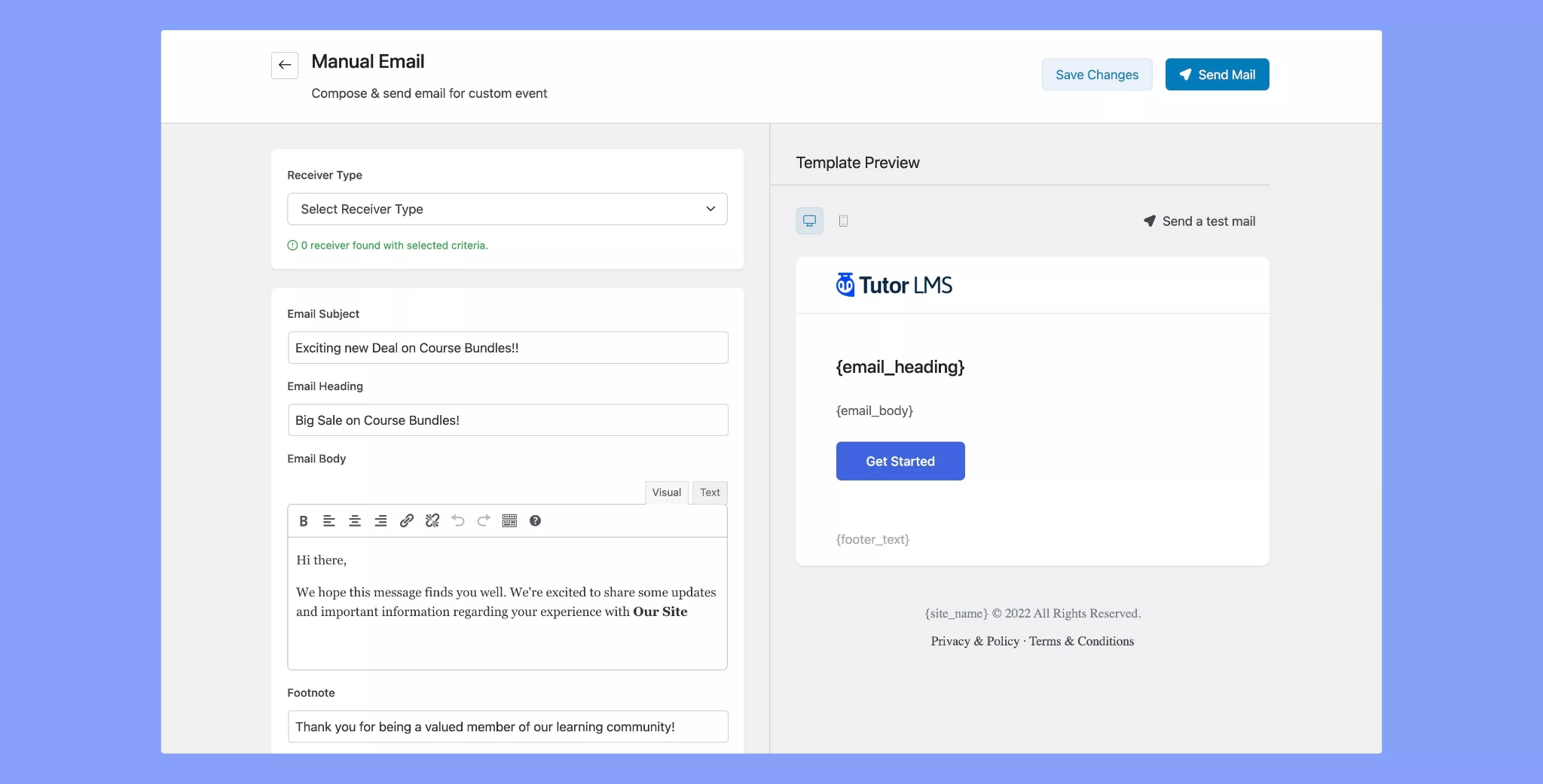
WordPress doesn’t have any built-in email capabilities. However, you can create robust email campaigns using powerful plugins like MailChimp and ConvertKit. The right plugins offer just as many features — if not more — as Kajabi’s built-in functionality.
However, they need to integrate seamlessly with your course builder. Tutor LMS, for example, has a simple email editor built-in.
Email Segmentation: Kajabi can convert contact filters into email segments, while WordPress requires plugins with that function.
Kajabi provides a small list of powerful default segments, such as:
- All Contacts — includes all Customers and Contacts.
- Customers — users that have purchased a product or have been granted an offer.
- Subscribed — users who have opted in to receive emails from you.
- Inactive — subscribers that have not opened your emails in the last 90 days.
- Hard Bounced — contacts that have experienced a permanent error.
- Excluded — subscribers that have been tagged as high-risk and inactive.
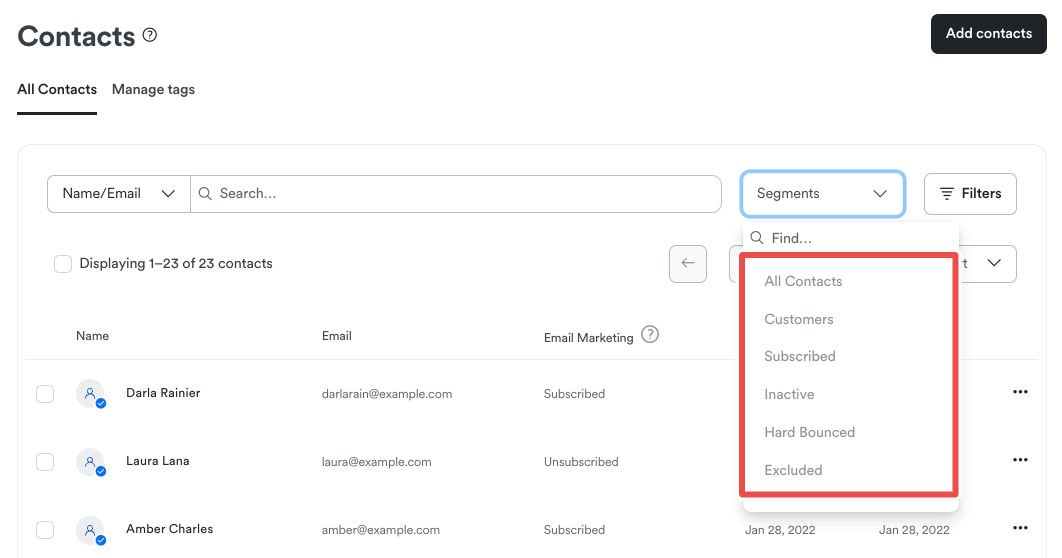
In addition to the default segments, you can create and save custom contact filters using a category, condition, and value. After designing and selecting a filter, you can convert it to a custom segment.
WordPress does not have such functionality built in. To create email segments, you need to download a plugin with email segmentation. Tutor LMS, for example, integrates with FluentCRM for this feature.
Winner: Kajabi offers an all-in-one marketing suite thanks to built-in automation, email campaigns, and email segmentation features. WordPress users will need multiple plugins to provide similar capabilities, which can become cumbersome to manage and keep track of.
Kajabi vs WordPress: Pricing
| Kajabi | WordPress |
|---|---|
| ⭐⭐⭐⭐⭐ | ⭐⭐⭐⭐ |
| Simple pricing model with plans that scale up with the business size | Pay-as-you-use pricing model for WordPress.org, simple plans for WordPress.com |
Kajabi is pretty expensive, but each plan offers all essential features.
Kajabi has four pricing plans, beginning at $69/month. It doesn’t have a free plan, but you can test all its features with the 14-day free trial. If you sign up using our affiliate link, your free trial extends to 30 days.
It may seem overpriced compared to WordPress, but you get all the key features right from the Kickstarter plan. The plans scale with your business size and number of customers. Plus, it doesn’t charge transaction fees. This means you have complete control over sales, monetization, and advertisements.
| Kickstarter ($69/month) | Basic ($149/month) | Growth ($199/month) | Pro ($399/month) |
|---|---|---|---|
|
1 product1 funnel 50 landing pages 1,250 marketing emails 250 contacts 50 active customers 1 website 1 admin user |
3 products3 funnels Unlimited landing pages Unlimited marketing emails 10,000 contacts 1,000 active customers 1 website 1 admin user |
15 products15 funnels Unlimited landing pages Unlimited marketing emails 25,000 contacts 10,000 active customers 1 website 10 admin users |
100 products100 funnels Unlimited landing pages Unlimited marketing emails 100,000 contacts 20,000 active customers 3 websites 25 admin users |
WordPress offers cheaper plans, but many features are locked behind paid add-ons.
WordPress offers a free website plan via WordPress.org, but you must get a hosting plan, install themes and plugins, and design your entire site yourself. Meanwhile, WordPress.com offers a limited free plan and paid plans with hosting, plugins, and a simplified website creation process.
The WordPress.com pricing plans have a 7 to 14-day money-back guarantee for monthly and yearly plans, respectively:
- Starter — for showcasing a professional website
- Explorer — for customizing your website
- Creator — for creating a branded business
- Entrepreneur — for launching your digital or physical product
- Cloud — for creating a large-scale business
- Enterprise — for a custom enterprise solution, it costs $24,000/year
All plans allow you to create online courses, but the business plans are required to monetize them.
| Starter ($9/month) | Explorer ($18/month) | Creator ($40/month) | |||
|---|---|---|---|---|---|
|
Free domain for one year6GB storage Dozens of premium themes Ad-free experience DNS with SSL 8% transaction fee for payments |
Starter +Customer support 13GB storage All premium themes Customizable fonts and colors 4K videos with VideoPress Site activity log Analytics dashboard 4% transaction fee for payments |
Explorer +Priority 24/7 support 50GB storage 50,000+ plugins, design templates, and integrations Global CDN with 28+ locations Malware detection & removal Tiered storage plans Real-time backups SEO and analytics tools 2% transaction fee for standard payments | |||
| Entrepreneur ($70/month) | Enterprise ($25,000/year) | ||||
|
Creator +WooCommerce hosting 50GB storage Premium store themes Powerful store design tools Unlimited products Product add-ons Dynamic product upsells Custom marketing automation Inventory management Sell in 60+ countries Integrations with top shipping carriers 0% transaction fee for payments |
Multifaceted securityGenerative AI Integrated content analytics 24/7 support Professional services API mesh and node hosting Containerized environment Global infrastructure Dynamic autoscaling Integrated CDN Integrated code repository Staging environments Single sign-on (SSO) | ||||
It’s worth noting that the higher plans don’t include all the tools your business needs, like custom themes and plugins for additional functionalities. While this allows you to pay for what you use, the individual costs eventually add up.
Winner: Kajabi. Compared to WordPress, its pricing model is simple, with all crucial features unlocked for all plans. WordPress is cheaper for simple websites and operates a pay-as-you-use model. This complicates your spending since several features are only available as plugins.
Kajabi vs WordPress: Pros & Cons
Kajabi excels as an online learning platform, while WordPress is better for general-purpose websites.
 | |
|---|---|
| Kajabi Pros | Kajabi Cons |
| ✅ Built-in tools for course creation | ❌ Fewer website customizations |
| ✅ Tailored website templates | ❌ Limited support for physical products |
| ✅ Powerful email campaigns | ❌ No automated action chaining |
| ✅ No transaction fees | |
 | |
|---|---|
| WordPress Pros | WordPress Cons |
| ✅ Advanced site builder | ❌ No built-in course creation tools |
| ✅ Thousands of website templates | ❌ Payments and marketing require plugins |
| ✅ Unlimited web page customizations | ❌ Complicated pricing model |
| ✅ Plugins for any feature you need | |
Kajabi vs WordPress: Final Verdict
Online educators would love Kajabi, while anybody would benefit from WordPress website-building features.
| Kajabi | WordPress |
|---|---|
|
Best for: Knowledge-based entrepreneurs seeking an all-in-one platform for creating, marketing, and selling digital products. |
Best for: Business owners and entrepreneurs needing a website to manage their online presence. |
Both platforms target different audiences and are meant for different use cases. To choose the right platform, you’ll have to decide what purpose your website will serve. You should use Kajabi if you want to sell online courses or create a digital learning platform. Meanwhile, you should use WordPress to develop and manage a general-purpose website.
Use Kajabi if:
- You want to sell knowledge and expertise.
- You want to launch and monetize an online community.
- You need content creation and marketing tools in one platform.
Click here to get started with Kajabi and get 30 days for FREE!
Use WordPress if:
- You need a reliable website builder.
- You only want to pay for the features you use.
- You’ll use third-party tools to improve your online presence.