



The creator economy has crossed $250 billion, and online courses sit at its center. Whether you’re a business coach turning client work into a course, a SaaS company building a customer academy, or an educator launching your first digital product, the platform you choose shapes how your courses look, how students experience them, how you get paid, and how much revenue you keep.
The landscape is crowded. Some platforms try to do everything. Others specialize in one thing and expect you to stitch together the rest. A few give you access to millions of learners but take a large cut of your earnings.
We tested and compared the leading platforms to help you find the right fit for your business model, not just a feature checklist. Here are our top picks for the best online course platforms across the most common use cases:
- Running your entire knowledge business from one platform,
- Building a scalable course catalog with integration flexibility,
- Launching your first course with minimal friction,
- Delivering interactive, assessment-driven professional training,
- Consolidating courses, email, and a storefront on a budget,
- Starting a course business at zero cost,
- Building a community-powered learning membership,
- Training employees, partners, and customers at scale,
- And reaching millions of learners without building an audience first.
Here’s a quick summary of these platforms.

How To Choose the Best Online Course Platform
A short checklist to help you find the right fit:
- What are you building? A single course? A multi-course academy? A membership? A coaching practice? The platform should match the complexity of your business model, not force you into one you don’t need.
- How important is marketing? Some platforms include email marketing, funnels, and landing pages natively. Others expect you to connect third-party tools. If you already have a preferred email platform or CRM, integration flexibility matters more than built-in marketing.
- What’s your budget and revenue stage? Entry-level pricing ranges from free to $399/month. Factor in transaction fees, contact limits, and feature gates that may force upgrades as you grow.
- Who are your learners? Solo creators selling to individuals have different needs than organizations training employees. Features like SCORM compliance, SSO, and branch portals matter for corporate training but are irrelevant for a yoga instructor selling a course.
- Do you need a mobile app? Branded mobile apps strengthen learner engagement and retention, but not every platform offers them (and some charge extra).
- How technical are you? If you don’t have a developer, you need a platform where setup, design, and management can all happen without code.
How We Picked the Platforms
We identified the most common scenarios people face when choosing an online course platform: launching a first course, scaling a catalog, running a coaching business, building a community membership, training employees, and more.
We then evaluated platforms on four criteria:
- Ease of Use: How quickly can you go from signup to a published, sellable course?
- Feature Depth: Does the platform cover your full workflow, or do you need to add extra tools?
- Pricing Transparency: What do you actually pay at your expected scale, including transaction fees and forced upgrades?
- Fit for Purpose: Does the platform excel at the specific job you’re hiring it to do?
This produced our shortlist of nine platforms, each serving a distinct use case. Let’s dive in.
1. Kajabi: Best All-in-One Platform for Knowledge Entrepreneurs
Most course creators start with a course platform, then add an email tool, a website builder, a community platform, a scheduling app, and a payment processor. Before long, they’re managing six subscriptions, six logins, and a tangle of integrations that break at the worst time.
Source: Kajabi
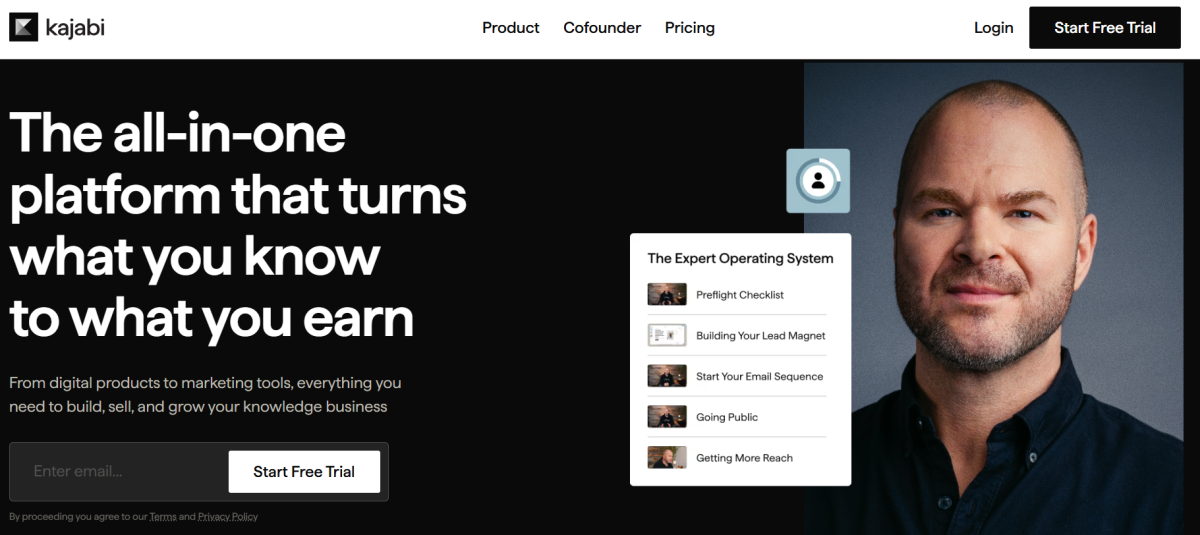
Kajabi was built to solve that problem. It calls itself “the operating system for human expertise”, a single platform where coaches, educators, consultants, and subject-matter experts can build, market, sell, and deliver their knowledge business without stitching together separate tools. Core features include:
- Online courses, coaching programs, communities, memberships, podcasts, newsletters, and digital downloads as native product types
- Built-in email marketing with broadcasts, sequences, behavioral automations, and segmentation
- Website builder with templates and landing pages
- Sales funnels, checkout pages, order bumps, and upsells
- Zero transaction fees on all paid plans
- Cofounder, an AI tool that reads your account data and helps with strategy, product planning, and copy
| Kajabi Pros | Kajabi Cons |
|---|---|
| ✅ All-in-one: courses, coaching, community, email, website, payments | ❌ Higher entry price than course-only platforms |
| ✅ Zero transaction fees on all plans | ❌ Contact limits can force plan upgrades |
| ✅ AI business partner (Cofounder) included free | ❌ Page builder less flexible than dedicated tools |
| ✅ Native coaching with built-in scheduling and live video | ❌ No SCORM/xAPI compliance for corporate training |
| ✅ Branded mobile app (Pro plan) |
Why Choose Kajabi as Your Online Course Platform?
Over 100,000 businesses have been built on Kajabi, with experts earning $10 billion+ through the platform. Creators like Justin Welsh, Natalie Ellis, Esther Perel, and Brendon Burchard use it because they need more than a course host. They need business infrastructure.
⭐ Get instant access to Kajabi with an extended 30-day free trial — double the standard trial length. Build your website, courses, funnels, and email marketing risk-free with this exclusive offer.
All-in-One Consolidation: Replace Your Entire Tool Stack
Kajabi’s strength is scope. Where most platforms handle one or two jobs, Kajabi covers courses, coaching, communities, memberships, newsletters, downloads, and podcasts as distinct product types from a single dashboard.
Add native email marketing with A/B testing, behavioral automations with conditional branching, sales funnels, a website builder, checkout pages, and an affiliate program, and you have a platform that replaces the need for separate tools.
The practical result: when a student completes a course lesson, an automation can enroll them in an email sequence, apply a tag, and grant access to an upsell offer. On platforms where delivery and marketing live in separate tools, those three actions would require Zapier.
Justin Welsh, who has earned $10M+ on the platform, describes the shift: “I moved over to Kajabi and had all that stuff under one roof, which was a blessing for my business.” (Kajabi)
Native Coaching and Community: Built for Experts, Not Just Course Sellers
Most course platforms require third-party tools for coaching (Calendly + Zoom + a CRM) and community (Circle or a Facebook Group). Kajabi includes both natively.
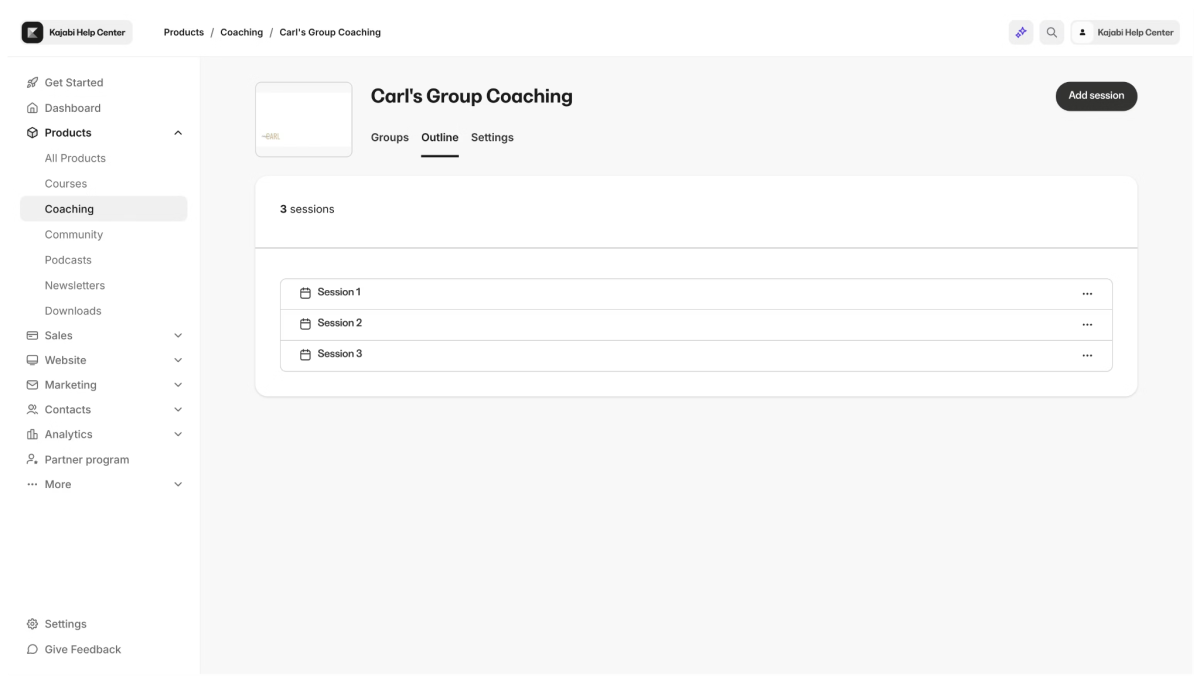
The Coaching product supports 1:1 and group formats with a built-in scheduler, live video with breakout rooms, session notes, and automatic recording uploads to the client’s session page.
Source: Kajabi
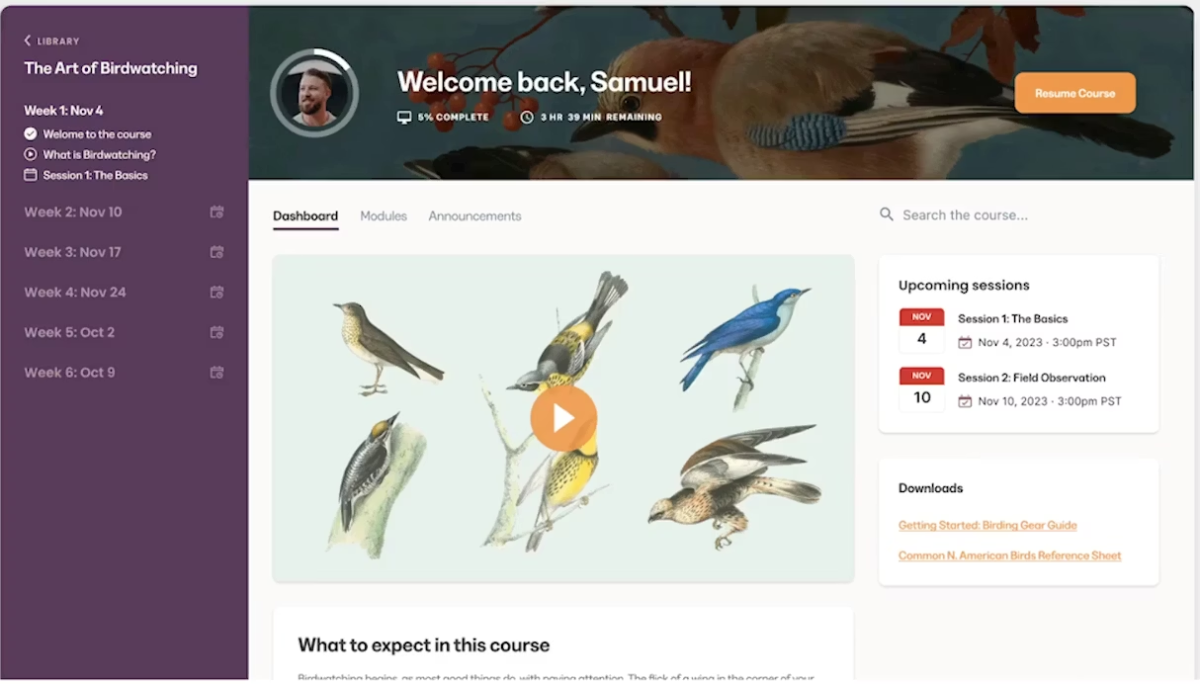
The Community product includes channels, live rooms, challenges, a gamification system with leaderboards and badges, direct messaging, scheduled posts, and unlimited access groups for tiered memberships.
Source: Kajabi
Cofounder AI: A Business Partner, Not a Chatbot
Cofounder comes with every Kajabi plan and goes beyond generic AI content generation. It has read access to your account data: products, pricing, revenue, audience details. When you ask for help, Cofounder starts from what it already knows about your business.
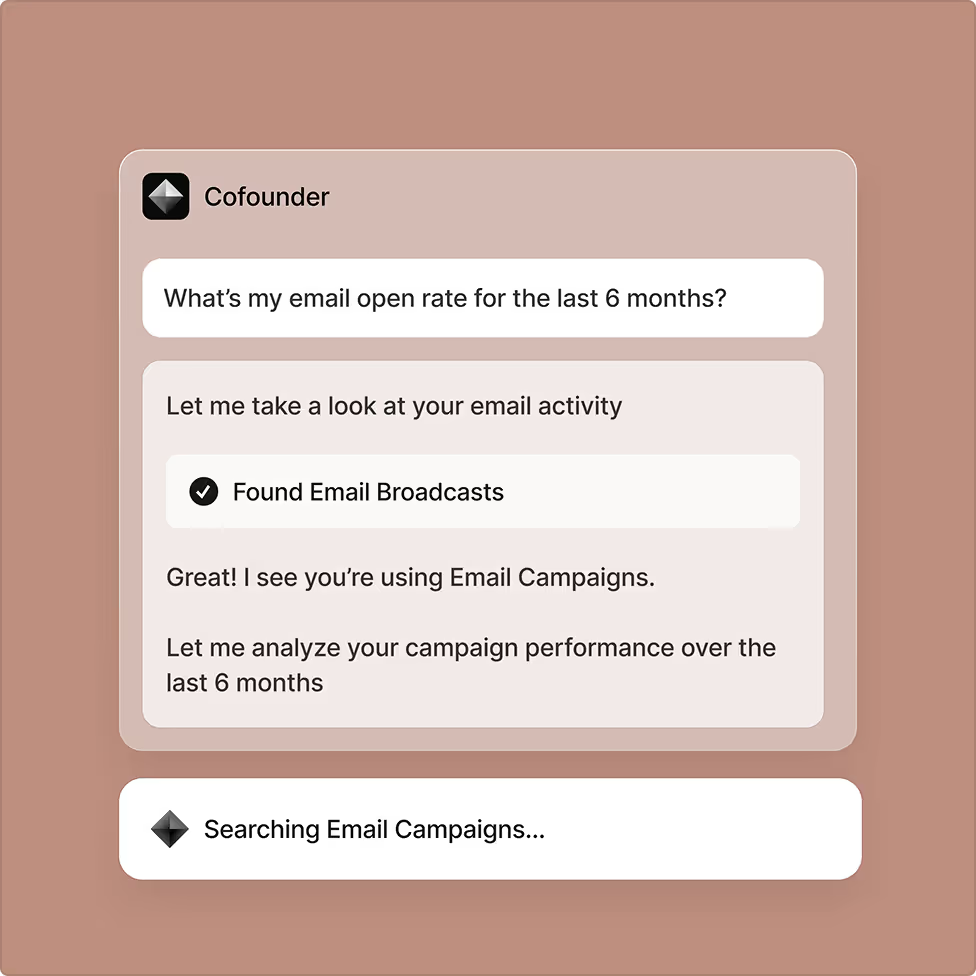
Source: Kajabi
It helps you clarify strategy, structure offers, write sales copy, and set pricing. Kajabi says the output “sounds like you wrote them on a good day”.
There’s also a pre-signup experience where potential customers can interact with Cofounder before creating an account, with context carrying over on signup.
Kajabi Pricing
Kajabi charges a flat subscription with no transaction fees on any plan. All plans include unlimited marketing emails, landing pages, and funnels.
- Basic: $143/month (annual) or $179/month. 5 products, 2,500 contacts, 1 website, 1 community, 2 admin users.
- Growth: $199/month (annual) or $249/month. 50 products, 25,000 contacts, 1 website, 1 community, 11 admin users.
- Pro: $399/month (annual) or $499/month. Unlimited products, 100,000 contacts, 3 websites, 3 communities, 26 admin users. Includes branded mobile app and API access.
Payment processing fees apply through Kajabi Payments (2.9% + $0.30 for US cards), which also unlocks Apple Pay, Google Pay, Afterpay, and Klarna at checkout.
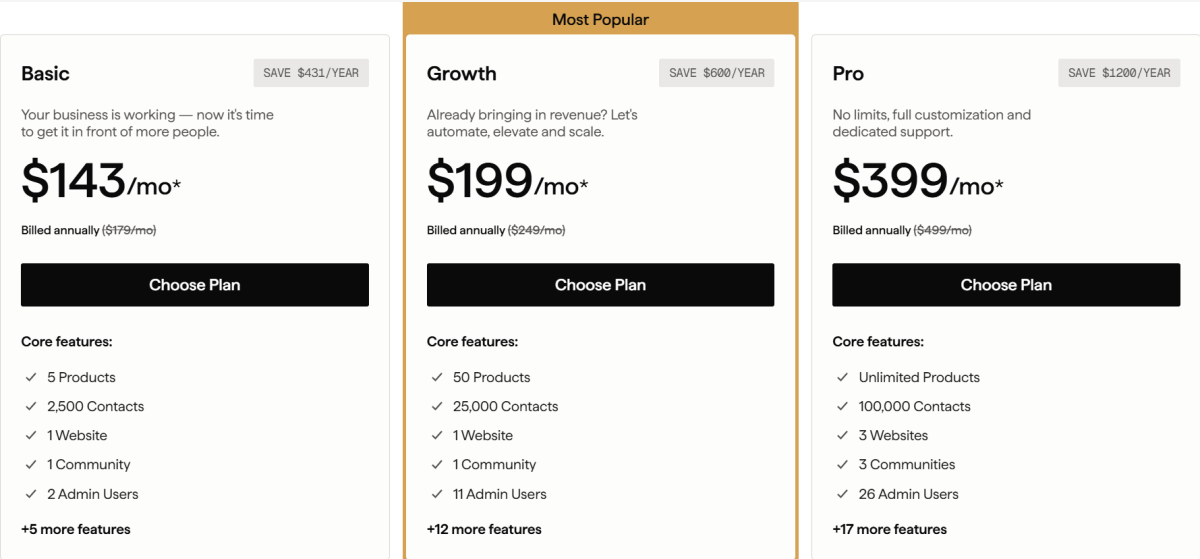
Source: Kajabi
Use Kajabi if:
- You want to run your entire knowledge business (courses, coaching, community, email, website, payments) from one platform without managing integrations
- You’re a coach, consultant, or educator who needs native coaching and community tools alongside course delivery
- You want zero transaction fees and generate (or expect to generate) enough revenue to justify the premium pricing
- You want AI business strategy guidance built into your platform
⭐ If you’ve been thinking about starting your online business, this is your sign. Get 30 days of Kajabi free instead of the usual 14 days when you use this special link — no pressure, no rush, just more time to grow.
2. Thinkific: Best for Scalable Course Catalogs with Integration Flexibility
Thinkific is built for creators and businesses scaling beyond their first course who need room to grow without hitting product limits or being locked into a rigid ecosystem.
Source: Thinkific
Rather than bundling every business function into one platform, Thinkific focuses on course infrastructure and lets you connect your preferred marketing, CRM, and automation tools through its App Store with 45+ integrations.
| Thinkific Pros | Thinkific Cons |
|---|---|
| ✅ Unlimited courses on all plans | ❌ Third-party gateway surcharge if not using Thinkific Payments |
| ✅ 45+ integrations via App Store | ❌ No broadcast email marketing |
| ✅ Course customization and Learning Paths | ❌ SCORM and branded app limited to Plus (custom pricing) |
| ✅ Thinker AI Teaching Assistant (Plus) | ❌ No free plan; Basic caps at 10,000 students |
Why Choose Thinkific?
Unlimited courses on every paid plan.
Starting at the $40/month Basic tier (annual billing), Thinkific removes the product-count ceilings that force upgrades on other platforms. Hootsuite has educated nearly 500,000 students on Thinkific, building a multi-track academy without worrying about per-product limits.
Integration-first approach.
If your business already runs on HubSpot, ConvertKit, or Salesforce, Thinkific’s App Store and REST API (Grow plan and above) let you connect existing tools rather than forcing a migration. This suits organizations that have already invested in a specific tech stack.
Course customization.
The new Course Builder allows up to 25 mixed-media content blocks within a single lesson. Learning Paths chain multiple courses into credentialing programs. For enterprise buyers, Thinkific Plus adds SCORM 1.2 and SCORM 2004 compliance, SSO, and a Branded Mobile App.
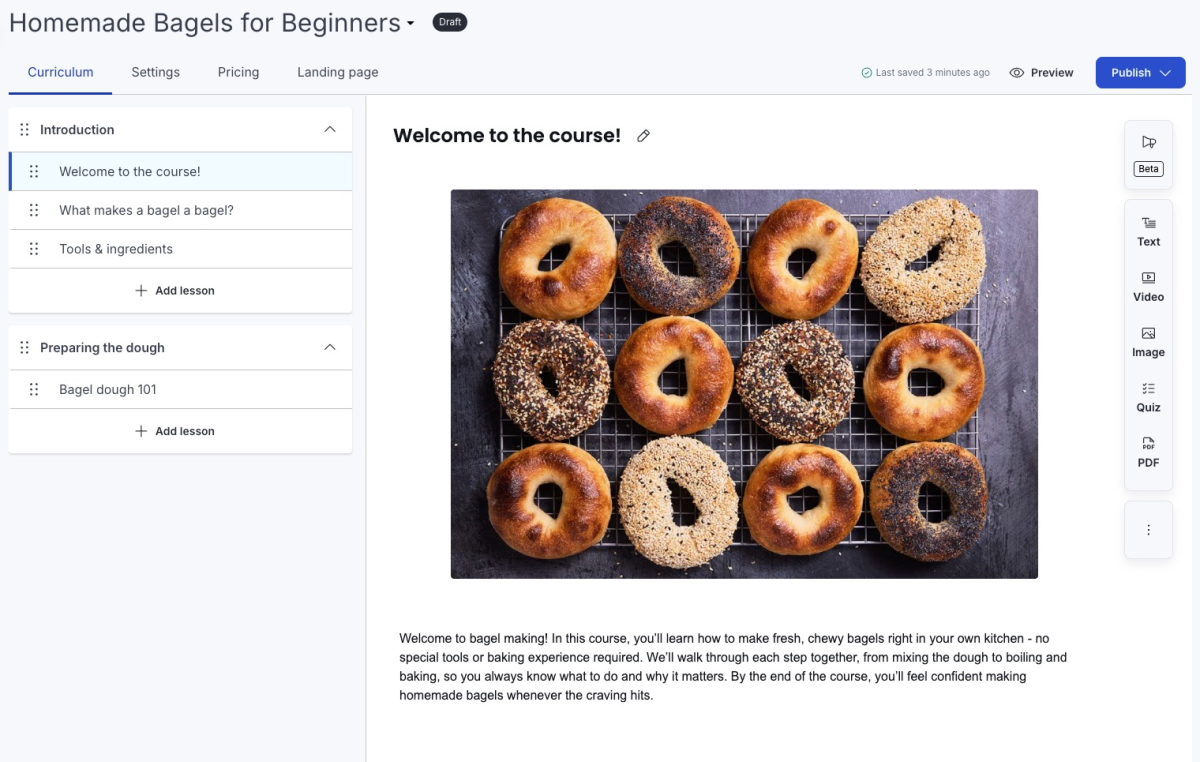
Source: Thinkific
Thinkific Pricing
- Basic: $40/month (annual) or $54/month. Unlimited courses, 10,000 students, 1 community with 5 spaces, custom domain.
- Start: $82/month (annual) or $109/month. Adds live events, certificates, memberships, payment plans, HTML/CSS editor.
- Grow: $164/month (annual) or $219/month. White-label, API access, B2B group orders, priority support, 3 communities.
- Plus: Custom pricing. SCORM, SSO, CRM integrations, Thinker AI Teaching Assistant, branded mobile app, dedicated onboarding.
⭐ Build and sell your courses with Thinkific using this link. You get a full 30-day free trial on any plan, unlimited courses from the entry tier, and zero platform fees on what you sell.
Use Thinkific if:
- You’re building a multi-course catalog or academy and don’t want product-count caps forcing upgrades
- You already have a preferred tech stack (CRM, email, analytics) and want to integrate rather than replace
- You need course customization, Learning Paths, or SCORM compliance (on Plus)
3. Teachable: Best for Beginners Launching Their First Course
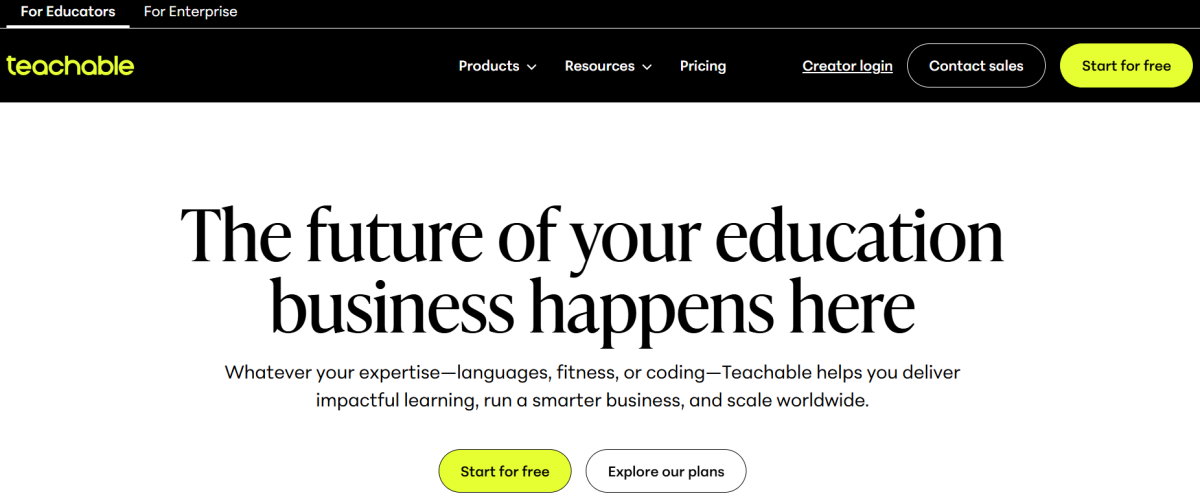
Teachable is designed for individual creators who want to go from idea to published course with the least friction possible.
Source: Teachable
Its drag-and-drop builder, AI Course Starter, and automatic global tax handling let non-technical creators launch without hiring a developer or researching international tax law.
| Teachable Pros | Teachable Cons |
|---|---|
| ✅ Simple, intuitive course builder | ❌ 7.5% transaction fee on Starter plan |
| ✅ Automatic tax compliance across 200+ countries | ❌ Product and student caps on lower plans |
| ✅ AI-powered course creation tools | ❌ Limited to 5 products on Starter |
| ✅ Affordable entry at $29/month (annual) |
Why Choose Teachable?
Lowest barrier to launch.
Teachable’s AI Hub includes six tools (Curriculum Generator, Quiz Generator, Lesson Writing Assistant, and more) that automate the most time-consuming parts of course creation. Creators have generated over 3.8 million pieces of AI content on the platform

Source: Teachable
Tax compliance handled for you.
Teachable:pay calculates, collects, and remits U.S. sales tax, EU VAT, and GST automatically across 200+ countries. For creators selling internationally, this removes an administrative burden that would otherwise cost $50-$100/month in third-party tax software.
Built-in revenue tools.
Order bumps increase average order values by $30, and Buy Now Pay Later via Klarna and Afterpay has driven a 25% increase in sales.
Teachable Pricing
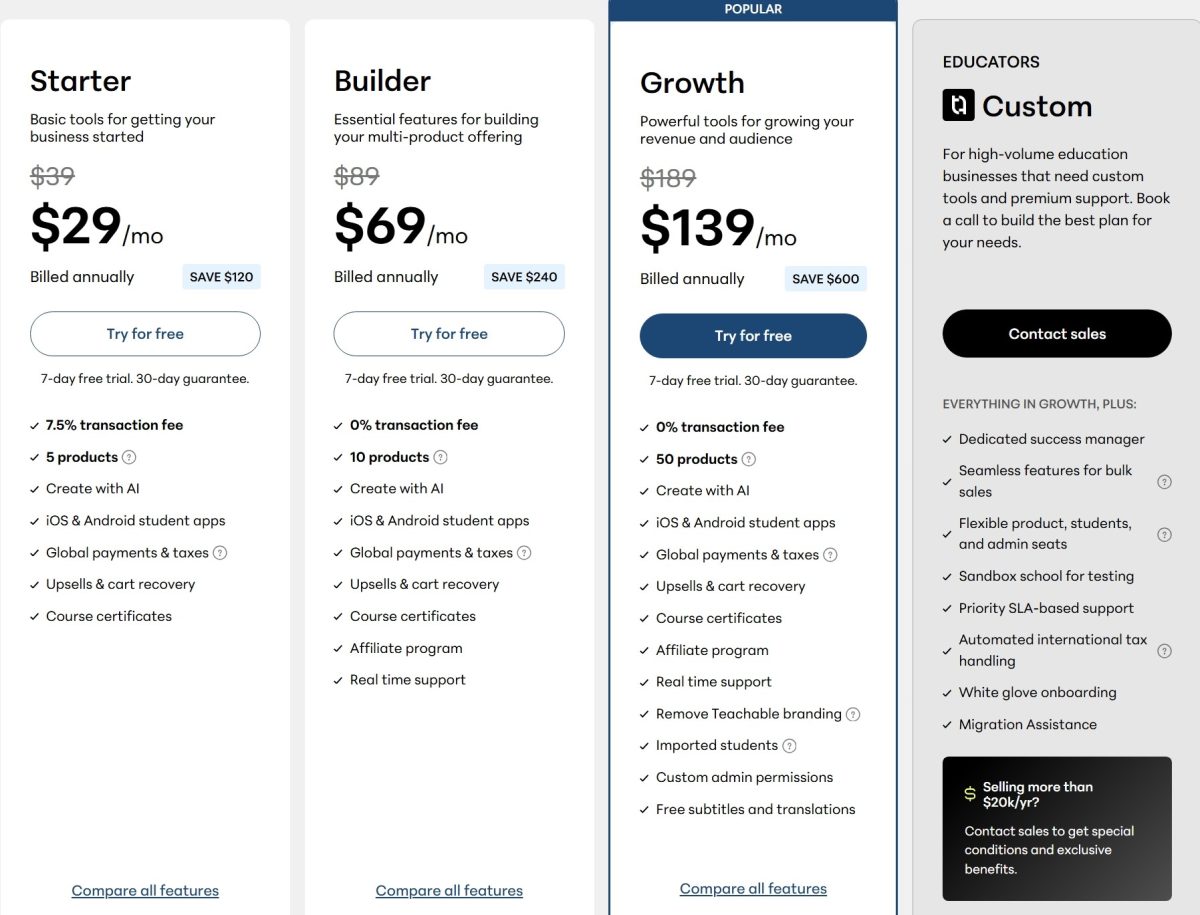
- Starter: $29/month (annual) or $39/month. 5 products, 100 active students, 7.5% transaction fee.
- Builder: $69/month (annual) or $89/month. 10 products, 1,000 students, 0% transaction fee.
- Growth: $139/month (annual) or $189/month. 50 products, 5,000 students, remove branding.
- Advanced: $309/month (annual) or $399/month. 100 products, 10,000 students.
Note: The 7.5% Starter fee adds up fast. A creator generating $1,000/month in sales should plan to upgrade to Builder (0% fee), where the math works better.
Source: Teachable
Use Teachable if:
- You’re launching your first course and want the simplest path from idea to published product
- You sell to an international audience and want automatic tax compliance without managing it yourself
- You want affordable entry pricing with built-in upsell and conversion tools
⭐ Create and sell your online course with Teachable using this link. It’s an easy-to-use platform for building your brand, hosting your content, and growing your business online.
4. LearnWorlds: Best for Interactive Learning and Professional Training
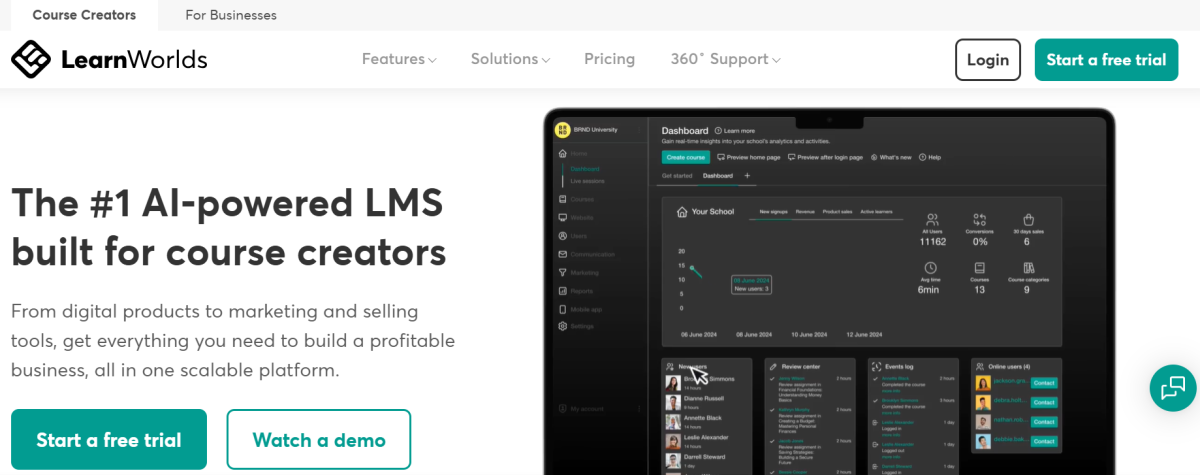
LearnWorlds was founded by three PhD-holding educational technology researchers, and it shows. The platform is built for professional educators and training organizations that measure success by learning outcomes, not enrollment numbers.
Source: LearnWorlds
It combines an Interactive Video Editor, SCORM 1.2, SCORM 2004, and xAPI compliance, and an Assessment Builder with 16+ question types.
| LearnWorlds Pros | LearnWorlds Cons |
|---|---|
| ✅ Interactive video with in-video quizzes and branching | ❌ Steeper learning curve due to feature depth |
| ✅ SCORM compliance for regulated industries | ❌ $5 per-enrollment fee on Starter plan |
| ✅ 16+ assessment question types with AI dialogue | ❌ Mobile app is a $149/month add-on |
| ✅ White-label with no-code mobile app builder |
Why Choose LearnWorlds?
Interactive video as a core feature.
LearnWorlds layers AI-generated subtitles, in-video questions, clickable hotspots, and branching paths into the video player. Instructors can embed questions that pause the video until answered correctly, creating active learning without third-party tools like H5P.
Enterprise-ready compliance.
SCORM 1.2, SCORM 2004, and xAPI support means organizations with existing training content from Articulate or Adobe Captivate can import it directly. SAML 2.0 and OpenID Connect SSO with connectors for Azure AD, Okta, and Auth0 serve corporate training needs. Customers include UNICEF, Kaspersky, Workable, and Wagamama.
Assessment depth.
The Assessment Builder offers AI dialogue assessments with branching based on learner answers, question banks for randomization, server-side timing, and auto-recovery for interrupted sessions. One G2 reviewer called it “likely the most interactive learning system I have encountered.”
LearnWorlds Pricing
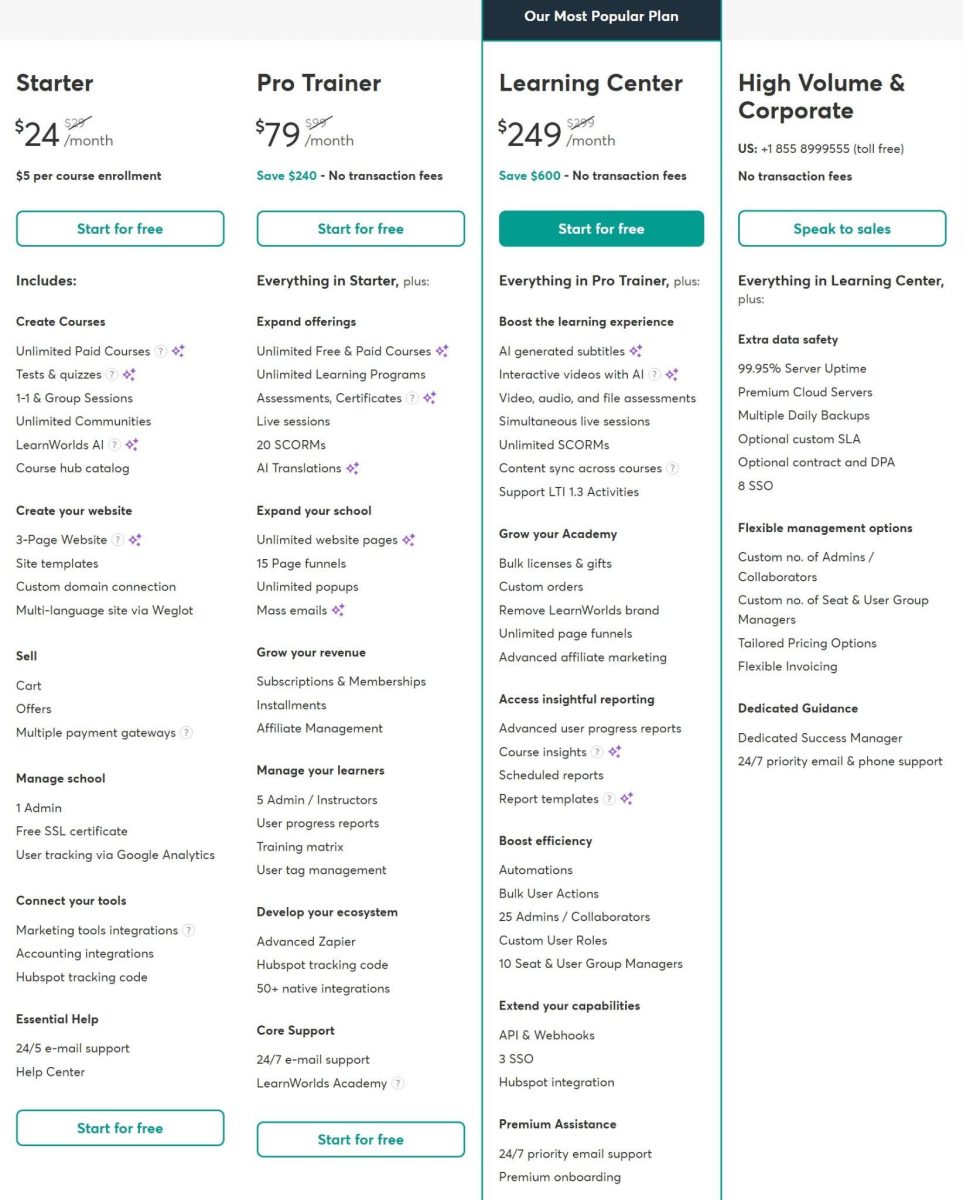
- Starter: $24/month (annual) or $29/month + $5 per paid enrollment. Unlimited paid courses, 1 admin.
- Pro Trainer: $79/month (annual) or $99/month. 0% transaction fee, 20 SCORM packages, 5 admin seats.
- Learning Center: $249/month (annual) or $299/month. Full interactive video, unlimited SCORM, white-label, API, 25 admin seats.
- Corporate: Custom pricing. 99.95% uptime SLA, 8 SSO connections, advanced backups.
- Mobile App: $149/month add-on on any plan.
Source: LearnWorlds
Use LearnWorlds if:
- You’re a professional educator or training provider who prioritizes learning outcomes over marketing speed
- You need SCORM compliance, SSO, or enterprise integrations for regulated or corporate training
- Your instructional strategy depends on interactive video, branching assessments, and detailed learner analytics
⭐ Create interactive courses and digital learning experiences with LearnWorlds using this special link. It’s built for creators, educators, and businesses that want a more customizable online school.
5. Podia: Best for Simple Consolidation Without Complexity
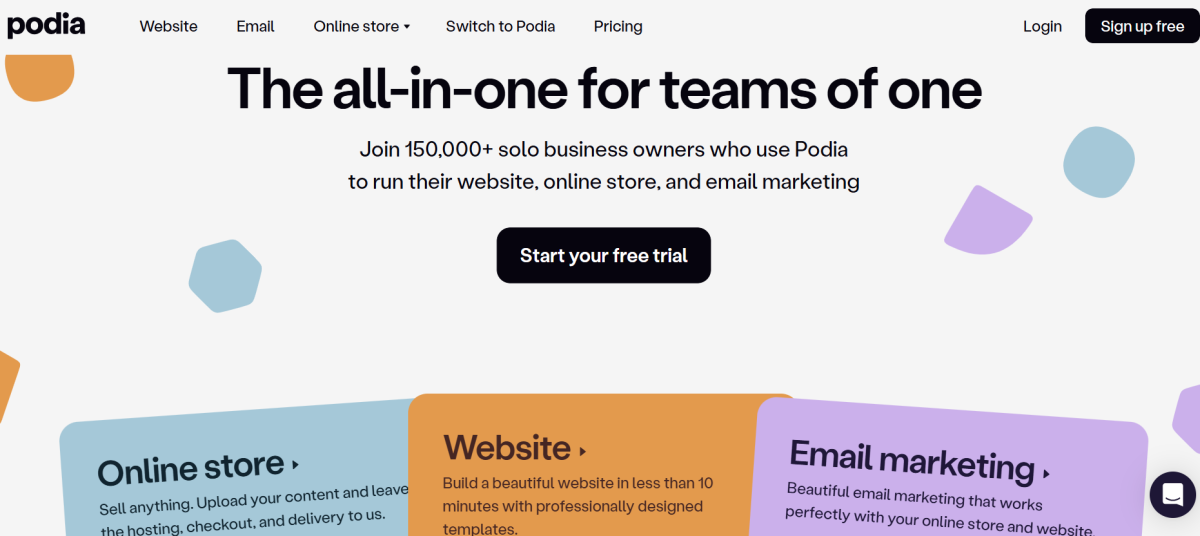
Podia is built for solo creators who need a professional online business without the learning curve. It replaces five or more separate tools (website, course platform, email marketing, digital storefront, community) with a single login and a clean interface.
Source: Podia
| Podia Pros | Podia Cons |
|---|---|
| ✅ All product types under one roof | ❌ 5% transaction fee on Mover plan |
| ✅ Email marketing that understands purchases | ❌ No public API or webhooks |
| ✅ Responsive customer support | ❌ No native scheduling for coaching |
| ✅ Free migration from competing platforms | ❌ Limited assessment/quiz capabilities |
Why Choose Podia?
Single-system consolidation.
Podia’s website, email, blog, and store run on one system, not separate tools connected via Zapier. Product pages update automatically, email tags reflect purchases in real time, and buyers access courses and community from a single account.
Purchase-aware email.
Podia’s email marketing understands purchase events natively without webhooks. Segmentation filters like “customers who spent over $X” or “members on the premium community plan” work out of the box. Every sale is tracked to the email that generated it.
Responsive support.
7-days-a-week email and chat support on all plans, plus free product and email migrations from competing platforms.
Podia Pricing
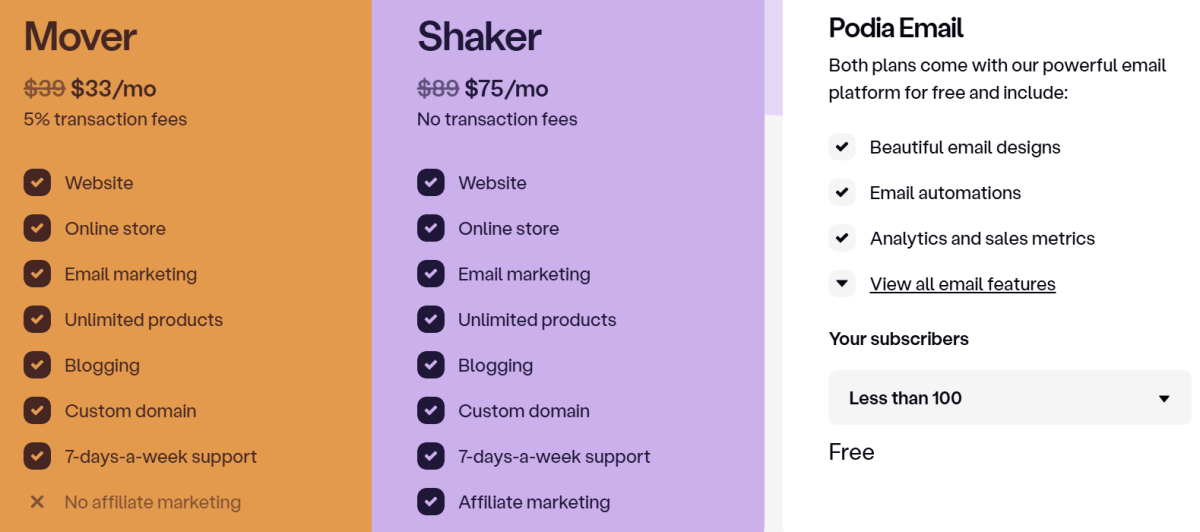
- Mover: $42/month. Unlimited products and customers, 5% transaction fee, email free up to 100 subscribers.
- Shaker: $84/month. 0% transaction fee, affiliate program, PayPal support, Zapier actions.
Source: Podia
Use Podia if:
- You’re a solo creator who wants everything (courses, downloads, coaching, email, website) under one login
- You value simplicity and responsive support over advanced customization
- You need email marketing that understands your product sales without integration setup
⭐ Start growing your creator business with Podia and explore their current special offer through this link. Sell courses, digital products, memberships, and coaching from one simple platform.
6. Systeme.io: Best Free Option for Budget-Conscious Creators
Systeme.io offers the most generous free plan in the course platform space. The free forever plan includes 1 course, 3 sales funnels, unlimited emails, 2,000 contacts, an affiliate program, and a custom domain, with no credit card required and no expiration.
Source: System.io
When paid features are needed, pricing tops out at $97/month for unlimited everything.
| Systeme.io Pros | Systeme.io Cons |
|---|---|
| ✅ Free plan with no time limit | ❌ Course delivery features are more basic than dedicated platforms |
| ✅ 0% transaction fees on all plans (including free) | ❌ No branded mobile app |
| ✅ Built-in funnels, email, and affiliate management | ❌ Limited interactive learning features |
| ✅ Predictable scaling ($97/month ceiling) | ❌ Only evergreen/pre-recorded webinars |
Why Choose Systeme.io?
Zero-cost entry.
A creator on the free tier can launch a lead magnet funnel, build an email list, sell a course, and run an affiliate program without paying anything. The 0% transaction fee applies to all plans including free, so your revenue stays yours.
Everything in one system.
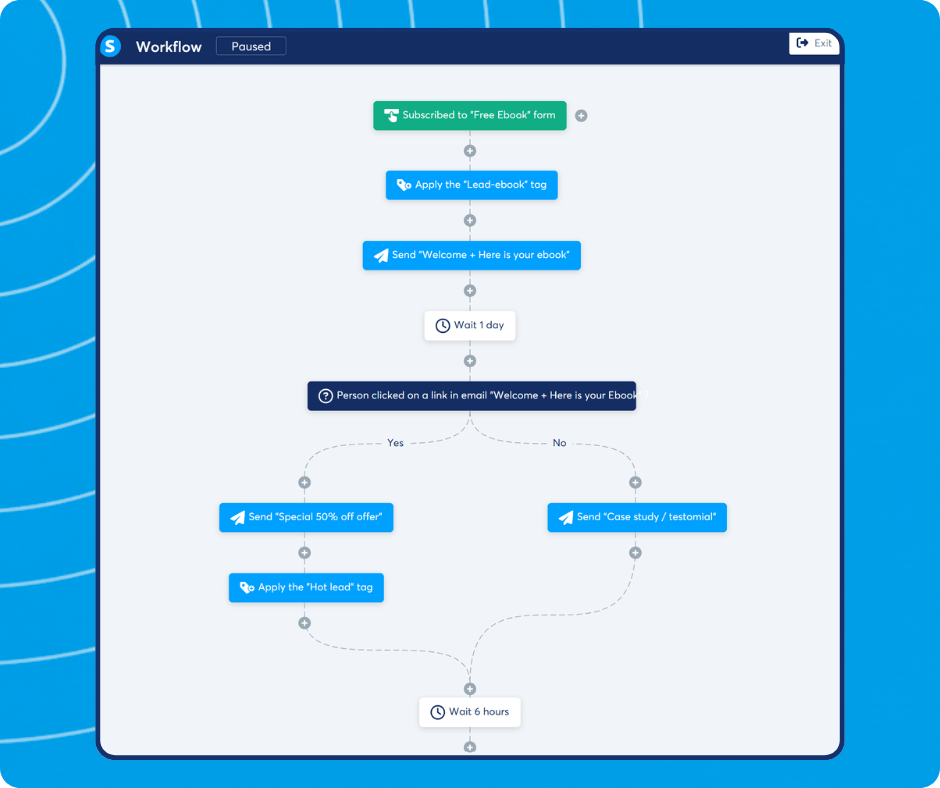
Every tool (funnels, email, courses, checkout, affiliate tracking, CRM) shares a single contact database and visual workflow builder, eliminating the broken Zapier connections and data sync issues that come with multi-tool setups.
Source: System.io
Predictable costs.
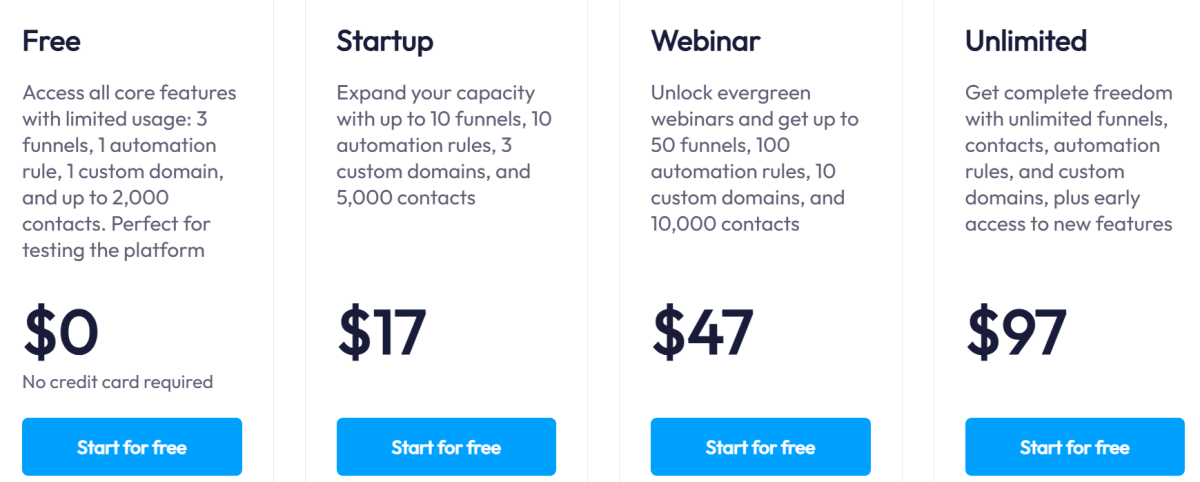
The pricing is transparent: Free ($0), Startup ($17/month), Webinar ($47/month), Unlimited ($97/month). No send caps, no hidden overage charges.
Systeme.io Pricing
- Free: $0/month. 2,000 contacts, 1 course, 3 funnels, unlimited email sends, 1 affiliate program.
- Startup: $17/month. 5,000 contacts, 5 courses, unlimited funnels.
- Webinar: $47/month. 10,000 contacts, automated evergreen webinars.
- Unlimited: $97/month. Unlimited contacts, courses, funnels, and sub-accounts.
Source: System.io
Use Systeme.io if:
- You’re pre-revenue or validating a course idea and need business infrastructure at zero cost
- You want all tools in one place and value simplicity over the deepest feature set in any single category
- You want to scale predictably without transaction fees eating into your revenue
7. Mighty Networks: Best for Community-Powered Course Memberships
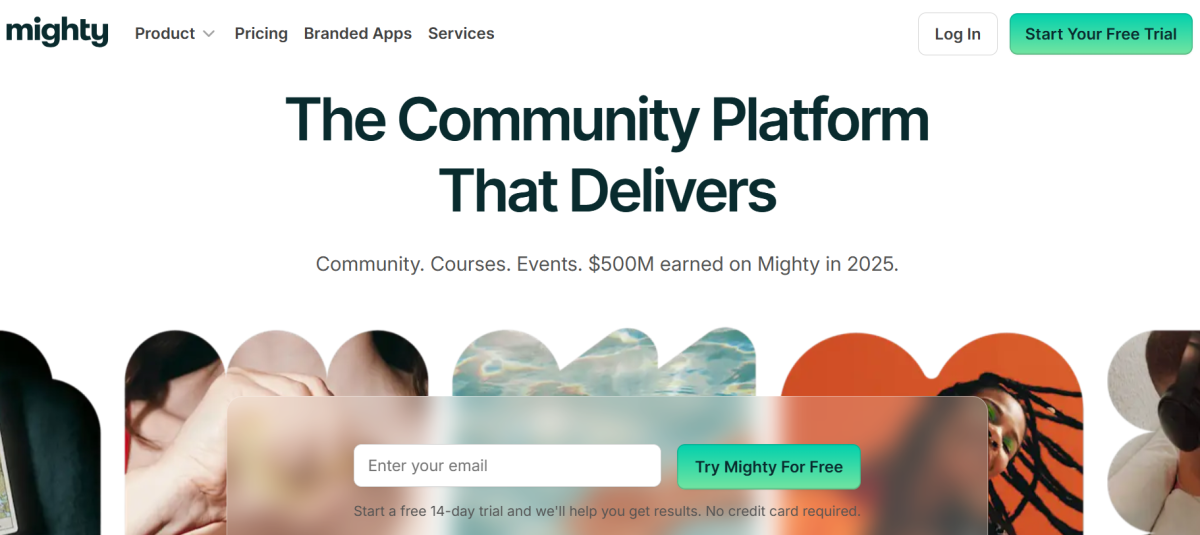
Mighty Networks flips the traditional course platform model. Instead of courses with community bolted on, it’s a community-first platform where courses drive discussion, peer connection, and member-to-member accountability.
Source: Mighty Networks
The platform reports that 84% of activity is member-led, compared to 20% on competing platforms.
| Mighty Networks Pros | Mighty Networks Cons |
|---|---|
| ✅ Community-first architecture with 84% member-led activity | ❌ Course and marketing tools less developed than dedicated platforms |
| ✅ Native iOS and Android apps (60% of activity on mobile) | ❌ Transaction fees on all plans (0.5-2%) |
| ✅ AI Co-Host with Community Design methodology | ❌ Custom branded apps require Mighty Pro (starting ~$17,000/year) |
| ✅ Events, live streaming, challenges, and gamification |
Why Choose Mighty Networks?
Peer engagement drives retention.
When learners see peers progressing through the same content and holding each other accountable, completion rates improve. Mighty’s Recognitions system lets members award each other points, and 59% of active members return weekly.
Mobile-native experience.
Over 60% of all activity happens on mobile through native iOS and Android apps (not web wrappers), with weekly app updates. Push notifications keep members coming back daily.
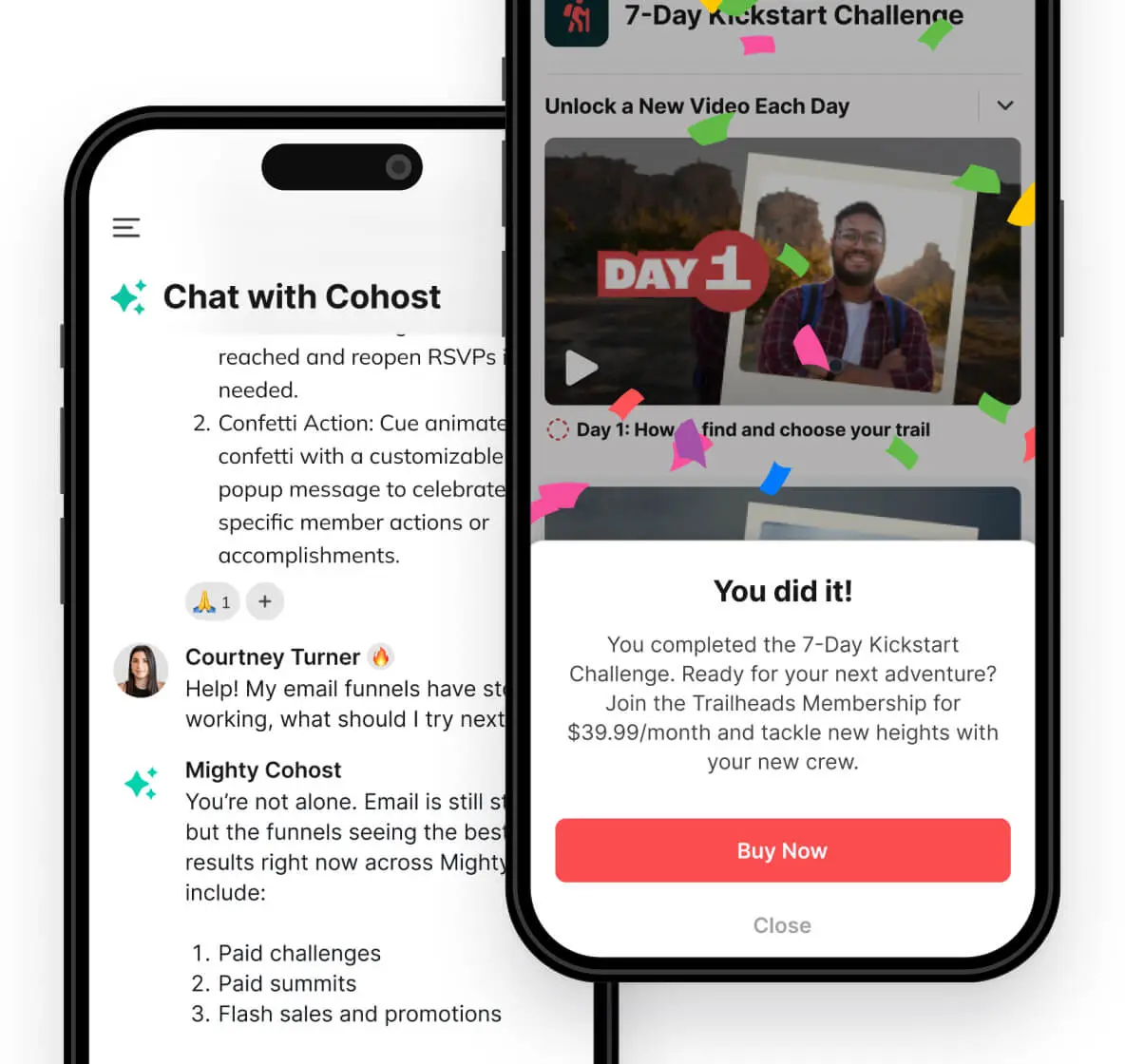
AI-guided launch.
The AI Co-Host, built on Community Design methodology, walks new hosts from idea to first paying members. Hosts who complete a Community Design plan are 3x more likely to hit $500/month in their first 90 days.
Source: Mighty Networks
Mighty Networks Pricing
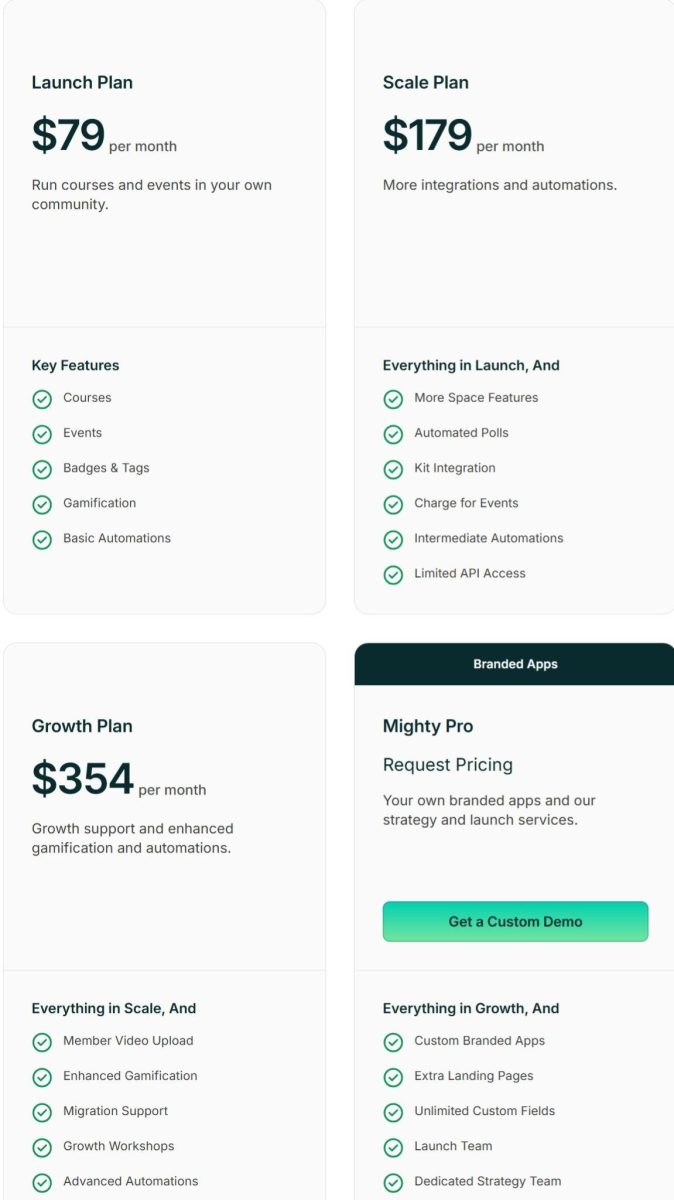
- Launch: $79/month (or $950/year). Courses, events, gamification, 2% transaction fee.
- Scale: $179/month (or $2,150/year). Automated polls, Kit integration, 1% transaction fee.
- Growth: $354/month (or $4,250/year). Advanced automations, member video upload, 0.5% transaction fee.
- Mighty Pro: Custom pricing (starting ~$17,000/year). Custom branded apps, dedicated strategy team.
Source: Mighty Networks
Use Mighty Networks if:
- Your course outcomes depend on peer accountability and member-to-member interaction
- You’re building a subscription membership where community itself is the product
- You want native mobile apps that drive daily engagement
⭐ Build a thriving community with Mighty Networks using this exclusive link. Create memberships, courses, events, and meaningful member experiences all in one place.
8. TalentLMS: Best for Organizational Training Infrastructure
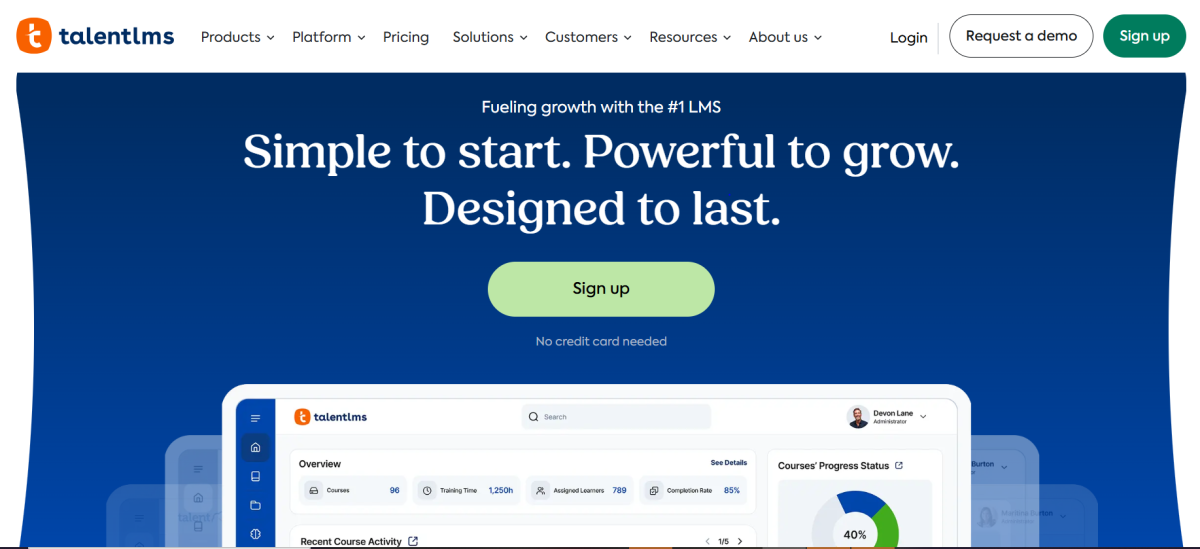
TalentLMS serves a different buyer than the other platforms here. It’s built for organizations that need to train employees, certify channel partners, and educate customers at the same time, all through a single platform with separate branded portals for each audience.
Source: TalentLMS
Used by 70,000+ teams including Google, Amazon, Meta, PepsiCo, and PwC.
| TalentLMS Pros | TalentLMS Cons |
|---|---|
| ✅ Multi-audience Branches architecture | ❌ Not designed for creator-to-consumer course selling |
| ✅ SSO, API, SCORM/xAPI compliance | ❌ Pricing scales with user count, not features |
| ✅ Free plan for 5 users and 10 courses | ❌ No native marketing, funnels, or email |
| ✅ AI course builder (TalentCraft) | ❌ No community or coaching features |
Why Choose TalentLMS?
Multi-audience training from one account.
The Branches feature creates separate training portals, each with its own branding, custom domain, course catalog, and siloed reporting. Isuzu trains 1,500+ dealers, ShopGoodwill.com trains 130+ nonprofit partners, and SmartyGrants delivers training to 2,000+ customer learners, each through separate portals.
Fast implementation.
TalentLMS reports an average implementation time of 1.6 months versus the industry norm of 3.1 months. Roland confirmed: “Within a week, we had TalentLMS up and running and developed about 10 courses.”
AI content creation.
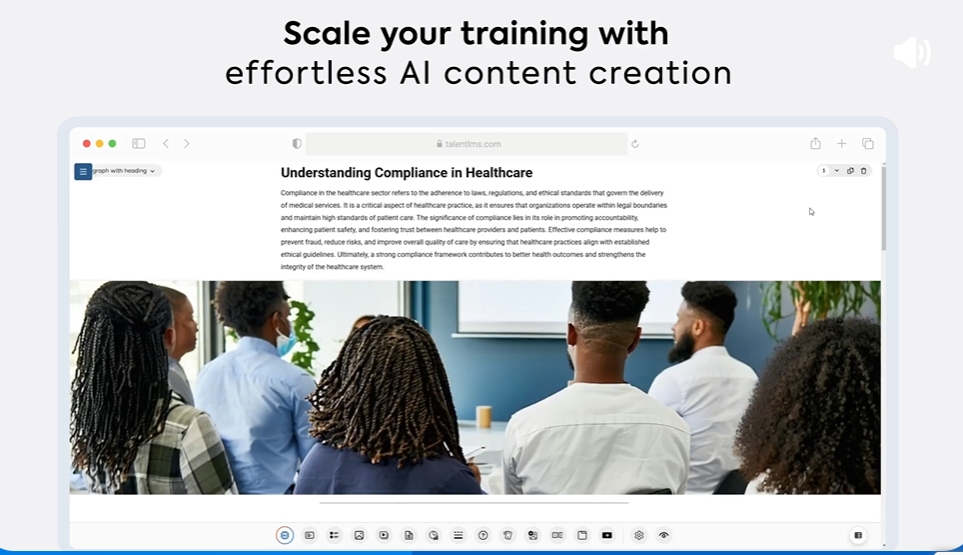
TalentCraft lets any admin create training materials from a prompt or existing PDF, with AI translation in 40+ languages and one-click test generation. Wider Circle raised learner engagement by 56% after adopting TalentCraft.
Source: TalentLMS
TalentLMS Pricing
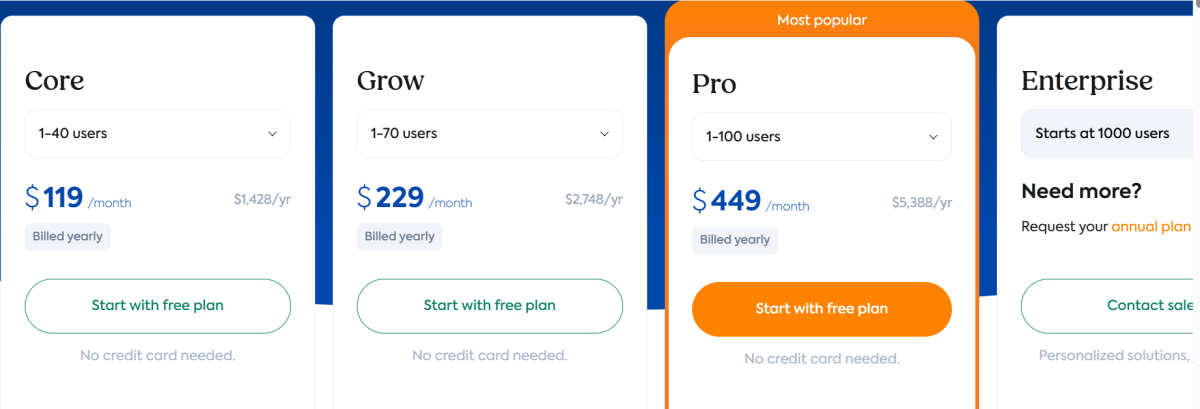
- Free: $0/month. Up to 5 users, 10 courses. Core LMS features, no credit card required.
- Core: From $119/month (annual). 1-40 users, unlimited courses, 1 branch, SSO, API, TalentCraft (5,000 AI credits).
- Grow: From $229/month (annual). Up to 500 users, 3 branches, 10,000 AI credits/month.
- Pro: From $449/month (annual). Up to 500 users (then $6/additional), 15 branches, priority support.
- Enterprise: Custom pricing. 1,000+ users, unlimited branches, dedicated account manager.
Source: TalentLMS
Use TalentLMS if:
- You need to train employees, partners, and customers through separate branded portals
- You require enterprise features (SSO, API, SCORM, compliance tracking) without a six-figure implementation budget
- You need to launch training programs in weeks, not quarters
⭐ Train your team and deliver online learning with TalentLMS using this link. It’s a flexible platform designed to make employee training, onboarding, and course management simple.
9. Udemy: Best Marketplace for Reaching Learners Without an Audience
Udemy is different from every other platform on this list. It’s a marketplace, not a self-hosted tool. You don’t build your own website or run your own marketing.
Source: Udemy
You publish courses to a platform where 77 million learners are already searching and buying.
| Udemy Pros | Udemy Cons |
|---|---|
| ✅ Access to 77 million learners | ❌ 63% revenue share on marketplace-driven sales |
| ✅ Zero upfront cost to publish | ❌ No control over promotional pricing |
| ✅ 97% revenue on instructor-driven sales | ❌ You don’t own the student relationship |
| ✅ Promotional engine driving enrollments | ❌ No email marketing, community, or coaching tools |
Why Choose Udemy?
Built-in distribution.
When you publish on Udemy, your course reaches millions of learners without spending on ads, SEO, or audience building. AI-specific content saw 120% year-over-year enrollment growth in 2025, showing how the marketplace connects supply with demand.
Zero financial risk.
There are no subscription fees, hosting charges, or setup costs. You create a course, publish it, and only pay Udemy when you earn money. This is the only viable option for creators who can’t commit to monthly fees before validating market demand.
Instructor-driven sales keep 97%.
When you promote your own courses using instructor coupons and drive traffic yourself, Udemy takes only a 3% processing fee. This rewards creators who invest in their own marketing.
Udemy Economics
- Marketplace sales (Udemy-driven traffic): 37% to instructor, 63% to Udemy
- Instructor-promoted sales: ~97% to instructor, 3% processing fee
- Subscription revenue share: Based on minutes watched; rates declining over time (15% in 2026)
- Udemy Business (enterprise): Custom pricing for organizational learning subscriptions
Use Udemy if:
- You have expertise but no existing audience, email list, or marketing budget
- You want to test a course idea with zero financial risk
- You prioritize speed-to-revenue over long-term brand ownership and pricing control
Final Verdict
Every platform on this list does something specific well. The right choice depends on your business model, budget, and priorities.
Here are our top picks for the most common scenarios:
- Kajabi: You want to run your entire knowledge business (courses, coaching, community, email, website, payments) from one platform without stitching tools together, and you generate (or expect to generate) enough revenue to justify the premium pricing. Get a free trial for 30 days instead of 14 here!
- Thinkific: You’re building a multi-course catalog or academy and want the flexibility to connect your existing CRM, email, and analytics tools rather than being locked into one ecosystem.
- Teachable: You’re launching your first online course and want the simplest path from idea to revenue, with automatic tax compliance and affordable entry pricing.
- LearnWorlds: You’re a professional educator or training organization where learning outcomes, interactive video, SCORM compliance, and advanced assessments matter more than marketing automation.
- Podia: You’re a solo creator who values simplicity and wants courses, email, downloads, and a website under one clean interface.
- Systeme.io: You’re pre-revenue or on a tight budget and need a complete business toolkit (courses, funnels, email, affiliates) at zero cost with room to scale affordably.
- Mighty Networks: Your business model depends on recurring community membership revenue and peer-driven engagement rather than one-time course sales.
- TalentLMS: You’re an organization training employees, partners, and customers through separate branded portals with enterprise compliance and security.
- Udemy: You have expertise but no audience, and you want access to millions of learners without building your own marketing infrastructure.
Best Online Course Platforms FAQ
What is the best online course platform for beginners?
Teachable is the most beginner-friendly option, with a drag-and-drop builder, AI course creation tools, and automatic global tax compliance starting at $29/month (annual). Podia is another strong choice for beginners who want everything (courses, email, website) in one simple interface starting at $42/month.
For creators who want to test an idea at zero cost, Systeme.io’s free plan includes 1 course, 3 funnels, unlimited emails, and an affiliate program with no credit card required.
Is there a free online course platform worth using?
Yes. Systeme.io offers a free forever plan with 1 course, 3 sales funnels, unlimited email sends to 2,000 contacts, and 0% transaction fees. TalentLMS has a free plan for up to 5 users and 10 courses, good for small organizations evaluating corporate training tools. Udemy is free to publish on with no upfront costs, though the platform takes a revenue share on marketplace-driven sales.
Which online course platform is best for coaching and community?
Kajabi is the strongest choice for creators who need native coaching (1:1 and group formats with built-in scheduling, live video, and session recordings) and community (channels, live rooms, challenges, gamification) alongside courses. Mighty Networks is best if community engagement and peer accountability are the focus of your business model rather than course delivery alone.
How much do online course platforms cost?
Pricing varies widely. Systeme.io is free (paid plans start at $17/month), Teachable starts at $29/month, Podia at $42/month, Thinkific at $40/month, Mighty Networks at $79/month, TalentLMS at $119/month, Kajabi at $143/month, and LearnWorlds at $24/month (with a $5 per-enrollment fee on the Starter plan). Udemy has no subscription cost but takes 63% of marketplace-driven sales revenue.
What is the best online course platform for businesses and corporate training?
TalentLMS is built for organizational training, with multi-audience Branches architecture, SSO, API, SCORM/xAPI compliance, and enterprise security certifications. Google, Amazon, and PwC use it.
For professional training organizations that need interactive video and advanced assessments, LearnWorlds offers SCORM compliance, 16+ question types, and white-label branding at mid-market pricing. Thinkific Plus serves enterprise customer education with SSO, SCORM, and dedicated onboarding.
Do I need a separate email marketing tool with my course platform?
It depends on the platform. Kajabi, Podia, and Systeme.io include full email marketing with automations, segmentation, and broadcasts natively. Teachable includes basic email, but most creators supplement with a third-party tool. Thinkific has built-in email automation for transactional and basic nurture flows but still needs an external tool for broadcast campaigns; LearnWorlds, Mighty Networks, and TalentLMS require external email tools too, though most integrate with popular options like Mailchimp, ConvertKit, or HubSpot.
Which platform is best if I already have an audience vs. starting from scratch?
If you already have an audience, Kajabi, Thinkific, or Teachable let you build on your own domain with full control over branding, pricing, and the student relationship. If you’re starting from scratch, Udemy gives you access to 77 million learners. Mighty Networks and Systeme.io also include built-in discovery and growth tools, though at a smaller scale than Udemy’s marketplace.
Should I choose an all-in-one platform or use specialized tools?
All-in-one platforms (Kajabi, Podia, Systeme.io) eliminate integration complexity and reduce monthly tool costs, making them suited for solo creators and small teams. Specialized tools connected via integrations (Thinkific plus your preferred email, CRM, and analytics stack) give you stronger functionality in each category but require more setup and ongoing management.
The right approach depends on whether you value simplicity or flexibility.