



The average content creator juggles six to eight software subscriptions to run their business. One tool for courses, another for email, a third for their website, a fourth for community, a separate checkout page, maybe a scheduling app for coaching calls, and a Zapier account to hold it all together.
It adds up fast, in dollars and in mental overhead.
Every time a subscriber buys a course but doesn’t get tagged correctly in the email tool, or a landing page conversion doesn’t sync with the payment processor, that fragmented stack costs real revenue. The hours spent troubleshooting integrations are hours not spent creating.
That’s why all-in-one platforms for content creators have become one of the fastest-growing categories in the creator economy. The promise is simple: replace the patchwork with a single platform that handles content delivery, marketing, and payments.
But not every all-in-one platform is built the same way, or for the same creator.
What Is an All-in-One Platform for Content Creators?
An all-in-one platform for content creators is a single piece of software that consolidates the core functions of running a digital content business: building and hosting products (courses, memberships, downloads, coaching), marketing them (email, landing pages, funnels), selling them (checkout, payments, coupons), and delivering them to customers, all from one dashboard.
The key advantage over a tool stack is data unity. When your website, store, email list, and product delivery share the same database, automations work without middleware, customer records stay synchronized, and you can see exactly which marketing effort drove which sale.
We researched and tested the leading platforms and shortlisted the best all-in-one options for the most common creator use cases:
- Running an expert-led business with courses, coaching, and community under one roof
- Scaling customer education programs for enterprises
- Launching a first digital product on a tight budget
- Building membership communities around engagement
- Teaching structured online courses with strong student outcomes
- Bootstrapping a business at zero upfront cost
- Monetizing a social media following directly from Instagram or TikTok
Here’s a quick overview of the platforms that made our list.
Best All-in-One Platforms for Content Creators
|
|
Best for established experts who want to run their entire knowledge business (courses, coaching, community, email, website, payments) from one platform with zero transaction fees. |
|
|
Best for organizations and teams scaling structured customer education, partner training, and certification programs with enterprise infrastructure. |
|
|
Best for solo creators launching their first digital product business with a simple, affordable, integrated platform. |
|
|
Best for creators building membership businesses where community participation is the core product. |
|
|
Best for educators who prioritize structured online learning, student outcomes, and global multilingual reach. |
|
|
Best for bootstrapping creators who need a full marketing and course platform at zero upfront cost. |
|
|
Best for social-first creators who monetize directly from their Instagram or TikTok bio link. |




How To Choose the Best All-in-One Platform for Content Creators
Here’s a short checklist to help you find the right platform:
- Match the platform to your business model. A coaching-heavy business needs native scheduling and live video. A course-first business needs strong curriculum tools. A community-driven membership needs engagement features. Start with what you actually sell, not the longest feature list.
- Calculate total cost of ownership, not just the sticker price. A cheaper platform with transaction fees, limited contacts, or missing features (forcing separate email or funnel tools) can cost more over time than a higher-priced all-in-one that replaces your entire stack.
- Prioritize data unity over integration count. Native features that share a single customer database will outperform tools stitched together via Zapier. Look for platforms where email, checkout, products, and automations all read from the same contact record.
- Consider your growth trajectory. Will the platform scale with you? Check contact limits, product caps, and whether pricing forces upgrades before you need more features.
- Evaluate the learning curve honestly. The most feature-rich platform is useless if you can’t figure it out. Look for platforms with strong onboarding resources, responsive support, and an interface that matches your technical comfort level.
- Check payment flexibility. Global currency support, payment plans, buy-now-pay-later options, and zero transaction fees all affect your revenue. Don’t overlook checkout as a growth lever.
How We Picked the Platforms
We started by identifying the most frequently recommended all-in-one creator platforms based on user reviews, industry coverage, and community feedback. We then tested each platform through free trials, product demos, and documentation reviews, evaluating them against four criteria:
- Feature breadth: Does the platform genuinely consolidate the core creator business stack (products, marketing, payments, delivery), or does it still require third-party tools for essential functions?
- Ease of use: Can a non-technical creator set up and launch within days, not weeks?
- Pricing fairness: Does the pricing scale sensibly, or do hidden fees, transaction charges, and forced upgrades erode the value?
- Target fit: Which specific creator profile does the platform serve best, and does it excel for that use case?
Every platform on this list earned its spot by being the best option for a specific type of creator. Let’s dive in.
1. Kajabi: Best for Running an Expert-Led Business from One Platform
If you’re a coach, educator, consultant, or practitioner who has built expertise through years of experience and you want to turn it into a scalable business, Kajabi is built for you.
Kajabi calls itself “the operating system for human expertise”, a platform that replaces the patchwork of tools experts typically stitch together.
Rather than managing separate subscriptions for courses, email marketing, website hosting, community, coaching, and payments, Kajabi consolidates everything into a single dashboard. The platform has powered 100K+ businesses, $10B+ in creator earnings, and 75M+ customers served.
|
Kajabi Pros |
Kajabi Cons |
|---|---|
|
✅ True all-in-one: courses, coaching, community, email, website, payments |
❌ Higher entry price ($143/mo annual) not suited for validation-stage creators |
|
✅ Zero transaction fees on all paid plans |
❌ Contact limits on Basic plan (2,500) can force early upgrades |
|
✅ AI business partner (Cofounder) included at no extra cost |
❌ Page builder less flexible than dedicated landing page tools |
|
✅ Native coaching with built-in scheduling and live video | |
|
✅ Branded mobile app on Pro plan |
⭐ Get instant access to Kajabi with an extended 30-day free trial — double the standard trial length. Build your website, courses, funnels, and email marketing risk-free with this exclusive offer.
Why Choose Kajabi as Your All-in-One Creator Platform?
All-in-one consolidation that works.
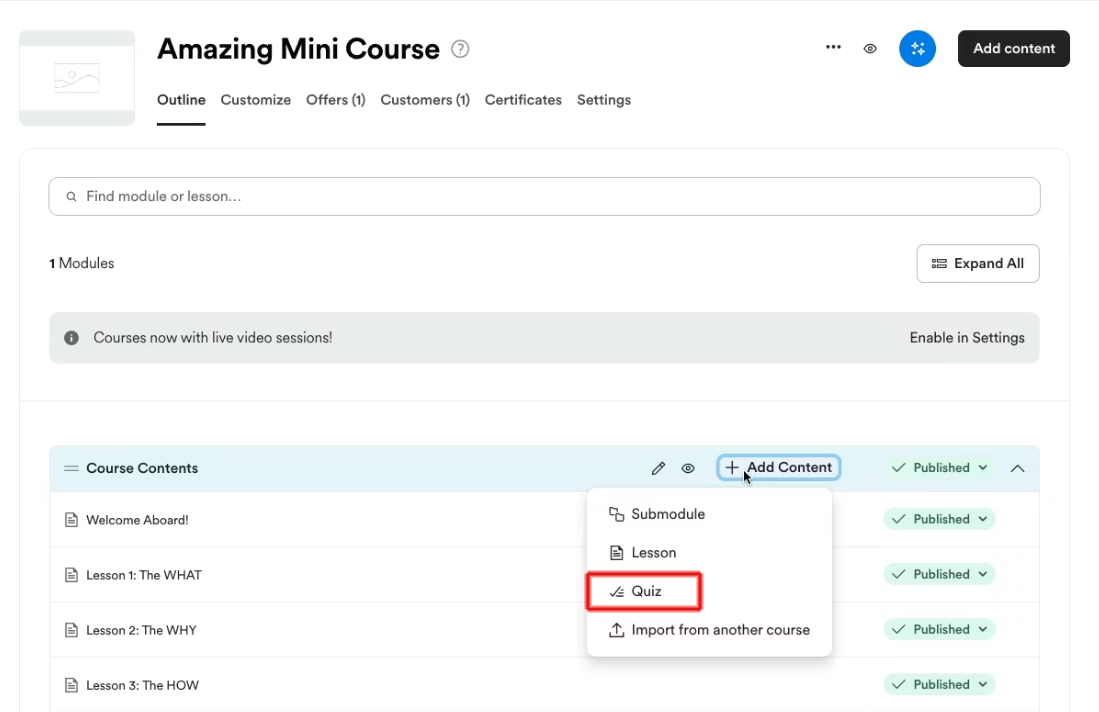
Kajabi supports six product types: Courses, Communities, Coaching, Podcasts, Newsletters, and Downloads. You can build a structured video course with drip scheduling, content locking, quizzes, and completion certificates; run a 1:1 or group coaching program with native scheduling and built-in live video; host a paid community with channels, live rooms, gamification, and challenges; sell digital downloads with per-customer expiring URLs; and publish a private or public podcast, all from one account.
Source: Kajabi
The marketing side is equally integrated: unlimited funnels, landing pages, and marketing emails on every plan, plus behavioral automations that trigger across products, emails, and offers without third-party connectors.
Justin Welsh, who has earned $10M+ on the platform, describes the shift: “I moved over to Kajabi and had all that stuff under one roof, which was a blessing for my business.” (Kajabi Product Page)
Zero transaction fees, period.
Unlike platforms that take a percentage of every sale, Kajabi charges no platform transaction fees on any paid plan. You pay only standard processing fees through Kajabi Payments (2.9% + $0.30 per US card transaction), Stripe, or PayPal.
For creators earning significant revenue, the savings add up. A creator making $10,000/month saves $500-$750/month compared to platforms charging 5-7.5%.
Native coaching, not bolted-on scheduling.
Kajabi’s Coaching product includes built-in scheduling via Kajabi Scheduler, live video with breakout sessions, automatic recording uploads, session notes, and client dashboards. Coaches don’t need Calendly, Zoom, and a separate CRM. It’s all in one place.

Source: Kajabi
AI business partner, not just AI writing.
Cofounder, included on every plan, differs from generic AI tools. It reads your actual account data: your products, pricing, revenue figures, and audience details. It interviews you like a business partner, surfaces viable product ideas, recommends pricing, and generates sales copy calibrated to your voice.
As Kajabi puts it: “ChatGPT is a text box. You ask, it answers. Cofounder is different. It knows your business.” You can use Cofounder before signing up to get a business plan before committing.
Community with engagement tools that matter.
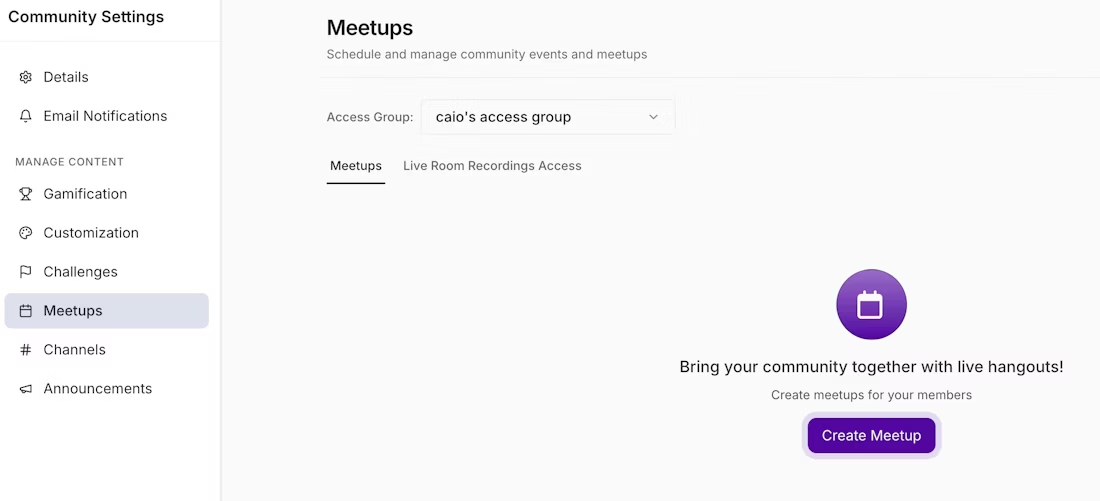
Kajabi’s Community includes channels, Live Rooms with breakout groups and screenshare, challenges, a customizable gamification system with leaderboards, polls, scheduled posts, and direct messaging. All plans include unlimited Access Groups, so you can run free, paid, and VIP community tiers from a single community.
Source: Kajabi
Built for global reach.
Kajabi supports 140+ currencies, buy-now-pay-later options (Afterpay, Klarna), Apple Pay, and Google Pay through Kajabi Payments. For course creators, AI-powered transcriptions, translations, and dubbed voiceovers in 70+ languages let you reach international audiences without re-recording content.
Kajabi Pricing
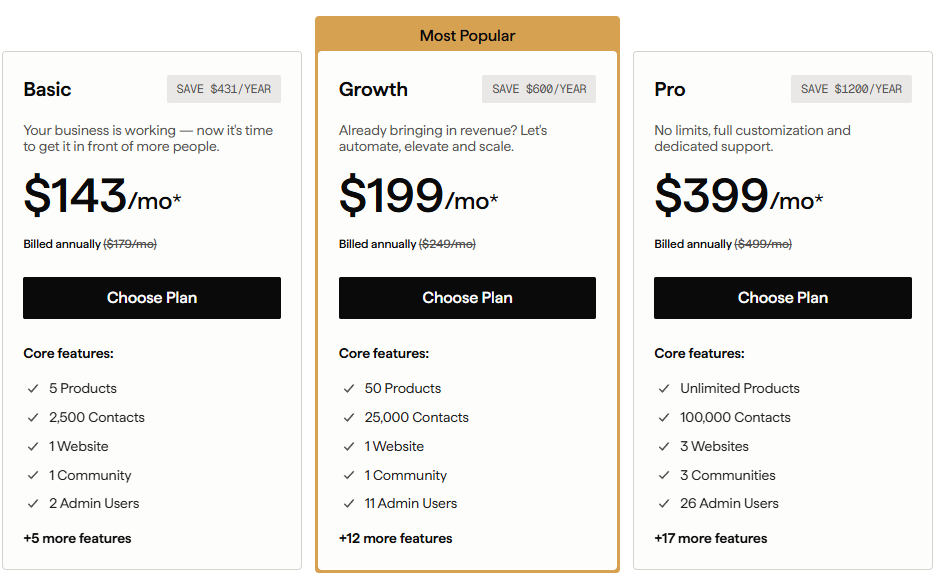
Kajabi uses flat-fee pricing with no transaction fees and no revenue sharing. Annual billing saves significantly:
- Basic: $143/month (annual) or $179/month. 5 products, 2,500 contacts, 1 website, 1 community, 2 admin users.
- Growth: $199/month (annual) or $249/month. 50 products, 25,000 contacts, 11 admin users.
- Pro: $399/month (annual) or $499/month. Unlimited products, 100,000 contacts, 3 websites, 3 communities, 26 admin users. Includes branded mobile app and API access.
A free trial is available, plus a 30-day money-back guarantee on the first charge.
Source: Kajabi
Use Kajabi if:
- You’re an established expert (coach, educator, consultant) ready to run your entire business from one platform
- You need courses, coaching, community, email, and payments without managing multiple subscriptions
- You want zero transaction fees so you keep more of what you earn
- You value an AI business partner that understands your specific business, not just generic content generation
- You want professional design and a branded mobile app without hiring developers
⭐ If you’ve been thinking about starting your online business, this is your sign. Get 30 days of Kajabi free instead of the usual 14 days when you use this special link — no pressure, no rush, just more time to grow.
2. Thinkific: Best for Enterprise-Ready Customer Education at Scale
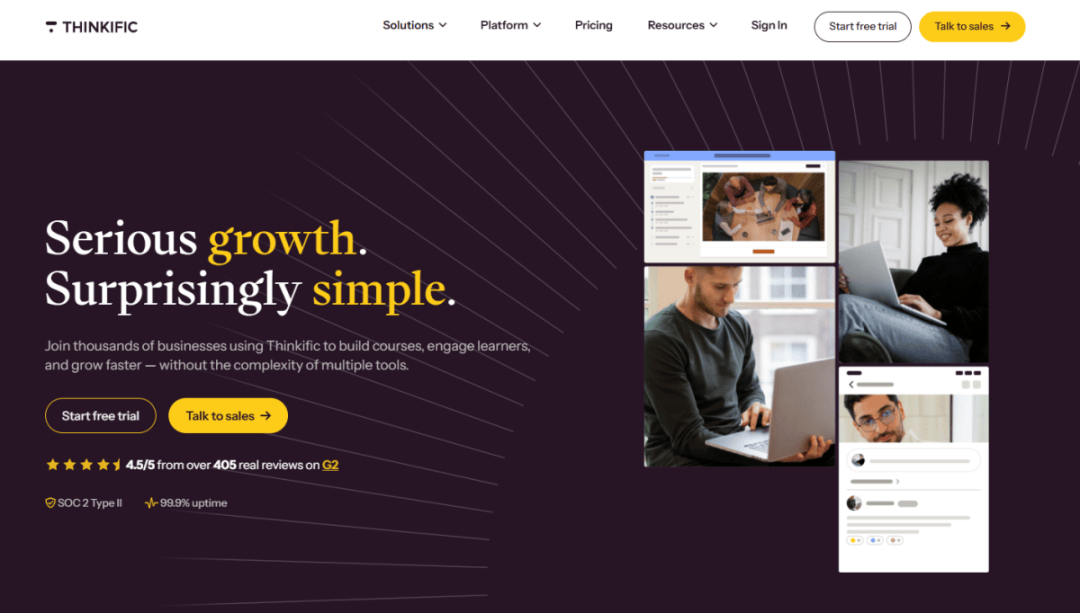
If your organization uses education as a business strategy (to train customers, certify partners, or onboard employees), Thinkific provides the infrastructure to do it at scale.
Thinkific has evolved from a course-creation tool into a full learning commerce platform serving mid-market companies and enterprises. CEO Greg Smith frames the shift directly: “Education is no longer a cost center; it’s a business model.” Enterprise customers like Hootsuite, GoDaddy, ActiveCampaign, Fiverr, and Anaconda use it for customer academies and partner certification programs.
|
Thinkific Pros |
Thinkific Cons |
|---|---|
|
✅ Enterprise features: SSO, SCORM compliance, multi-environment management |
❌ Enterprise features require custom-priced Plus plan |
|
✅ 0% platform transaction fees with Thinkific Payments |
❌ Third-party gateway surcharge (1-5%) if not using Thinkific Payments |
|
✅ AI teaching assistant (Thinker) for scalable learner support |
❌ Community features less mature than dedicated community platforms |
|
✅ B2B invoicing, group orders, and seat management |
Thinkific: Top Differentiators
Enterprise infrastructure via Thinkific Plus.
Thinkific Plus offers what individual-creator platforms cannot: multi-environment architecture via the Plus Portal, letting organizations run separately branded sites for customers, partners, and employees from one admin panel. SSO via OpenID Connect, SCORM 1.2 and SCORM 2004 compliance, unlimited admin seats, a 99.5% uptime SLA, and SOC 2 certification make it viable for regulated industries.
AI learner support at scale.
The Thinker AI teaching assistant trains on your specific course content and answers learner questions with sourced responses, not generic AI output. For organizations serving thousands of learners, Thinker scales support without scaling headcount.
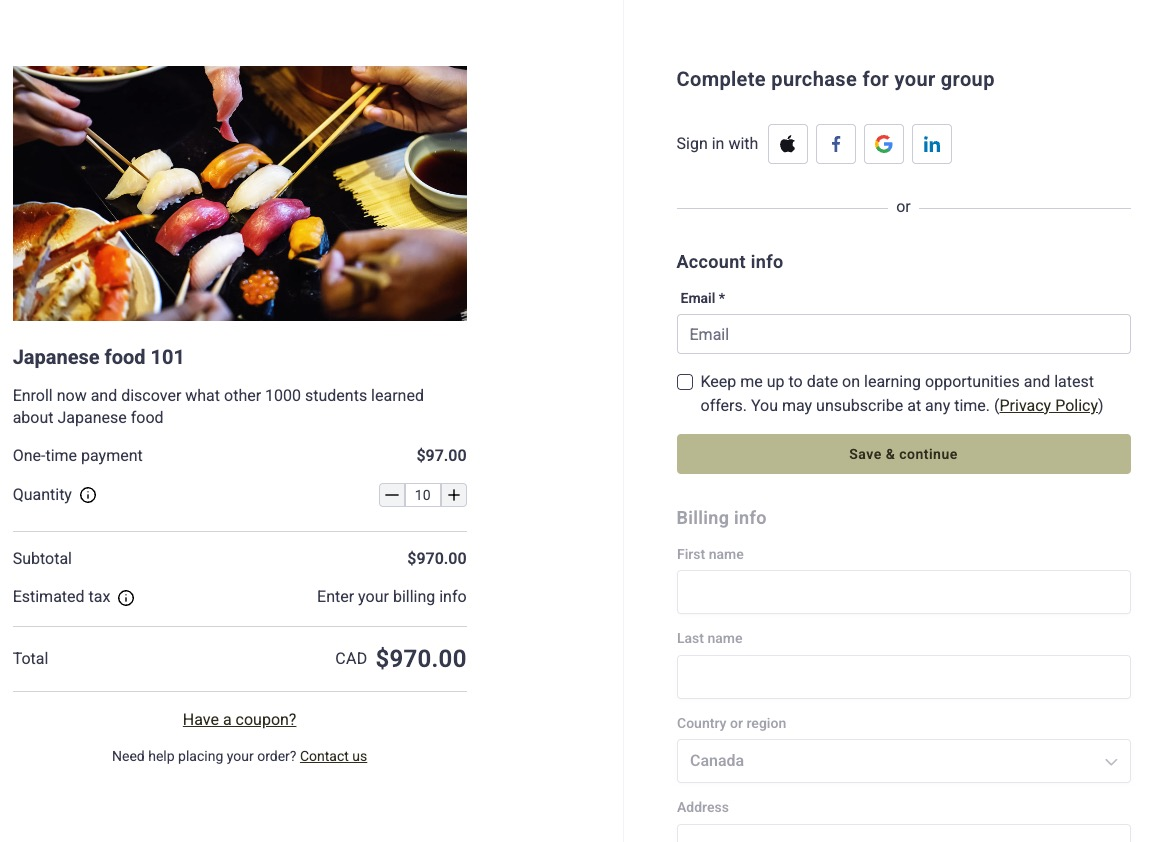
Commerce built for B2B.
TCommerce handles group orders, invoicing, seat management, automated sales tax and VAT remittance, and revenue recovery that reportedly recaptures up to 30% of otherwise-lost subscription revenue.
Source: Thinkific
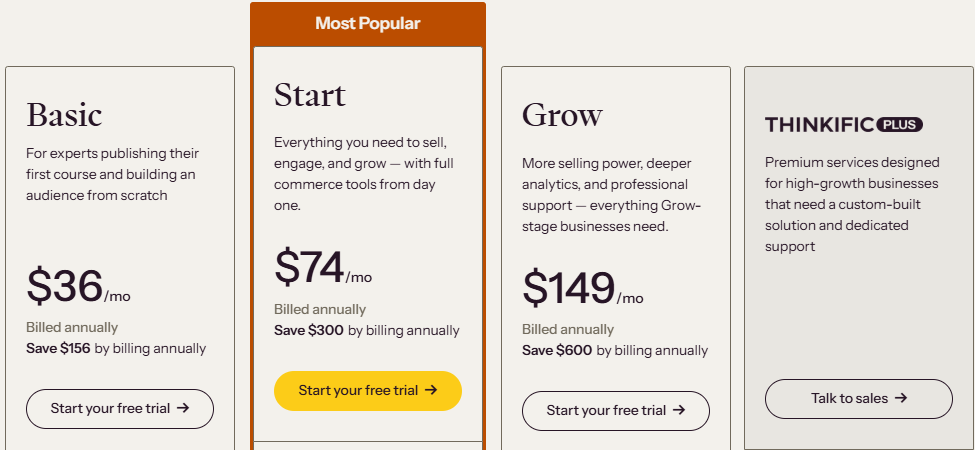
Thinkific Pricing
- Basic: $36/month (annual). Unlimited courses, 1 community, basic sales tools.
- Start: $74/month (annual). Adds live events, certificates, assignments, memberships.
- Grow: $149/month (annual). White-label, enhanced analytics, invoicing, group orders, API access.
- Thinkific Plus: Custom pricing. Full enterprise suite with SCORM, SSO, Thinker AI, branded mobile app, and dedicated onboarding.
Processing fees: 2.9% + $0.30 per transaction with 0% platform fee via Thinkific Payments.
Source: Thinkific
Use Thinkific if:
- You’re a SaaS company, software vendor, or B2B organization building customer education programs
- You need SCORM compliance for regulatory or institutional training
- You manage multiple learner audiences (customers, partners, employees) and need separate branded environments
- You want enterprise security and compliance without enterprise complexity
⭐ Build and sell your courses with Thinkific using this link. You get a full 30-day free trial on any plan, unlimited courses from the entry tier, and zero platform fees on what you sell.
3. Podia: Best for Solo Creators Launching Their First Digital Product Business
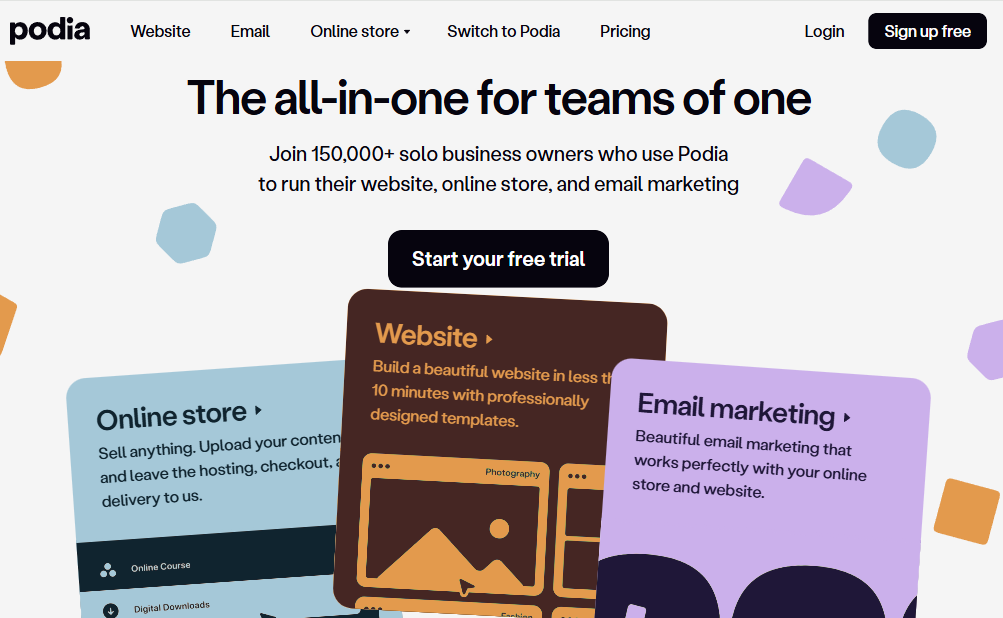
If you’re just getting started and want the simplest path from idea to live storefront, Podia is built for you.
Podia is “the all-in-one for teams of one”, a platform that consolidates website, courses, downloads, coaching, community, and email marketing into a single dashboard for non-technical solo entrepreneurs. It has served more than 150,000 customers across 167 countries who have collectively earned more than $500 million.
|
Podia Pros |
Podia Cons |
|---|---|
|
✅ Extremely easy to use; setup in hours, not days |
❌ 5% transaction fee on the Mover plan |
|
✅ Built-in email marketing on all paid plans |
❌ Email free only up to 100 subscribers; pay-as-you-grow beyond |
|
✅ Free migration included on all plans |
❌ Fewer advanced marketing automation features than larger platforms |
|
✅ 7-days-a-week support, even on the entry plan |
Podia: Top Differentiators
Simplicity at an accessible price.
Podia’s Mover plan at $33/month (annual) replaces five or more separate subscriptions. It includes unlimited products, unlimited customers, a full website builder, blogging, custom domain, email marketing (free up to 100 subscribers), and community. The interface is intentionally minimal: “What gets me with Podia, every time, is how easy it all is. Drag the files, and voila, I have a course to launch.”
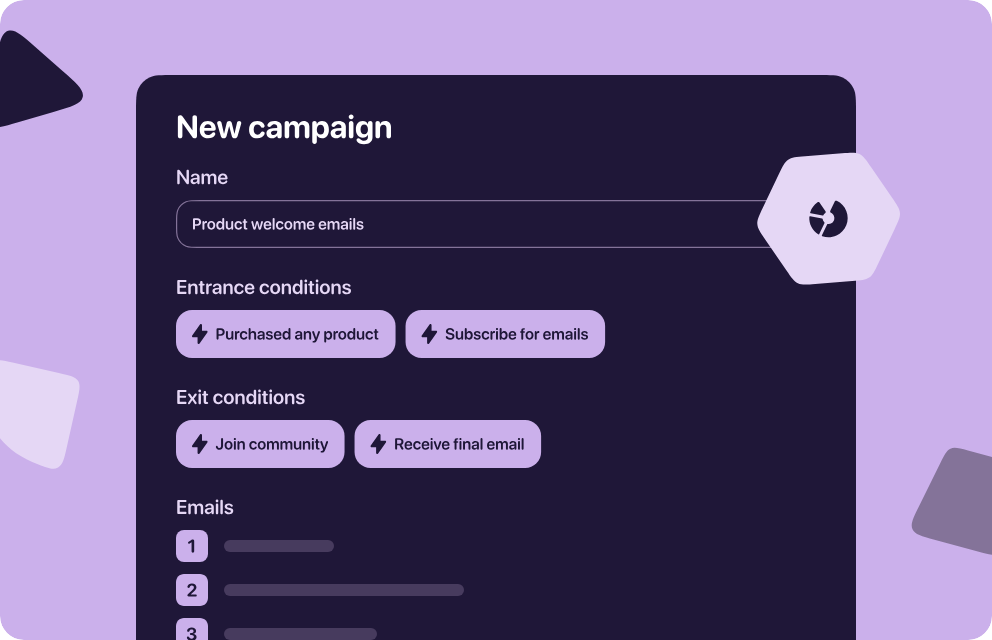
Source: Podia
Free migration removes switching friction.
Podia includes free migrations on all paid plans: up to 20 products on Mover, 30 on Shaker. The migration team handles course content, digital downloads, email lists (including tags and segments), and up to 5 email templates and 10 campaigns. For creators stuck on a platform they’ve outgrown, this removes the biggest barrier to switching.
Support that shows up when it matters.
Seven-days-a-week email and chat support is included on every paid plan. Across reviews, support quality is the most cited differentiator. One creator described Podia’s team migrating her entire course within 24 hours after her previous platform failed on launch day.
Podia Pricing
- Mover: $33/month (annual) or $39/month. Unlimited products and customers, 5% Podia transaction fee. Email free up to 100 subscribers.
- Shaker: $75/month (annual) or $89/month. Everything in Mover plus 0% transaction fees, PayPal support, affiliate marketing, and Zapier actions.
A 30-day free trial with no credit card required gives full Shaker-level access.
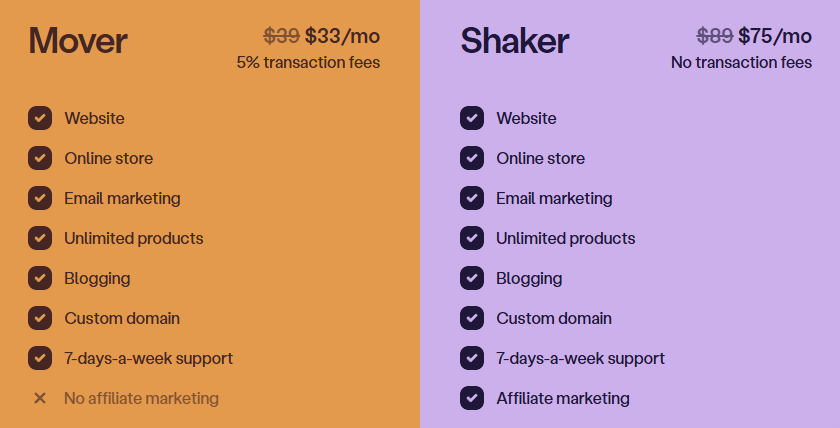
Source: Podia
Use Podia if:
- You’re launching your first digital product business and want the simplest path to a live storefront
- You want to consolidate a fragmented tool stack (website + courses + email + community) into one platform with unified customer data
- You need built-in email marketing that automatically segments based on product purchases
- You value responsive, human support and free migration assistance
⭐ Start growing your creator business with Podia and explore their current special offer through this link. Sell courses, digital products, memberships, and coaching from one simple platform.
4. Mighty Networks: Best for Community-Driven Membership Businesses
If your business model is built on ongoing member participation and peer-to-peer connection (not just content consumption), Mighty Networks puts community at the center of everything.
Mighty Networks is a community-first platform where courses, events, live streaming, and payments all wrap around the social layer. According to platform data from 9 billion monthly data points, 84% of activity on Mighty Networks is member-led, compared to about 20% on competing platforms.
Communities on the platform achieve 80%+ annual revenue retention, meaning members renew because of relationships with other members, not just access to content.
|
Mighty Networks Pros |
Mighty Networks Cons |
|---|---|
|
✅ Community-first architecture drives high member engagement |
❌ Transaction fees on all plans (0.5-2% on top of Stripe fees) |
|
✅ Native iOS and Android apps drive 60% more activity than web-only platforms |
❌ Limited marketing and funnel-building tools |
|
✅ Courses, events, and livestreaming integrated into the community |
❌ Only supports Stripe for payments (no PayPal) |
|
✅ Multilingual support for 6 languages built in |
Mighty Networks: Top Differentiators
Member-to-member engagement is structural, not accidental.
The Spaces architecture combines courses, activity feeds, livestreams, events, and member directories in a single interface. The Recognitions system lets members award points to each other based on community-defined values, and leaderboards rank by peer recognition rather than post volume.
For creators selling transformation through accountability (fitness, habit-building, professional development), this peer connection is what makes memberships worth renewing.
Native mobile apps create daily habits.
Over 60% of all platform activity happens on mobile, and native apps drive 60% more activity than web-only experiences. Push notifications, home screen presence, and weekly app updates create engagement loops that bookmarked websites cannot match. For larger brands, Mighty Pro offers white-labeled apps published under the creator’s own brand.
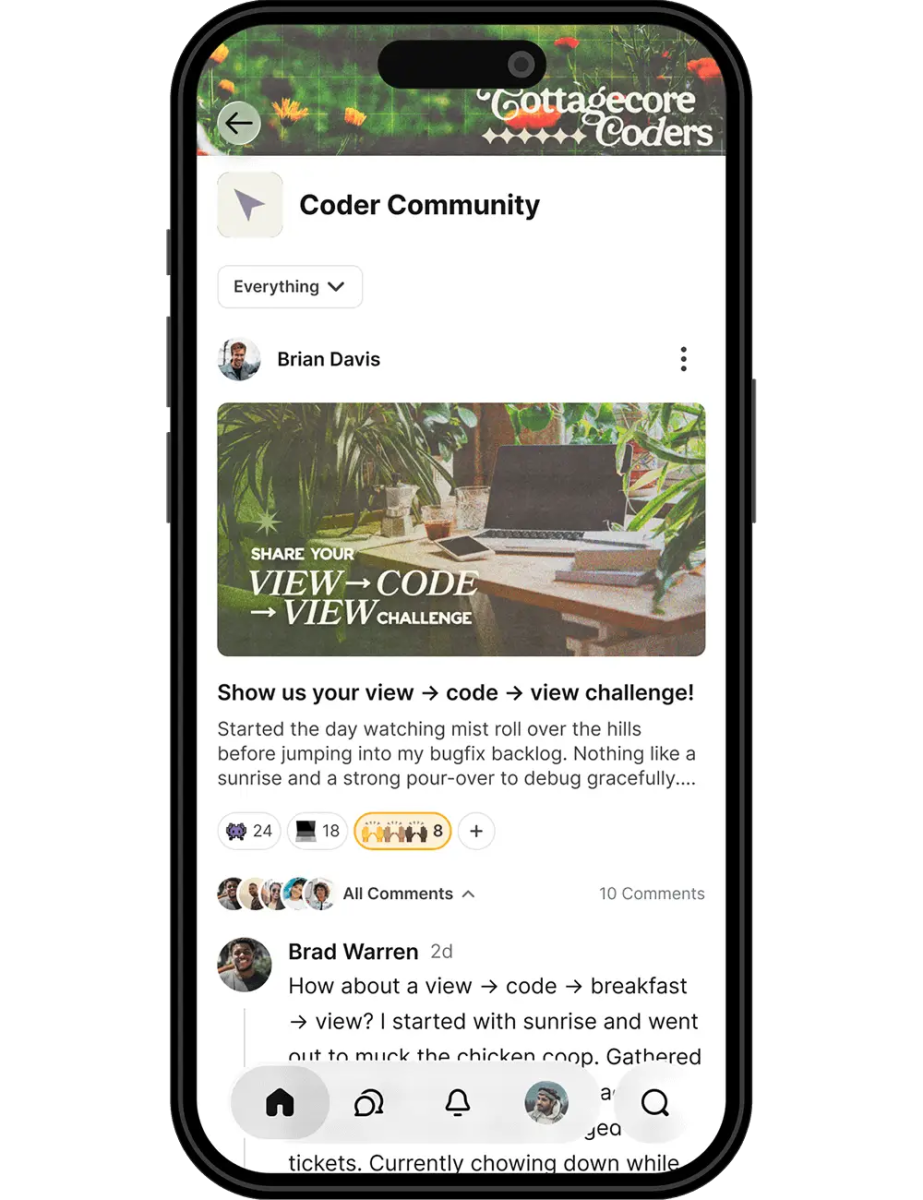
Source: Mighty Networks
Everything lives in the community.
Unlike platforms where courses and community are separate products, Mighty Networks treats them as features within the same Space. A Cohort Course template bundles course materials, community feed, event scheduling, and member profiles together. Built-in livestreaming supports HD video with live chat, emoji reactions, and multi-speaker capabilities, with replays posted to the community feed.
Mighty Networks Pricing
All plans include unlimited members and Spaces. Transaction fees apply on all tiers:
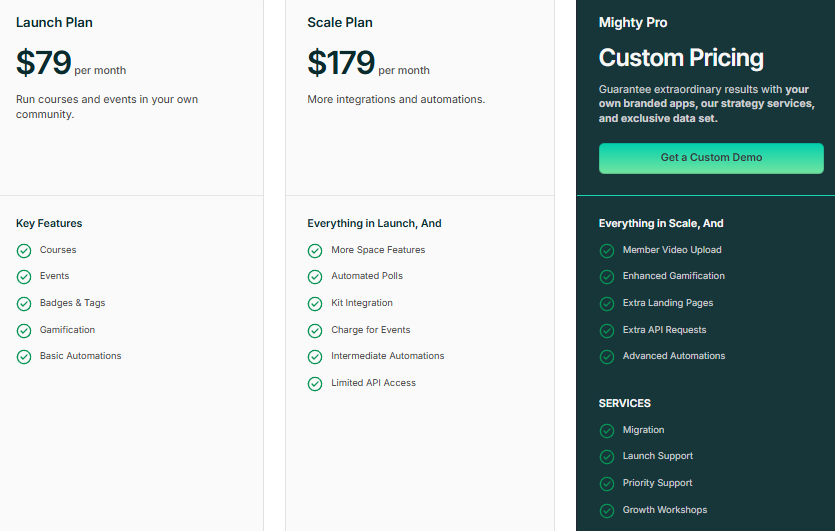
- Launch: $79/month or $950/year. Courses, events, gamification, AI Cohost. 2% transaction fee.
- Scale: $179/month or $2,150/year. Adds promo codes, installment plans, Kit integration. 1% transaction fee.
- Growth: $354/month or $4,250/year. Advanced automations, migration support, growth insights. 0.5% transaction fee.
- Mighty Pro: Custom pricing (starts around $17,000/year). Branded mobile apps, dedicated strategy team.
Source: Mighty Networks
Use Mighty Networks if:
- Your business model is recurring membership subscriptions, not one-time course sales
- Member engagement and peer accountability are your primary retention drivers
- You want native mobile apps to drive daily engagement habits
- You already have an audience and want to centralize them into a private, paid community
⭐ Build a thriving community with Mighty Networks using this exclusive link. Create memberships, courses, events, and meaningful member experiences all in one place.
5. Teachable: Best for Educators Who Prioritize Student Outcomes
If you think of yourself as a teacher first and a business owner second, and you measure success by whether students actually learned the material, Teachable’s education tools are hard to match.
Teachable is a course-creation platform built for independent educators and subject-matter experts. While other platforms spread across many business functions, Teachable concentrates on the teaching experience: curriculum builders, student progress tracking, quizzes with auto-grading, completion certificates, and learning analytics.
The platform has served 100M+ students across 180 countries, with collective creator earnings exceeding $10B.
|
Teachable Pros |
Teachable Cons |
|---|---|
|
✅ Strong pedagogical tools: quizzes, assignments, certificates, student analytics |
❌ 7.5% transaction fee on Starter plan |
|
✅ AI subtitle generation and translation in 70+ languages |
❌ Product and student caps on all plans |
|
✅ Automatic global tax calculation and remittance (200+ countries) |
❌ Not a full business suite; less suited for multi-product businesses |
|
✅ 0% transaction fees on Builder plan and above |
Teachable: Top Differentiators
Teaching-first features.
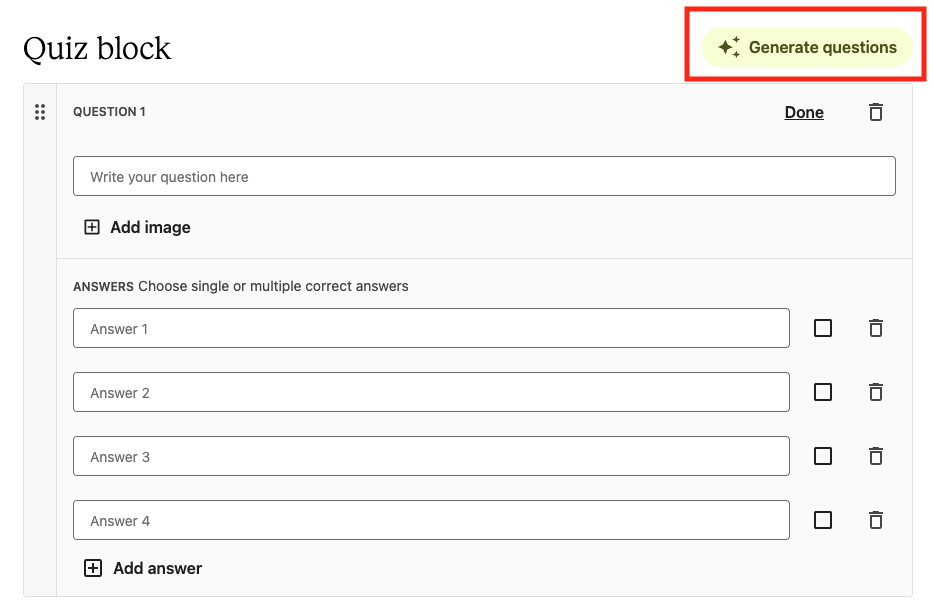
The drag-and-drop curriculum builder supports multimedia lessons, quizzes, assignments, and certificates. AI-powered quiz generation creates assessments directly from lesson content, and Teachable reports that courses with quizzes see 80% higher completion rates and 86% higher average lifetime sales.
The Reports tab shows lecture completion data, video engagement, quiz performance, and per-student summaries, giving educators insight into learning outcomes, not just sales.
Source: Teachable
Global reach built in.
Automatic subtitle generation and translation into 70+ languages (free on Growth and Advanced plans) lets educators reach international audiences without re-recording. Teachable:pay calculates, collects, and remits U.S. sales tax, EU/UK VAT, and select global digital taxes across 200+ countries, removing the administrative burden of international compliance.
AI that shortens time-to-launch.
The AI Course Starter generates curriculum outlines, lesson content, and sales page copy from a subject prompt, available on all plans with unlimited drafts. Creators have generated 3.8M+ pieces of AI-generated content on the platform, with AI-enhanced courses producing $7.7M+ in creator earnings since April 2024.
Teachable Pricing
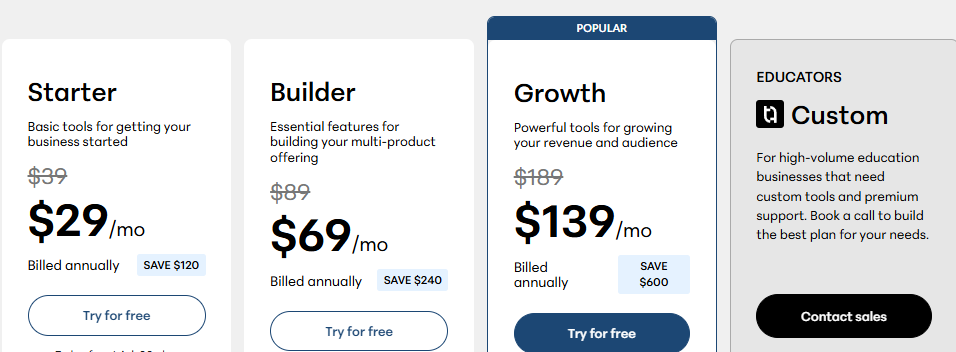
- Starter: $29/month (annual). 5 products, 100 active students. 7.5% transaction fee.
- Builder: $69/month (annual). 10 products, 1,000 students. 0% transaction fee. Adds affiliate program.
- Growth: $139/month (annual). 50 products, 5,000 students. Adds branding removal, admin permissions, free AI translations.
- Advanced: $309/month (annual). 100 products, 10,000 students.
- Custom/Enterprise: Contact sales.
Processing fees (2.9% + $0.30 for US cards) apply separately on all plans.
Source: Teachable
Use Teachable if:
- Your primary product is structured online education, and student learning outcomes matter as much as sales metrics
- You want to serve a global, multilingual student base without managing translation vendors or international tax compliance
- You prefer a teaching-specialist platform over a full business suite and want to move from idea to launched course quickly
⭐ Create and sell your online course with Teachable using my referral link. It’s an easy-to-use platform for building your brand, hosting your content, and growing your business online.
6. Systeme.io: Best for Bootstrapping at Zero Upfront Cost
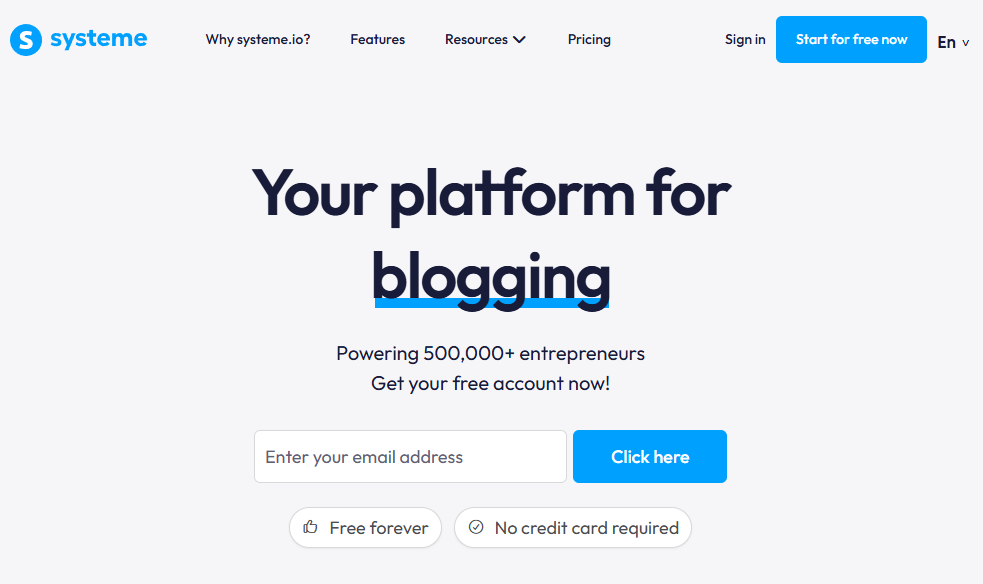
If you’re launching a digital business with no budget and need real business tools (not a stripped-down trial), Systeme.io’s permanent free plan is the strongest option available.
Systeme.io is an all-in-one platform that consolidates sales funnels, email marketing, course hosting, affiliate management, and website building, and its permanent free plan includes functional versions of nearly every tool. Built by Aurelien Amacker and launched in 2018, the platform now serves over 500,000 entrepreneurs and is fully bootstrapped with no outside funding.
|
Systeme.io Pros |
Systeme.io Cons |
|---|---|
|
✅ Permanent free plan with 2,000 contacts, unlimited emails, 0% transaction fees |
❌ Page builder and website design are more basic than competitors |
|
✅ Much cheaper than assembling equivalent standalone tools |
❌ Limited integrations with third-party tools |
|
✅ Full funnel builder, email automation, and affiliate management even on free |
❌ Less polished user experience; steeper learning curve for some features |
Systeme.io: Top Differentiators
A free plan that works.
The free tier includes 2,000 contacts, unlimited email sends, 3 sales funnels, 1 online course, a blog, and a custom domain with 0% transaction fees, no credit card required, and no expiration.
You can build an opt-in funnel, grow an email list, sell a course with automated follow-ups, and run an affiliate program without spending a dollar. Unlimited email sends on the free plan is unusual; most email tools cap sends well before 2,000 contacts.
All-in-one with no integration tax.
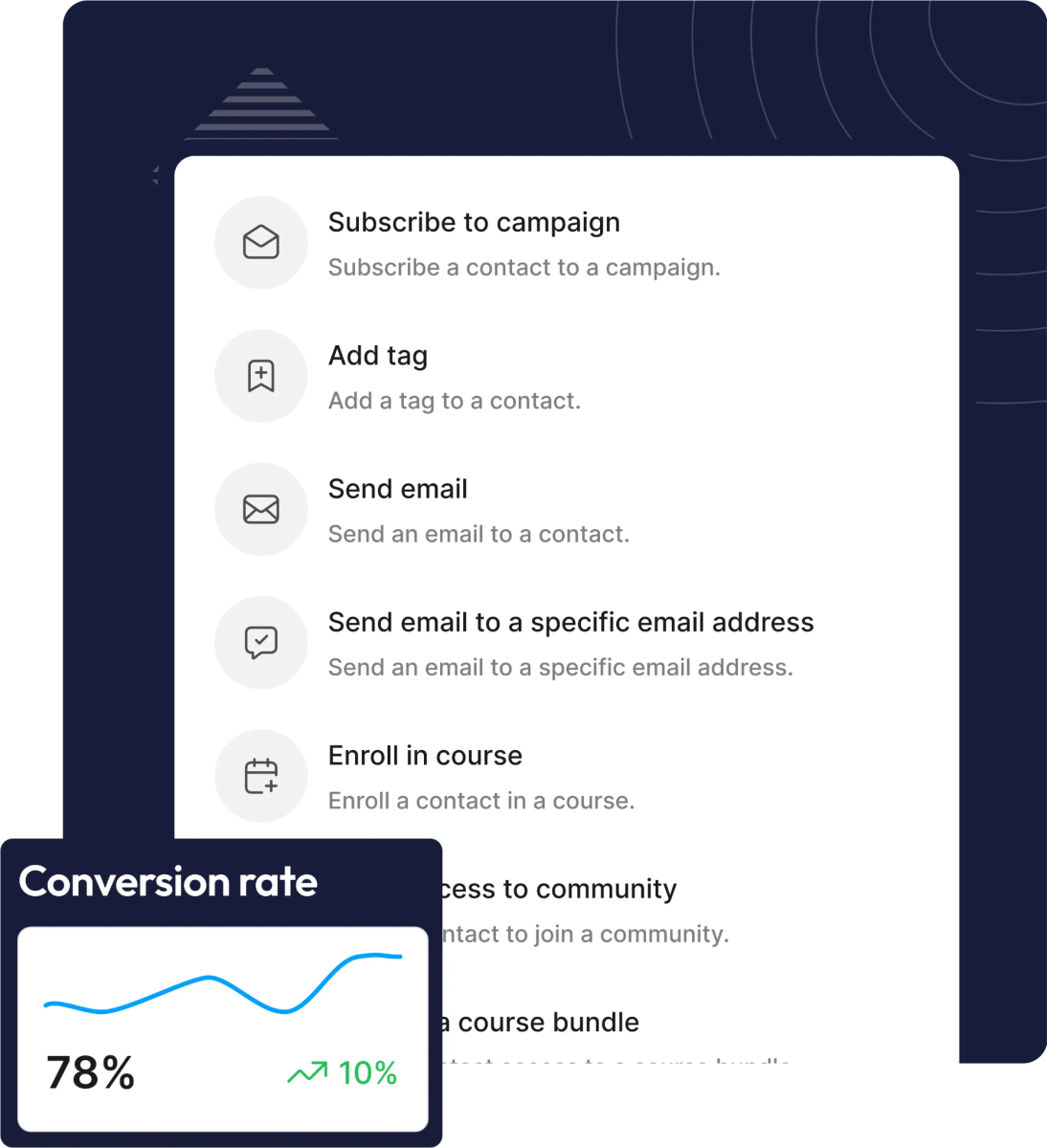
Sales funnels, email automation, course delivery, affiliate management, and community all run natively in the same system, sharing a single contact database. When someone opts into a funnel, purchases a course, and joins your affiliate program, all three actions land on the same contact record and can trigger automations without a single Zapier workflow.
Source: Systeme.io
Strong price-to-feature ratio.
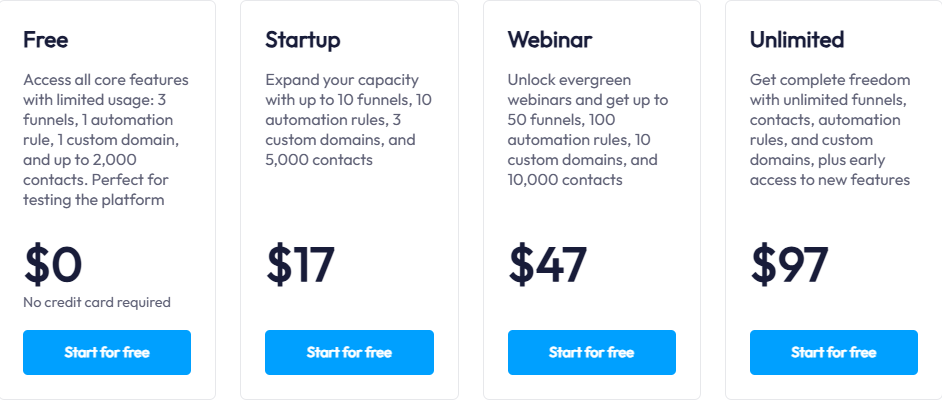
The Startup plan at $17/month gives you 5,000 contacts, unlimited funnels, and 5 courses. The Unlimited plan at $97/month provides unlimited everything, including sub-accounts for managing client work. A comparable feature set from separate tools would cost $245-$355/month.
Systeme.io Pricing
All plans include 0% transaction fees:
- Free: $0/month permanently. 2,000 contacts, 3 funnels, 1 course, unlimited emails.
- Startup: $17/month. 5,000 contacts, unlimited funnels, 5 courses.
- Webinar: $47/month. 10,000 contacts. Adds automated evergreen webinars.
- Unlimited: $97/month. Unlimited everything, plus sub-accounts and white-label access.
Source: Systeme.io
Use Systeme.io if:
- You’re launching with no upfront budget and need real business tools, not a time-limited trial
- You want funnels, email, courses, and affiliate management in one platform without Zapier overhead
- You prioritize price-to-feature ratio over design polish
- You’re an agency managing multiple client accounts and need unlimited sub-accounts at a flat rate
7. Stan Store: Best for Social-First Creators Monetizing from Instagram or TikTok
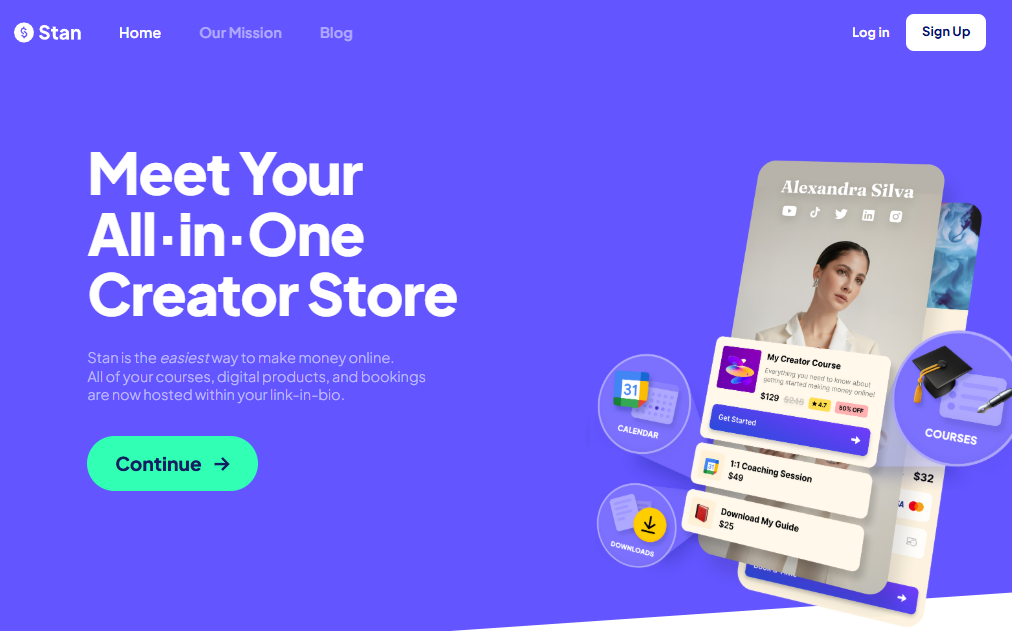
If your audience lives on Instagram or TikTok and you want the shortest path from follower to paying customer, Stan Store turns your bio link into a storefront.
Stan Store is a mobile-optimized link-in-bio commerce platform. Unlike traditional link-in-bio tools (Linktree, Later) that present clickable outbound URLs, Stan’s link in bio IS the store; when a follower clicks your stan.store/username link, the purchase happens right there, with no redirect chain to a separate platform.
|
Stan Store Pros |
Stan Store Cons |
|---|---|
|
✅ 0% platform transaction fees on all plans |
❌ Stores not indexed by search engines; no SEO-driven discovery |
|
✅ AutoDM converts Instagram comments into direct sales |
❌ No advanced course features (quizzes, certificates, progress tracking) |
|
✅ Built-in calendar booking eliminates need for Calendly |
❌ Email marketing only available on Pro plan ($99/month) |
|
✅ Setup in under 30 minutes, zero coding required |
Stan Store: Top Differentiators
Link-in-bio as point of sale.
Every additional click between discovery and checkout loses customers. Stan collapses the funnel (social post, profile link, storefront browse, separate checkout) into a single mobile-optimized destination. Setup takes under 30 minutes, and 14 mobile-first templates are designed for social traffic.
AutoDM turns engagement into revenue.
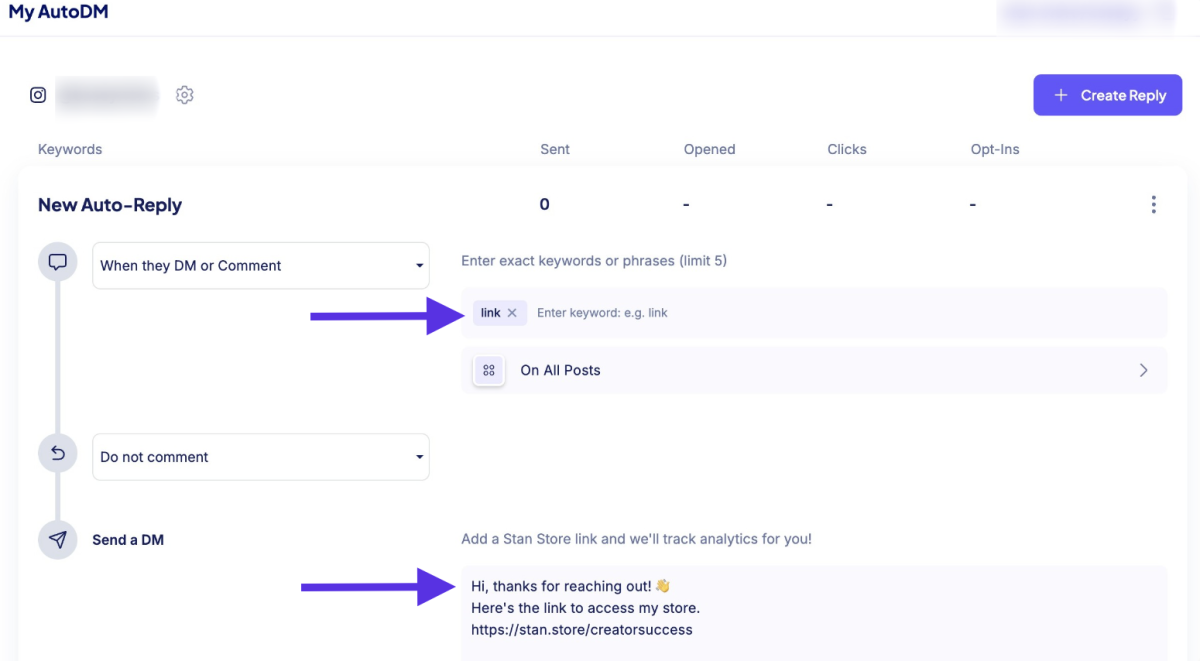
Stan AutoDM lets creators set trigger keywords for Instagram posts and Stories. A follower comments the keyword, and Stan automatically sends a DM with a product link. The conversion path drops from five steps to one.
AutoDM is included on the base $29/month Creator plan, unlike competing tools like ManyChat that require separate subscriptions and more complex setup. It can also be paired with a $0 download to build an email list from Instagram comments.
Source: Stan Store
All monetization tools under one flat fee.
Stan consolidates storefront, course builder, calendar booking, email collection, and community into a single subscription with 0% platform transaction fees. For a creator currently paying for Linktree + Gumroad + Calendly + a community tool, Stan replaces all four.
Stan Store Pricing
- Creator: $29/month or $300/year. Unlimited products, courses, communities. Calendar booking, AutoDM, lead magnets.
- Creator Pro: $99/month or $948/year. Adds email broadcasts and flows, discount codes, payment plans, Afterpay/Klarna, order bumps, affiliate management, and ad pixel tracking (Meta, Google, TikTok, Pinterest).
Both plans include a 14-day free trial.
Use Stan Store if:
- Your primary audience is on Instagram or TikTok and you want to monetize without building a separate website
- You want to convert social engagement into sales automatically through DM automation
- You’re selling digital products, coaching, courses, or memberships (not physical goods)
- You want to replace multiple subscriptions (link-in-bio + storefront + calendar + community) with one flat-rate tool
Final Verdict
Every platform on this list solves the all-in-one problem differently, because every creator’s business is different. The right choice depends on where you are, what you sell, and how your audience finds you.
Here are our top picks for the most common creator scenarios:
- Kajabi: If you’re an established expert who wants to run courses, coaching, community, email marketing, and payments from one platform with zero transaction fees and an AI business partner that knows your business. Get started with a 30-day free trial instead of just 14!
- Thinkific: If you’re an organization building customer education, partner certification, or compliance training and need enterprise features like SSO, SCORM, and multi-environment management.
- Podia: If you’re a solo creator launching your first digital product and want the simplest, most affordable path from idea to live storefront with built-in email and responsive support.
- Mighty Networks: If your revenue model depends on recurring memberships and member-to-member engagement, and you want native mobile apps that drive daily participation.
- Teachable: If you’re an educator first, and student learning outcomes, multilingual reach, and pedagogical depth matter more than running a full marketing operation.
- Systeme.io: If you’re bootstrapping with zero budget and need funnels, email, courses, and affiliate management on a permanent free plan.
- Stan Store: If your audience lives on Instagram or TikTok and you want the shortest path from social engagement to completed purchase.
Best All-in-One Platforms for Content Creators FAQ
What is the best all-in-one platform for content creators?
It depends on your business model. For established experts who want courses, coaching, community, email, and payments under one roof with zero transaction fees, Kajabi is the most comprehensive option. For solo creators starting out, Podia offers the simplest and most affordable entry point. For organizations running customer education at scale, Thinkific provides enterprise infrastructure.
Is there a free all-in-one platform for content creators?
Systeme.io offers the strongest permanent free plan in the category: 2,000 contacts, unlimited email sends, 3 sales funnels, 1 online course, a blog, a custom domain, and 0% transaction fees, with no credit card required and no expiration.
Thinkific also offers a free plan (Basic at $0) with unlimited courses but without email marketing or sales funnels. Most other platforms offer free trials rather than permanent free tiers.
How much do all-in-one creator platforms cost?
Pricing ranges widely.
Systeme.io starts at $0/month (free plan) and its paid plans begin at $17/month. Podia starts at $33/month on annual billing. Stan Store starts at $29/month. Teachable starts at $29/month annually. Thinkific starts at $36/month annually. Mighty Networks starts at $79/month. Kajabi starts at $143/month annually.
The right comparison isn’t just subscription cost; factor in transaction fees, contact limits, and whether you’ll need separate tools for email, funnels, or community.
Do all-in-one platforms charge transaction fees?
Not all of them.
Kajabi, Systeme.io, and Stan Store charge 0% platform transaction fees on all plans. Thinkific charges 0% when using Thinkific Payments but adds a surcharge (1-5%) for third-party gateways on lower tiers. Podia charges 5% on its Mover plan but 0% on Shaker. Teachable charges 7.5% on Starter but 0% on Builder and above. Mighty Networks charges 0.5-2% depending on plan.
Standard processor fees (typically 2.9% + $0.30 per transaction) apply on all platforms regardless.
Which platform is best for selling online courses?
Teachable offers the deepest education-specific tools: quizzes, assignments, certificates, student progress tracking, and AI-powered subtitle translation in 70+ languages. Kajabi is the better choice if you’re selling courses alongside coaching, community, and memberships and want everything in one place. Thinkific is ideal for organizations running institutional training programs. Systeme.io is the most affordable option for launching a first course at zero cost.
Which platform is best for building a membership community?
Mighty Networks is built for community-driven memberships, with native mobile apps, peer-to-peer matching, gamification, and engagement features that produce 84% member-led activity.
Kajabi offers strong community features integrated with its broader business platform, including Live Rooms, challenges, gamification, and unlimited Access Groups, making it a good fit for creators who need community alongside courses and coaching.
Can I switch platforms later, or am I locked in?
Most platforms let you export your content, though the ease of migration varies. Podia offers free migration services on all paid plans. Systeme.io provides free migration on its Unlimited plan. Kajabi offers a 30-day money-back guarantee. Before committing, check what data you can export (course content, student records, email lists) and whether the new platform offers migration support.
Do I need a separate email marketing tool with an all-in-one platform?
In most cases, no.
Kajabi includes unlimited marketing emails, broadcasts, sequences, and behavioral automations on all plans. Podia includes email marketing (free up to 100 subscribers). Systeme.io includes unlimited email sends even on its free plan. Teachable has limited email features and may require a separate tool for advanced campaigns. Stan Store includes email only on its Pro plan.
If email marketing is central to your business, prioritize platforms with native email tools to avoid integration overhead.